When choosing the best webcam for livestreaming market updates, many overlook the importance of seamless virtual backgrounds, clear audio, and proper lighting. Even the best camera can fall flat without the right setup, including quality microphones and optimized environments. Compatibility between equipment also matters to prevent disruptions. Paying attention to these hidden factors can dramatically improve your stream’s professionalism. Keep going, and you’ll discover the key details to elevate your broadcast quality even further.
Key Takeaways
- High-quality webcams alone won’t ensure professional streams; proper lighting and background setup are equally critical.
- Virtual backgrounds can cause lag or flickering if not seamlessly integrated, affecting overall stream quality.
- Microphone quality often matters more than the webcam itself for clear, engaging market updates.
- Compatibility between your webcam, lighting, and software is essential for a stable, professional broadcast.
- Holistic setup optimization—camera, audio, lighting, and background—is key to delivering polished livestreams.
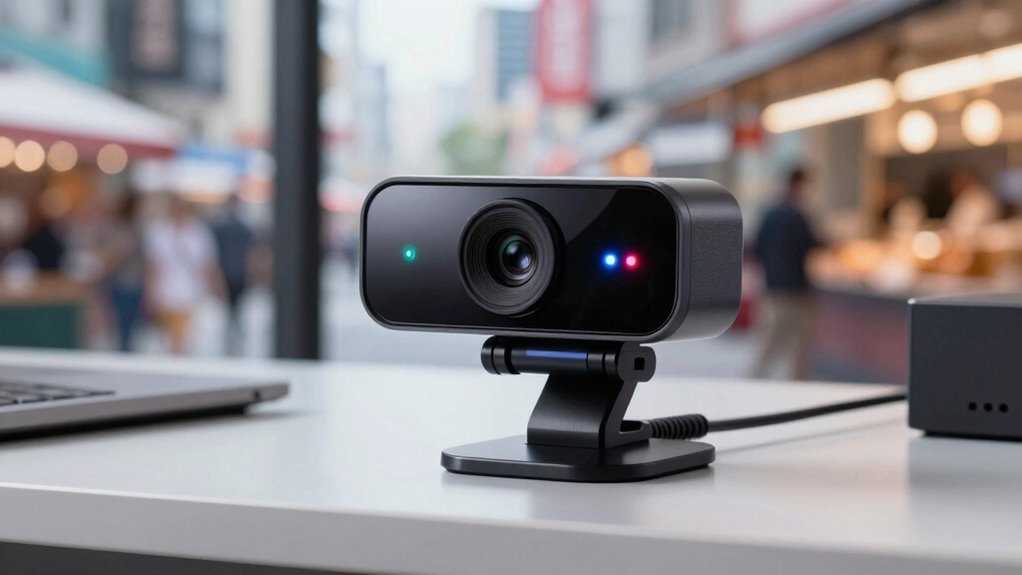
If you’re looking to deliver clear and professional market updates through livestreams, choosing the right webcam is essential. Your webcam isn’t just about video quality; it plays a critical role in how your presentation appears and feels to your viewers. One thing many overlook is how seamlessly your virtual background integrates with your camera. A good webcam should handle virtual backgrounds smoothly, without lag or flickering, so your presentation looks polished and distraction-free. This helps keep your viewers focused on your message, not on technical glitches.
Choose a webcam that handles virtual backgrounds smoothly for a polished, distraction-free presentation.
Another key aspect often underestimated is microphone quality. Even if your video looks sharp, poor audio can undermine your credibility. Investing in a webcam with a built-in microphone might seem convenient, but it rarely delivers the clarity you need for professional updates. High-quality microphones, whether built-in or external, capture your voice clearly and reduce background noise, making your delivery more engaging and trustworthy. When your microphone quality is exceptional, your audience hears your insights accurately, which is especially important when discussing complex market data or trends.
Many people assume that a high-end webcam alone guarantees a professional livestream experience. But the reality is, your setup’s overall quality depends on more than just the camera. Lighting, microphone, and background setup all influence how your stream is perceived. For instance, even the best webcam can struggle in poor lighting conditions, making your image look dull or grainy. Proper lighting enhances your video quality and makes your face more visible, reinforcing your authority during updates. Ensuring your entire setup is optimized creates a more professional appearance and improves viewer engagement. Additionally, paying attention to compatibility and software ensures your equipment works harmoniously and allows for easy adjustments to suit your environment. Having a reliable and optimized setup is essential for consistent broadcast quality and a smooth streaming experience, especially when dealing with content creation and live updates.

TOALLIN 2K Webcam for PC, 5MP, Built-in Mic, Web Camera with Tripod
- High-Definition 2K Video: 5MP resolution for clear images and videos
- Built-in Noise-Reducing Microphone: Clear audio pickup up to 3 meters
- Wide 90° Field of View: Capture more with distortion-free wide angle
As an affiliate, we earn on qualifying purchases.
As an affiliate, we earn on qualifying purchases.
Frequently Asked Questions
How Do Webcams Perform in Low-Light Streaming Environments?
Webcams can struggle in low-light environments, but models with night vision and infrared technology considerably improve performance. You’ll notice clearer images and reduced graininess when these features are built-in, allowing you to stream effectively even in darkness. Infrared sensors detect minimal light, enhancing visibility without additional lighting. So, if you often stream in dim settings, choose a webcam with night vision and infrared tech to guarantee your market updates come through crisp and clear.
Are There Any Compatibility Issues With Specific Streaming Software?
Think of your webcam as a versatile actor needing the right script. Usually, there aren’t major compatibility issues with streaming software, but you should check software compatibility and make certain your drivers are up to date. Driver updates act like the director’s notes, enhancing performance. Keep your webcam’s drivers current, and you’ll enjoy smooth streaming across various platforms, avoiding hiccups like lag or disconnects, much like a well-rehearsed play.
What Is the Typical Lifespan of a Good Livestreaming Webcam?
A good livestreaming webcam typically lasts around 3 to 5 years, depending on usage and build quality. You’ll want a camera with high resolution, like 1080p or 4K, to guarantee clear streams. Autofocus technology helps keep your image sharp, even if you move around. Regular updates and proper care can extend its lifespan, but eventually, hardware wear and software compatibility issues may necessitate an upgrade.
Do Webcams Require Special Maintenance or Cleaning Tips?
Ever notice how dust seems to gather just when you need crystal-clear video? You should regularly clean your webcam lens with a soft cloth to prevent smudges and guarantee sharp images. Dust removal is key—use compressed air or a gentle brush to keep vents clear. Avoid harsh chemicals, and clean the lens gently to maintain quality. Proper maintenance keeps your webcam performing its best during every livestream.
How Much Should I Budget for a Professional-Grade Livestream Webcam?
You should budget around $150 to $300 for a professional-grade livestream webcam. Look for a camera with at least 1080p resolution to guarantee clear visuals, and prioritize models with high-quality microphone input for crisp audio. Investing in a good webcam enhances your market updates’ professionalism, making your content more engaging. Remember, spending a bit more on resolution and microphone quality pays off in better viewer experience and credibility.

Logitech Creators Blue Yeti USB Microphone for PC, Mac, Gaming, Recording, Streaming, Podcasting, Studio and Computer Condenser Mic with Blue VO!CE effects, 4 Pickup Patterns, Plug and Play – Blackout
- High-Quality Broadcast Sound: Custom three-capsule array for clear audio
- Blue VO!CE Software: Enhance recordings with effects and HD samples
- Multiple Pickup Patterns: Cardioid, omni, bidirectional, stereo options
As an affiliate, we earn on qualifying purchases.
As an affiliate, we earn on qualifying purchases.
Conclusion
Choosing the best webcam for livestreaming market updates might seem overwhelming, but remember, clarity and reliability are your top priorities. Think of it like a window into your world—if it’s blurry or shaky, viewers miss the message. Imagine upgrading to a high-quality webcam; your updates become more engaging and professional, making it easier to connect. So, don’t settle for less—invest in a webcam that elevates your content and keeps your audience hooked.
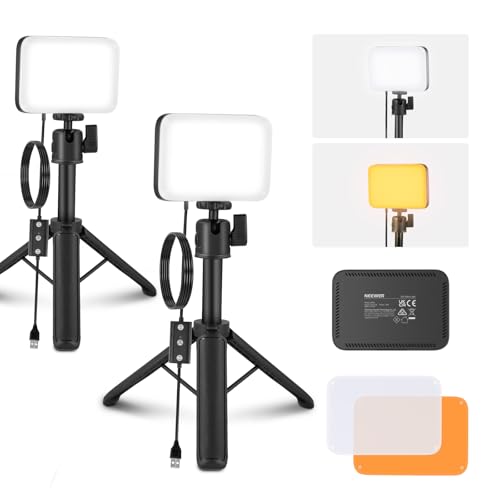
NEEWER BASICS 2 Pack LED Video Panel Light, Video Conference Lighting Kit with Desktop Tripod Stands/Filters for Webcam Desk Computer Laptop Zoom Call Makeup Recording Selfie Streaming, Dimmable, BP66
- Lightweight and Portable: Only 6.2oz, compact design for on-the-go use
- Bi-Color Lighting: Adjustable 3200K-5600K with filters for warm or cool tones
- Bright Illumination: Up to 750lx at 0.5m for clear lighting
As an affiliate, we earn on qualifying purchases.
As an affiliate, we earn on qualifying purchases.
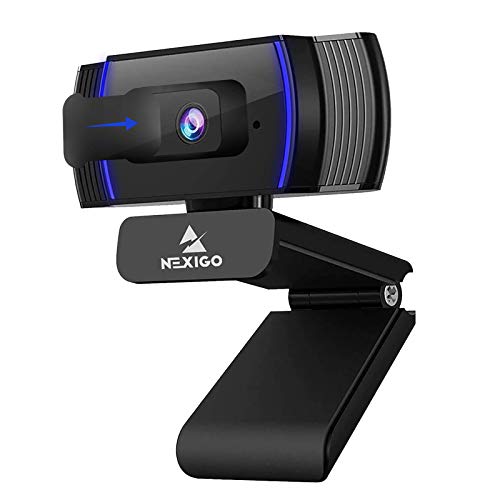
NexiGo N930AF Webcam with Microphone for Desktop, Autofocus, Webcam for Laptop, Computer Camera, 1080p HD USB Web Camera, Compatible with Zoom/Switch 2/Teams/Webex
- Resolution and Autofocus: 1080p HD with adjustable autofocus
- Privacy Protection: Includes privacy cover for lens security
- Built-in Microphone: Noise-canceling microphone for clear audio
As an affiliate, we earn on qualifying purchases.
As an affiliate, we earn on qualifying purchases.