

The right tax preparation software depends almost entirely on how complicated your return is, and the main decision most buyers face is between H&R Block’s lower pricing structure and TurboTax’s more polished interview flow. My top overall pick is H&R Block Premium & Business 2025, because it handles self-employment income, rental property, and S-corp or partnership returns in one package at a lower cost than comparable TurboTax tiers. If your situation is simpler — wages, mortgage interest, standard deductions — H&R Block Deluxe + State 2025 offers the best balance of guidance and value, while TurboTax Premier 2025 stands out for investors with extensive stock, crypto, or rental activity who want the smoothest import experience. The tradeoffs worth knowing: TurboTax typically costs more per tier but guides you through complex entries with fewer stumbles, while H&R Block includes more forms at lower tiers and bundles state returns more generously. Older editions like the 2023 and 2024 versions appear in this lineup too, and I explain when buying a previous year actually makes sense. Keep reading for the full breakdown.

Get smart everyday buys delivered free with Prime
- Fast, free delivery on millions of items
- Prime Video, Amazon Music and more included
- Member-only deals all year
Key Takeaways
- H&R Block Premium & Business earned the top spot because it is the only option in this lineup that covers personal returns and business entities (S-corps, partnerships, LLCs) in a single purchase, while TurboTax splits those into separate products.
- Across the board, TurboTax tiers cost more but deliver a more forgiving interview process for complex income like investments and self-employment — the premium buys confidence, not extra forms.
- H&R Block consistently includes state filing support at lower price points than TurboTax, making it the stronger value for anyone filing in a state with income tax.
- Older editions (2023 and 2024 versions) are only worth buying for amending or filing a prior-year return — the software does not update to current-year tax law.
- TurboTax Business 2025 is a Windows-only product that cannot prepare a personal Form 1040, so sole proprietors and single-member LLC owners should steer toward Home & Business instead.






| tax preparation software | Platform | Federal e-files | Tax year |
|---|---|---|---|
| H&R Block Premium & Business T | Windows PC online code | — | 2025 |
| TurboTax Home & Business Deskt | — | — | 2025 |
| TurboTax Business Desktop Edit | — | 5 | 2025 |
| H&R Block Tax Software Deluxe | Windows / Mac | — | 2025 |
| TurboTax Premier 2024 Tax Soft | PC and Mac download | 5 | 2024 |
| TurboTax Home & Business 2024 | PC/Mac Download | — | — |
| TurboTax Deluxe Desktop Editio | — | 5 | 2025 |
| H&R Block Tax Software Deluxe | PC/Mac download | 5 free | 2023 |
| TurboTax Premier Desktop 2025 | Windows 11 / macOS Sonoma or later (Windows 10 not supported) | 5 | — |
| H&R Block Tax Software Deluxe | — | Five free federal e-files | 2025 |
| H&R Block Tax Software Premium | Windows / Mac (Online Code) | 5 free | — |
| TurboTax Deluxe Desktop Editio | Windows 11 or macOS Sonoma or later | 5 included | 2025 |
| H&R Block Tax Software Deluxe | Windows / Mac | 5 free | 2024 |
| TurboTax Deluxe 2024 Tax Softw | PC / Mac download | 5 included | — |
| H&R Block Tax Software Basic 2 | Windows 10 / macOS 12 Monterey | 5 free | — |
More Details on Our Top Picks
H&R Block Premium & Business is the most flexible fit here for someone preparing both a complex personal return and returns for a business entity. It covers forms for corporations, partnerships, trusts, estates, and nonprofit organizations, while five federal e-files can accommodate several filings. Compared with TurboTax Business Desktop Edition 2025, this package also includes personal tax preparation, which can keep an owner’s work in one software purchase. Import support for prior-year returns and tax documents can reduce repeated data entry, and AI Tax Assist adds guided help. The tradeoff is a demanding setup: the business component requires Windows 11 and 15 GB of storage, while the premium component has different minimum requirements. It also requires internet access and a compatible printer.
Pros:- Supports personal returns and multiple business entity types in one package
- Imports tax documents and prior-year returns, including from TurboTax and Quicken
- Includes guided deduction help and AI Tax Assist
- Allows unlimited federal preparation and printing, with five federal e-files
Cons:- Business component requires Windows 11 and 15 GB of storage
- Different components have different minimum Windows requirements
- Requires an internet connection and compatible printer
Best for: Windows users who need to prepare a personal return alongside returns for a corporation, partnership, trust, estate, or nonprofit
Not ideal for: Mac users, Windows 10 users relying on the business component, and filers seeking a low-setup personal-only program
- Tax year:2025
- Platform:Windows PC online code
- Premium operating system:Windows 10 or higher
- Business operating system:Windows 11
- Business storage:15 GB available space
- Included federal e-files:5
- Business forms:1120, 1120S, 1055, 1041, 990, 940, 941, W-2, and 1099
- State programs:Unlimited business state programs; one state program download
Our verdict“Choose this package if you need Windows software for both a complex personal return and multiple business filings.”
TurboTax Home & Business Desktop Edition 2025 for Windows 11 and macOS Sonoma or Later
TurboTax Home & Business Desktop Edition is aimed at people whose business activity is part of their personal tax picture: freelancers, contractors, sole proprietors, and consultants. Its industry-specific deduction guidance helps connect common expenses to the work a buyer actually does. Unlike TurboTax Business Desktop Edition 2025, it handles personal and self-employed returns together, but it does not cover the broader set of entity returns that product supports. Five federal e-files are included; a state download is included, though state e-filing is separate. Expert advice is available for a fee, so buyers who want live help should account for that added cost. The strict operating system requirement also rules out Windows 10, making this a poor fit for people who cannot upgrade.
Pros:- Combines personal and self-employed tax preparation
- Provides industry-specific small-business deduction guidance
- Includes five federal e-files
- Offers access to tax expert advice when needed
Cons:- Does not support Windows 10
- State e-filing is sold separately
- Tax expert advice requires an additional fee
Best for: Freelancers, contractors, consultants, and sole proprietors filing both personal and self-employment income
Not ideal for: Windows 10 users, owners filing partnership or corporate returns, and buyers who require included state e-filing or expert advice
- Tax year:2025
- Format:Download software
- Supported operating systems:Windows 11 or macOS Sonoma or later
- Windows 10 support:Not supported
- Federal e-files included:5
- State return:One state download included; state e-file sold separately
- Tax expert advice:Available for a fee
Our verdict“Pick this for a sole proprietor or freelancer who wants personal and business income handled in one desktop program.”
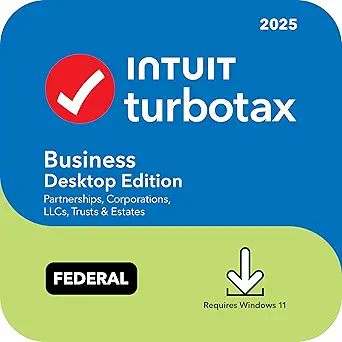
TurboTax Business Desktop Edition 2025, Federal Tax Return Software for Windows
When the filing belongs to a partnership, corporation, multi-member LLC, trust, or estate, TurboTax Business Desktop Edition is the focused choice in this group. It includes tools to create W-2s, 1099s, and K-1s, plus asset depreciation and reporting, which can help organize entity-level work beyond the return itself. Compared with TurboTax Home & Business Desktop Edition 2025, it supports more entity types but does not prepare the owner’s personal return; that has to be filed separately. Five federal e-files and audit alerts are included. State forms are sold separately, so buyers filing in multiple states will need additional downloads. Windows 11 is required, narrowing its fit to users with a current Windows setup.
Pros:- Supports partnerships, S and C corporations, multi-member LLCs, trusts, and estates
- Includes five federal e-files
- Creates W-2, 1099, and K-1 forms
- Includes audit alerts and asset depreciation tools
Cons:- Personal tax returns must be prepared separately
- State forms are sold separately
- Requires Windows 11 and does not support Windows 10
Best for: Small businesses and fiduciaries filing federal returns for partnerships, S or C corporations, multi-member LLCs, trusts, or estates
Not ideal for: Sole proprietors needing a combined personal return, Mac users, and filers who need state forms bundled
- Software type:Download
- Tax year:2025
- Supported operating system:Windows 11
- Federal e-files:5
- State forms:Sold separately via download
- Supported entities:Partnerships, S or C corporations, multi-member LLCs, trusts, and estates
- Additional tools:W-2, 1099, and K-1 form creation; asset depreciation and reporting
Our verdict“Choose this federal-focused program when you need entity return tools and already have a separate plan for personal and state filings.”
H&R Block Tax Software Deluxe 2025 (Win/Mac) [PC/Mac Online Code]
” image=”https://m.media-amazon.com/images/I/51Mlng5FWYL._AC_SX342_SY445_QL70_FMwebp_.jpg” link=”0″]Best for Itemized Personal Returns
View Latest PriceH&R Block Deluxe suits personal filers whose return needs itemized deductions or investment income but not dedicated business entity forms. Its step-by-step questions, document import, and AI Tax Assist can make a more involved individual return easier to work through. The Accuracy Review checks for potential issues and offers an audit-risk assessment, while five federal e-files cover a household that needs to submit several federal returns. Compared with TurboTax Premier 2024, this is the newer tax-year option here and works on Windows or Mac, though Premier specifically guides users through rental property and employee stock topics. The main drawback is state filing: a state download costs extra, so buyers should factor that into their filing plan.
Pros:- Supports itemized deductions and investment income reporting
- Imports W-2, 1099, 1098, and prior returns from TurboTax or Quicken
- Includes AI Tax Assist and step-by-step guidance
- Provides Accuracy Review with audit-risk assessment
Cons:- State download is an additional purchase
- Does not replace dedicated software for business entity returns
Best for: Windows or Mac filers with itemized deductions or investment income who want guided review and document import
Not ideal for: People who need business entity returns or want state filing included with the software
- Platform:Windows / Mac
- Delivery format:PC/Mac online code
- Tax year:2025
- Federal e-files included:5
- Features:AI Tax Assist, Accuracy Review, DeductionPro
- Imports from:W-2, 1099, 1098, TurboTax, and Quicken
- State download:Available separately
Our verdict“Choose Deluxe for a guided Windows or Mac personal return with itemized deductions, provided you are prepared to obtain state software separately.”
TurboTax Premier 2024 Tax Software for PC and Mac
TurboTax Premier 2024 is the specialist pick for filers dealing with investment activity, employee stock, rental property, or retirement savings. Its topic-specific guidance addresses tax details that a more general program like H&R Block Deluxe 2025 may not foreground, making it a closer fit for a return shaped by assets and property. It includes five federal e-files and one state program, but state e-filing is sold separately. Live tax advice may also add a fee. The key tradeoff is the older tax year: buyers should choose software that matches the return they need to file, so this edition is relevant to 2024 taxes rather than a current-year 2025 return. Mac support is limited to Ventura 13 or Sonoma 14.
Pros:- Provides guidance for stocks, bonds, and employee stock plans
- Addresses rental property and retirement savings
- Includes five federal e-files and one state program
- Offers one-on-one tax advice as an optional service
Cons:- Covers tax year 2024 rather than 2025
- State e-filing is sold separately
- Mac support is limited to Ventura 13 or Sonoma 14
Best for: PC or Mac filers preparing a 2024 return with stock, employee equity, rental property, or retirement income
Not ideal for: Anyone filing a 2025 return, Mac users on unsupported operating systems, and people who expect included state e-filing
- Tax year:2024
- Platform:PC and Mac download
- Federal e-files:5
- State program:1 included
- State e-file:Sold separately
- Supported macOS:Ventura 13 or Sonoma 14
- Tax guidance:Investment income, employee stock, rental property, and retirement savings
Our verdict“Choose Premier if you are filing a 2024 return with investments or rental income and your computer meets its requirements.”
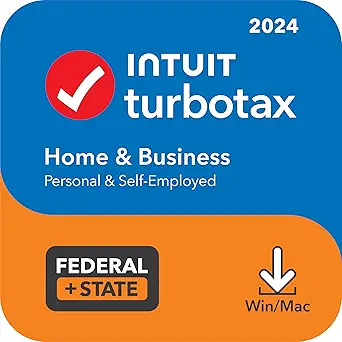
TurboTax Home & Business 2024 Tax Software, Federal & State Tax Return (PC/Mac Download)
This option stands out as the practical choice if you still need to file or amend a 2024 self-employment return without paying current-year prices. It walks freelancers and small business owners through industry-specific deductions, and the Quick Employer Forms feature means you can issue W-2s and 1099s to contractors without buying separate payroll software. Compared with the TurboTax Home & Business Desktop Edition 2025, this version lacks the newest refinements, but the interview-style guidance is nearly identical in substance. The Audit Risk Meter and thousands of error checks add reassurance before filing. The tradeoff is real: state e-filing and live tax advice both cost extra, and Mac users need Ventura 13 or Sonoma 14 specifically.
Pros:- Industry-specific deduction guidance for self-employment and small business income
- Quick Employer Forms for creating and e-filing W-2s and 1099s in-house
- Five federal e-files and one state program download included
- Audit Risk Meter plus thousands of error checks before filing
Cons:- State e-file and live tax advice both require additional fees
- Labeled as an old version, so it misses newer features and tax-law updates
- Mac compatibility limited to macOS Ventura 13 or Sonoma 14
Best for: Freelancers and side-business owners filing or amending a 2024 return who need contractor-form tools at a lower price point
Not ideal for: Anyone filing a current-year 2025 return — this is dated software and will not cover new tax law changes
- Version:2024 (Old Version)
- Platform:PC/Mac Download
- Federal E-files Included:5
- State Downloads Included:1
- State E-file:Sold separately
- Mac OS Requirement:macOS Ventura 13 or Sonoma 14
- Deductions Searched:375+ personal and small business deductions and credits
- Support:U.S.-based technical support
Our verdict“A sensible pick for self-employed filers handling a prior-year return, as long as you accept the extra fees for state e-filing.”
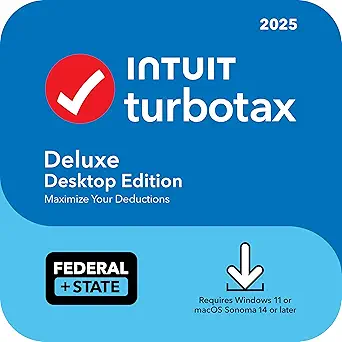
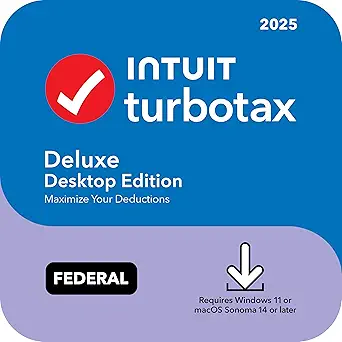
TurboTax Deluxe Desktop Edition 2025, Federal and State Tax Return
This is the current-year workhorse for filers whose returns revolve around a mortgage, charitable giving, or sizable medical bills. Where TurboTax Premier Desktop 2025 targets investors and landlords, Deluxe concentrates on itemized deductions, scanning more than 375 credits and deductions to capture what a standard-deduction filer would miss. Five federal e-files cover a household, and one state program download is bundled. Compared with H&R Block Deluxe + State 2025, the TurboTax interview tends to be more polished, but the pattern of add-on fees carries over: state e-filing and one-on-one tax advice both cost extra. The bigger limitation is platform support — Windows 10 is not supported, so older PCs are locked out entirely.
Pros:- Identifies more than 375 deductions and credits geared toward homeowners
- Five federal e-files included for household filing
- Optional one-on-one tax advice from a tax expert
- U.S.-based technical support included
Cons:- No Windows 10 support at all
- State e-filing sold separately
- Live tax advice carries an added fee
Best for: Homeowners and donors filing a 2025 return who itemize and want the most guided deduction-finding experience
Not ideal for: Anyone still running Windows 10, or filers with heavy investment or rental income who need Premier-level coverage
- Tax Year:2025
- Product Type:Download software
- Operating Systems:Windows 11 or macOS Sonoma or later
- Federal E-files:5
- State Return:1 state via download
- State E-file:Sold separately
- Tax Advice:Optional; fee applies
- Recommended For:Homeowners, charitable donations, or high medical expenses
Our verdict“The right choice for itemizing homeowners filing 2025 taxes on a modern PC, provided they budget for the state e-file fee.”
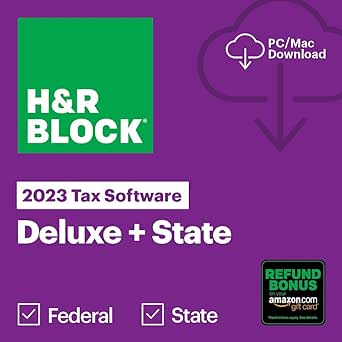
H&R Block Tax Software Deluxe + State 2023 (PC/Mac Download)
For a late or amended 2023 return, this edition makes the most sense because it handles the situations that typically trigger late filings — investment income, stock options, home sales, and retirement distributions — at a lower tier than premium products. The import tools pull in tax documents and prior-year returns, which saves retyping data from scratch, and five free federal e-files with unlimited federal preparation and printing give it flexibility the one-user alternatives lack. Compared with TurboTax Deluxe 2024, H&R Block’s step-by-step guidance is more functional than flashy, but the coverage overlaps for most households. Watch the fine print on the Amazon gift card refund bonus — it only applies if you take your refund that way, and state e-filing still costs extra.
Pros:- Guidance for investment income, stock options, home sales, and retirement income
- Imports tax documents and prior-year returns to cut down on manual entry
- Five free federal e-files with unlimited federal preparation and printing
- One state program download included
Cons:- State e-file sold separately
- Refund bonus only available if you accept your refund as an Amazon gift card
- Limited to tax year 2023
Best for: Filers completing a late or amended 2023 return with investment, retirement, or home-sale income
Not ideal for: Current-year filers — this only covers tax year 2023 and cannot be used for 2025 filings
- Tax Year:2023
- Platform:PC/Mac download
- Included State Programs:1 download
- Federal E-files:5 free
- Federal Preparation and Printing:Unlimited
- State E-file:Sold separately
- Refund Bonus Offer:2% bonus when refund is placed on an Amazon gift card
Our verdict“A cost-effective way to resolve a 2023 filing obligation, especially if your return involves investments or a property sale.”
TurboTax Premier Desktop 2025 Tax Software – Federal & State Returns (Windows/Mac Download)
This pick makes the most sense for filers whose money comes from capital markets rather than a paycheck. It covers stock, bond, and mutual fund sales, employee stock plans like ESPPs, rental property income, and trust distributions — territory where TurboTax Deluxe Desktop Edition 2025 deliberately stops short. The step-by-step treatment of cost basis and depreciation translates into fewer mistakes that commonly trigger IRS notices, and U.S.-based technical support plus optional Live Tax Advice provide an escalation path when a brokerage statement looks wrong. Compared with H&R Block Premium 2025, Premier’s investment interview is more granular for equity-compensation filers. The tradeoffs mirror the rest of the TurboTax desktop line: no Windows 10 support, state e-filing costs extra, and live advice is a paid add-on.
Pros:- Step-by-step guidance for stocks, bonds, ESPPs, and rental property income
- Five federal e-files included
- U.S.-based technical support
- Optional one-on-one Live Tax Advice from a tax expert
Cons:- No Windows 10 support
- State e-file costs extra
- Live Tax Advice requires an additional fee
Best for: Investors with brokerage sales, ESPPs, rental properties, or trust income filing a 2025 return
Not ideal for: W-2-only filers or Windows 10 users — the investment tooling is overkill and the platform requirement is strict
- Edition:Premier 2025
- Platform:Windows 11 / macOS Sonoma or later (Windows 10 not supported)
- Delivery:Digital download
- Federal E-files:5
- State Returns:1 via download; state e-file sold separately
- Support:U.S.-based technical support
- Live Tax Advice:Available; fee applies
Our verdict“The strongest current-year option for investment-heavy returns, so long as you accept the add-on fees for state e-filing and live help.”
H&R Block Tax Software Deluxe + State 2025 for Windows and Mac
This edition is the budget-friendly 2025 workhorse: it bundles step-by-step guidance, AI Tax Assist, itemized-deduction support, and an accuracy review for situations where TurboTax charges a premium. Its import flexibility is the quiet differentiator — it pulls W-2s, 1099s, 1098s, and prior-year returns, including files from TurboTax and Quicken, which makes switching brands painless. Compared with TurboTax Deluxe Desktop Edition 2025, it skips the Windows 11-only restriction and covers investment and retirement income at the Deluxe tier rather than pushing you up a level. The main compromise is state coverage: you get exactly one state program download, and multi-state filers or those wanting more hand-holding on complex investments may find it thin.
Pros:- Step-by-step preparation with AI Tax Assist included
- Imports common tax forms plus prior-year returns from TurboTax and Quicken
- Deduction tools and accuracy review built in
- Investment and retirement income guidance at the Deluxe tier
Cons:- Only one state program download included
- State e-filing sold separately
- Business and self-employment income requires a higher-tier product
Best for: Price-conscious 2025 filers who want guided preparation and easy switching from TurboTax
Not ideal for: Multi-state filers or those with complex business income — only one state program is included and business schedules need a higher tier
- Tax Year:2025
- Compatibility:Windows and Mac
- Delivery Format:Online code
- State Program:One state program download included
- Federal E-files:Five free federal e-files
- Federal Preparation:Unlimited preparation and printing
- Supported Imports:W-2, 1099, 1098, and prior-year personal tax returns
- Deduction Support:Schedule A itemized deductions and charitable donations
Our verdict“The best-value choice for a straightforward 2025 personal return, especially for filers migrating over from TurboTax.”
- ” image=”https://m.media-amazon.com/images/I/51dMIAMHkkL._AC_SX342_SY445_QL70_FMwebp_.jpg” link=”0″]
Best for Rental Property and Self-Employment
View Latest PriceRental income and self-employment support give H&R Block Premium a broader tax-preparation role than the Basic and Deluxe options in this lineup. It handles Schedules C and E alongside investment reporting, which suits filers balancing freelance income or rental property with a personal return. Imports for W-2s, 1099s, 1098s, and prior returns from TurboTax or Quicken can reduce repetitive entry, while AI Tax Assist offers answers during preparation. Five federal e-files and unlimited preparation and printing make it useful for households filing multiple returns. The tradeoff is state coverage: only one state program download is included, and state e-filing may cost extra. Choose it over TurboTax Deluxe 2025 when rental or business income matters more than a homeowner-focused deduction workflow.
Pros:- Supports investment, Schedule C self-employment, and Schedule E rental income
- Imports W-2, 1099, 1098, TurboTax, and Quicken data
- Includes five federal e-files and unlimited preparation and printing
- AI Tax Assist provides help during preparation
Cons:- Only one state program download is included
- State e-filing fees may be extra
Best for: Filers with rental property or self-employment income who also want to prepare multiple federal returns
Not ideal for: People with only straightforward wage income, or filers who need several state programs included
- Platform:Windows / Mac (Online Code)
- Federal e-files:5 free
- State program downloads:1 included
- Schedules supported:A, C, E
- Import support:W-2, 1099, 1098, TurboTax, and Quicken
- Assistance:AI Tax Assist
Our verdict“Pick H&R Block Premium if rental or self-employment income calls for more schedule support than the Basic or Deluxe editions offer.”
TurboTax Deluxe Desktop Edition 2025, Federal Tax Return
Homeowner and deduction-focused guidance is the reason to choose TurboTax Deluxe 2025 over H&R Block Basic 2025, which is aimed at simpler returns. This desktop edition is designed for filers with a home, charitable donations, or high medical expenses, and it includes five federal e-files. Installation on a computer may suit people who prefer desktop tax preparation, while U.S.-based technical support is available if setup or filing questions arise. A tax expert can also be consulted for an additional fee. Its limits matter: the listed product is for a federal return only, with state software and e-filing sold separately. It also does not support Windows 10, so check operating system compatibility before choosing it. Compared with the 2024 TurboTax Deluxe bundle, this edition offers no included state download.
Pros:- Designed for homeowners, charitable donations, and high medical expenses
- Includes five federal e-files
- Provides access to U.S.-based technical support
- Offers optional one-on-one tax expert advice
Cons:- State download and e-filing require an additional purchase
- Does not support Windows 10
- Tax expert advice costs extra
Best for: Homeowners and donors who want desktop federal tax software for a 2025 return
Not ideal for: Windows 10 users or filers seeking state software and e-filing in the same package
- Edition:Deluxe Desktop
- Tax year:2025
- Platform:Windows 11 or macOS Sonoma or later
- Windows 10 support:Not supported
- Federal e-files:5 included
- State software and e-file:Additional purchase
- Installation:Download and install on computer
- Tax expert advice:Available for a fee
Our verdict“Choose this edition for a deduction-focused federal return if your computer meets its operating system requirements and you can arrange state filing separately.”
H&R Block Tax Software Deluxe + State 2024 (Win/Mac) [PC/Mac Online Code]
” image=”https://m.media-amazon.com/images/I/51+fonAXhPL._AC_SX342_SY445_QL70_FMwebp_.jpg” link=”0″]Best for Prior-Year State Filing
View Latest PriceFor someone preparing a 2024 return with a state program included, this H&R Block Deluxe bundle is a more complete starting point than the federal-only TurboTax Deluxe Desktop 2025. It offers step-by-step guidance, imports W-2s, 1099s, 1098s, and prior returns—including TurboTax and Quicken files—and adds an Accuracy Review with an audit risk assessment. Those tools can make a familiar household return easier to assemble and check, especially when reporting investments or a home sale. Five federal e-files and one state program download are included. However, the product is explicitly for tax year 2024, so it is suited to that filing year rather than a current-year return. State e-filing charges may also apply, and the included state coverage is limited to one program. Its Amazon gift card refund bonus is optional, not a tax-preparation advantage.
Pros:- Includes one state program download
- Imports data and prior returns from TurboTax and Quicken
- Offers step-by-step guidance and an Accuracy Review
- Supports investment and home sale reporting
Cons:- Designed for tax year 2024 rather than a current-year return
- Includes only one state program download
- State e-filing may involve additional charges
Best for: Filers completing a 2024 return who want one state program and familiar guided preparation
Not ideal for: Anyone preparing a different tax year or needing multiple state program downloads
- Platform:Windows / Mac
- Delivery:Online Code
- Tax year:2024
- Federal e-files:5 free
- State downloads:1 included
- Import support:W-2, 1099, 1098, and prior returns including TurboTax and Quicken
- Reporting assistance:Investments and home sales
Our verdict“This is a fit for a 2024 filer who values an included state program and import tools, provided one state is enough.”
TurboTax Deluxe 2024 Tax Software, Federal & State Tax Return (PC/MAC Download)
Federal and state preparation in one package sets this TurboTax Deluxe 2024 apart from the federal-only TurboTax Deluxe Desktop 2025. It targets homeowners and filers with charitable donations or high medical expenses, with tools aimed at finding deductions and credits. The package includes five federal e-files and one state download, so it can cover both parts of a return within one purchase; state e-filing is sold separately. U.S.-based technical support is available, and Live Tax Advice offers one-on-one help for an added fee. Those support options may appeal to filers who want a path to assistance, though expert advice is not part of the included package. Since this is a 2024 version, it belongs on the list for completing that tax year, not as a substitute for newer software when filing another year.
Pros:- Includes five federal e-files and one state download
- Aims to identify deductions and credits
- Designed for homeowners, donors, and people with high medical expenses
- Offers U.S.-based technical support and optional live tax advice
Cons:- State e-filing is sold separately
- Live Tax Advice requires an additional fee
- The software is for tax year 2024
Best for: Homeowners preparing a 2024 federal and state return with deduction-related needs
Not ideal for: Filers preparing a different tax year or expecting state e-filing and expert advice to be included
- Version:2024
- Platform:PC / Mac download
- Federal e-files:5 included
- State downloads:1 included
- State e-file:Sold separately
- Deductions and credits:Tools for identifying 375+ deductions and credits
- Support:U.S.-based technical support
- Live Tax Advice:One-on-one advice available for a fee
Our verdict“Choose this bundle for a 2024 homeowner return when an included state download matters more than having state e-filing bundled.”
H&R Block Tax Software Basic 2025 (Win/Mac) [PC/Mac Online Code]
” image=”https://m.media-amazon.com/images/I/517AljoGa5L._AC_SX342_SY445_QL70_ML2_.jpg” link=”0″]Best for First-Time Filers
View Latest PriceStep-by-step federal preparation makes H&R Block Basic 2025 the clearest fit here for first-time filers with straightforward returns. Its Q&A guidance covers more than 350 credits and deductions, and an Accuracy Review checks for possible issues and audit risk. W-2, 1099, 1098, and prior-return imports—including TurboTax and Quicken files—can cut down on manual entry. AI Tax Assist and included audit representation add support that the federal-only TurboTax Deluxe 2025 does not list as included. The tradeoff is scope: this Basic edition lacks features for more complex tax situations, while H&R Block Premium handles investments, self-employment, and rental property schedules. State software is also a separate purchase, and an internet connection is required.
Pros:- Step-by-step Q&A covers more than 350 credits and deductions
- AI Tax Assist offers real-time answers
- Imports W-2, 1099, 1098, and prior returns from TurboTax or Quicken
- Includes five federal e-files and audit representation
Cons:- State software costs extra
- Internet connection is required
- Basic edition lacks tools for more complex tax situations
Best for: First-time filers with straightforward federal returns who want guided questions and review support
Not ideal for: Self-employed filers, landlords, or anyone who needs state software included
- Platform:Windows 10 / macOS 12 Monterey
- Delivery format:Online Code (PC/Mac download)
- Federal e-files:5 free
- State download:Available separately
- Storage required:Windows: 1.5 GB; Mac: 150 MB
- Additional requirements:1024 x 768 SVGA monitor, printer, and internet connection
- Help resources:13,000+ searchable articles
Our verdict“Pick Basic for a straightforward first federal return; choose H&R Block Premium instead if you need rental or self-employment schedules.”

How We Picked
I evaluated these fifteen products against the criteria that actually determine whether tax software works for your situation: form coverage per tier (can it handle self-employment, investments, rental income, or entity returns?), included state filing support, platform compatibility (Windows-only versus Mac support matters more here than in almost any other software category), and guidance quality — how well the interview process walks a non-expert through unfamiliar forms. I also weighed the practical reality that desktop tax software is year-locked, so prior-year editions were judged on a different standard than current-year ones.
The ranking logic favors products that bundle more capability at their price point while keeping the filing experience approachable. H&R Block’s 2025 lineup dominates the top half of this comparison because it packs more forms into lower tiers and includes state support more often; TurboTax ranks highest in the specific niches where its interview flow and import tooling outclass the competition, particularly for investors and first-time filers. Products that require a companion purchase to do a full job — or that lock out an entire platform — were ranked accordingly.
Factors to Consider When Choosing Tax Preparation Software
Choosing between these fifteen products comes down to a handful of decisions that have nothing to do with brand loyalty. Before you buy, work through the factors below — getting one of them wrong is the most common reason buyers end up purchasing a second copy of tax software mid-season.Match the Tier to Your Income Sources, Not Your Confidence
The single most common mistake is buying a Deluxe edition when your return includes self-employment income, stock sales, or rental property. Deluxe tiers are built around wages, interest, mortgage interest, and charitable deductions — the moment you have a 1099-NEC, K-1, or Schedule E, you need a Premium or Home & Business tier, and lower-tier software will typically force an upgrade partway through, often at a worse price than buying the right tier upfront. Work through your tax documents before purchasing: if you received anything beyond W-2s, a 1099-INT, and a 1098, budget for a higher tier. A useful rule of thumb is that each tier up adds a category of income, not just hand-holding. Buyers who overbuy face the opposite problem — paying for capability they never touch — but that mistake costs less than the mid-filing upgrade.
State Filing: The Hidden Cost Multiplier
Desktop tax software is sold with wildly different state-return arrangements, and this is where the real price gap between brands opens up. Some products in this lineup include one state program download at no extra cost, others include state preparation but charge separately to e-file, and some cover federal only. If you live in a state with an income tax, check the fine print on the exact edition — the difference between two similarly priced boxes can be a full state return or a $40 surprise at checkout. H&R Block’s packaging tends to bundle state support more generously than TurboTax’s, which is a major reason it ranks higher on value throughout this comparison. Also note that if you moved states mid-year or work across state lines, one included state may not cover you.
Desktop Versus Online: Why This Lineup Is All Desktop
Every product here is desktop software, and that format carries specific tradeoffs worth understanding before you commit. Desktop versions are a one-time purchase rather than a per-return subscription, they keep your return data on your own machine, and they can often prepare multiple returns — a real advantage for households filing for adult children or parents. The cost is convenience: no automatic cloud syncing, manual software updates, and no access from other devices. Desktop also tends to be cheaper for anyone filing more than one return, since online products charge per return. If privacy is a priority, desktop keeps your financial documents off third-party servers entirely. The one exception to watch: desktop software locks you to the computer you install it on, so if your household mixes Windows and Mac machines, verify compatibility on the exact edition — some TurboTax Business products are Windows-only.
The Year-Lock Problem: Never Buy Old Software for a New Return
Tax software is built for exactly one tax year, and it never updates to current tax law. A 2024 edition will apply 2024 brackets, deduction limits, and credits to your return — filing a current-year return with it produces an incorrect filing. The older editions in this lineup (2023 and 2024 versions) exist for two legitimate reasons: amending a previously filed return, or filing a prior-year return you missed. The IRS imposes penalties for late filing, and prior-year software is the only practical way to prepare those returns yourself. If you are buying for the current tax year, always confirm the edition year in the product name matches the return you need to file. Sellers list old editions prominently because they are discounted, which catches unaware buyers every January.
Business Returns Need the Right Product, Not a Bigger Tier
Entity returns are where category confusion gets expensive. TurboTax Business prepares 1065, 1120, and 1120-S returns for partnerships and corporations — but it does not prepare a personal Form 1040, so anyone buying it expecting a complete solution will need a second product. Conversely, Home & Business editions from both brands prepare a personal return with Schedule C attached, which is the correct tool for sole proprietors, freelancers, and single-member LLCs. Multi-member LLCs and S-corps fall into a third bucket requiring the Business-tier product plus a personal return product. Figuring out your entity classification before buying saves you from the most expensive mistake in this category — and if you are not sure how your business is classified, that is a question to answer before tax season, not during it.
Guidance Quality and Audit Support: What You’re Actually Paying For
At the top tiers, both major brands cover nearly identical forms, so the premium pricing differences come down to the interview experience and support structure. TurboTax’s questioning tends to be more granular, which reduces the chance of missing a deduction but makes the process longer. H&R Block’s flow is faster but assumes slightly more familiarity with tax vocabulary. Both brands offer some form of audit guidance with higher tiers, but the scope varies meaningfully between editions — read what the specific tier includes rather than assuming audit representation comes standard. For filers comfortable with tax basics, this difference is worth little; for anyone anxious about a first self-employment return or complex investment sales, the gentler interview flow justifies the price gap on its own.
Frequently Asked Questions
Can I use 2024 tax software to file my 2025 tax return?
No — tax software is built for a single tax year, and the edition year in the product name is the return it prepares. A 2024 edition applies 2024 brackets, contribution limits, and credit rules, so using it for a 2025 return would produce an incorrect filing that the IRS is likely to reject or flag. Prior-year editions in this lineup, like the 2023 and 2024 versions, are useful only for two situations: amending a return from that year, or filing a back return you missed. If you are filing late, act quickly — late-filing penalties accrue monthly, and prior-year software is the only realistic DIY route. For a current-year return, always buy the newest edition available.
What’s the difference between TurboTax Business and TurboTax Home & Business?
Despite the similar names, these products serve completely different filers. TurboTax Business prepares entity returns — Form 1065 for partnerships, 1120 for C-corps, and 1120-S for S-corps — and it cannot prepare your personal Form 1040 at all. Home & Business prepares a personal return with Schedule C attached, which is what sole proprietors, freelancers, and single-member LLC owners actually need. If you run an S-corp or multi-member LLC, you may need both products: the Business edition for the entity return and a personal edition for your own 1040. Also note that TurboTax Business is Windows-only, which rules it out for Mac households. Most people who assume they need Business actually just need Home & Business.
Do these products include a state tax return?
It varies edition by edition, and this is the biggest source of surprise costs in desktop tax software. Products labeled “Deluxe + State” include one state program download, typically for your resident state. Editions labeled “Federal Only” — like some TurboTax Deluxe versions in this lineup — prepare just the federal return, and you would need to file your state return separately, either through your state’s free online portal or by purchasing a state module. Even when a state program is included, some products charge an additional fee to e-file the state return, while printing and mailing remains free. If you live in one of the nine states without an income tax, federal-only editions are a straight money saver. Check the exact edition name before buying, because brands use nearly identical packaging across versions with different state coverage.
Is desktop tax software better than the online version?
Neither is universally better — the choice depends on how many returns you file and how much you value data control. Desktop software is a one-time purchase that typically allows multiple returns, which makes it far cheaper for households filing for a college student, an elderly parent, or a side business alongside personal returns. Online versions charge per return but offer automatic saving, access from any device, and no installation. Desktop keeps your financial data entirely on your own machine, which matters to privacy-conscious filers. The tradeoffs: desktop requires manual updates, locks you to one machine, and demands you keep the installed copy for future amendments. If you file one simple return and want maximum convenience, online wins; for anything involving multiple returns, desktop almost always costs less.
Which tier do I actually need if I just have a W-2 and maybe some student loan interest?
For a straightforward W-2 return with student loan interest, a Basic-tier product like H&R Block Basic 2025 is usually sufficient — it handles the 1040, standard or itemized deductions, and common credits. The step up to Deluxe makes sense if you have mortgage interest, property taxes, charitable contributions worth itemizing, or childcare expenses, since Deluxe walks you through those deductions in more detail. Going higher than Deluxe without self-employment income, investment sales, or rental property is wasted money; Premium tiers add capability for income types you do not have, not extra deduction-finding for the ones you do. One caution: if you sold stocks, crypto, or received a 1099-NEC this year for the first time, you have outgrown Basic and Deluxe and should buy accordingly.
Conclusion
After comparing all fifteen products, the right choice maps cleanly to buyer type. For best overall, H&R Block Premium & Business 2025 stands out for combining personal and entity return capability in one purchase at a competitive price. For best value, H&R Block Deluxe + State 2025 delivers itemized deductions and an included state return at a lower cost than the equivalent TurboTax tier. For best premium, TurboTax Premier Desktop 2025 justifies its higher price for investors and landlords through the smoothest import and interview experience in the category. For beginners, TurboTax Deluxe Desktop 2025 (Federal and State) makes the most sense thanks to its forgiving, plain-language questioning. For specific needs: freelancers and single-member LLC owners should pick TurboTax Home & Business 2025 or H&R Block Premium 2025, S-corp and partnership filers need TurboTax Business 2025 (Windows only, plus a personal product), simple W-2 filers can save with H&R Block Basic 2025, and anyone amending or filing a prior-year return should buy the matching 2023 or 2024 edition. Match the tier to your actual income sources, confirm state coverage before checkout, and this decision becomes straightforward.
Halloween Picks
halloween
As an affiliate, we earn on qualifying purchases.