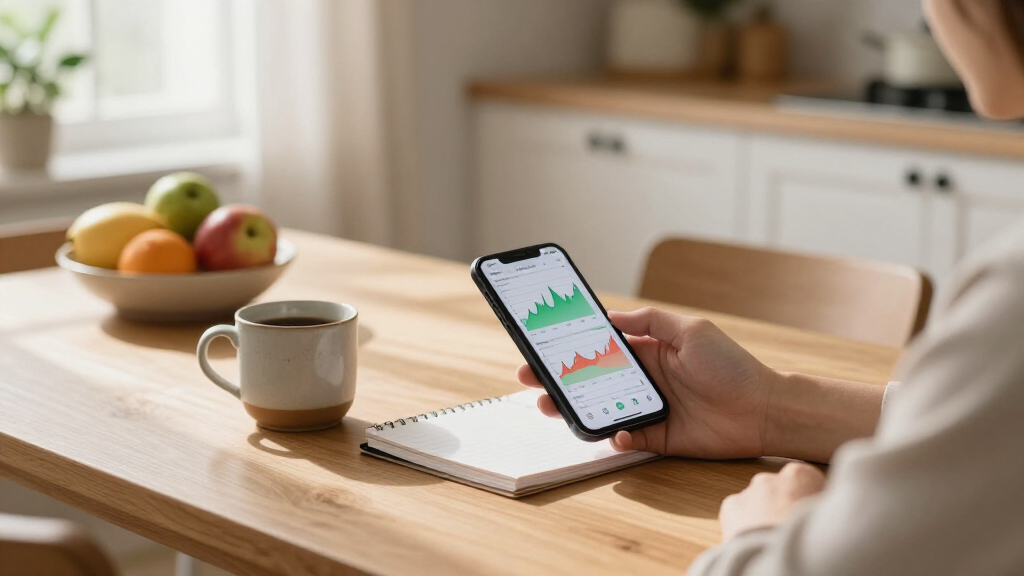
Keeping tabs on a portfolio shouldn’t feel like a second job, yet that’s exactly what happens when you juggle a brokerage app, a spreadsheet, and a handful of bookmarked finance sites. The right investment tracking app consolidates everything into one place — live prices, portfolio performance, and alerts that tell you when a position needs attention. After comparing three popular options, two picks stand out to me. StockSpy earns the top spot for investors who want real-time quotes and charting in a single package, while My Stocks Portfolio is the better fit if your priority is simply organizing and monitoring holdings without extra complexity.

Get smart everyday buys delivered free — and shop member deals
- Fast, free delivery on millions of items
- Access to Prime Big Deal Days deals on October 6–7
- Prime Video, Amazon Music and more included
The main tradeoff across this category comes down to depth versus simplicity. Smart Stock, the third option here, is the lightest of the group — a widget-and-alert tool rather than a full portfolio manager. If you want to glance at prices from your home screen and get pinged when something moves, it’s a low-commitment choice. If you want to actually analyze how your investments are performing over time, StockSpy’s charts do work the others can’t. Below, I break down what each app does well, where it falls short, and which type of investor each one serves best.
Key Takeaways
- StockSpy is the strongest all-around pick because it combines real-time quotes, portfolio tracking, and charting — the other two apps cover only portions of that workflow.
- My Stocks Portfolio is the best choice for organization-focused investors who want clean portfolio management without a learning curve.
- Smart Stock wins for glanceable convenience thanks to its home-screen widget and real-time alerts, but it isn’t a full portfolio analysis tool.
- All three apps require an internet connection, so none of them work for offline portfolio reviews.
- None of the three offers a desktop version, which means investors who prefer managing holdings on a large screen will need to look elsewhere.
| Stocks: StockSpy Realtime Stock Market Portfolio Quotes & Charts |  | Best Overall | Core function: Real-time portfolio tracking with quotes and charts | Data updates: Real-time | Charting: Included | VIEW LATEST PRICE | See Our Full Breakdown |
| My Stocks Portfolio |  | Best for Simple Portfolio Organization | Core function: Portfolio tracking and organization | Data updates: Periodic price and performance updates | Charting: Minimal | VIEW LATEST PRICE | See Our Full Breakdown |
| Smart Stock Stock Tracking Widget & Alert |  | Best for At-a-Glance Alerts | Core function: Stock tracking widget with real-time alerts | Data updates: Real-time | Charting: Not included | VIEW LATEST PRICE | See Our Full Breakdown |
| investment tracking app | Core function | Data updates | Charting | Portfolio management |
|---|---|---|---|---|
| Stocks: StockSpy Realtime Stoc | Real-time portfolio tracking with quotes and charts | Real-time | Included | Yes, multi-position tracking |
| My Stocks Portfolio | Portfolio tracking and organization | Periodic price and performance updates | Minimal | Yes, primary focus |
| Smart Stock Stock Tracking Wid | Stock tracking widget with real-time alerts | Real-time | Not included | No — monitoring only |
More Details on Our Top Picks
Stocks: StockSpy Realtime Stock Market Portfolio Quotes & Charts
StockSpy takes the top spot because it’s the only app in this lineup that handles the full tracking workflow: real-time quotes, portfolio management, and charts for visualizing performance. The other two apps cover slices of that workflow — Smart Stock handles alerts, My Stocks Portfolio handles organization — but StockSpy ties everything together. For an investor who wants one app instead of three, that integration is the deciding factor.
The charting capability is what genuinely separates it. Watching a position’s price move in real time is useful; seeing that movement plotted against your holding period is what actually informs a decision. Compared with My Stocks Portfolio, which focuses on organizing and monitoring data, StockSpy gives you the visual context to interpret what the numbers mean. This pick makes the most sense for investors who track multiple positions and want to spot trends without exporting data anywhere else.
The tradeoffs are real, though. The analysis tools are shallow — this is a tracking and viewing app, not a research platform, so investors who want deep fundamental screening will outgrow it. It also requires an internet connection at all times, and there’s no desktop version, so everything happens on a phone screen. If you mainly want alerts rather than analysis, Smart Stock does that lighter job with less setup. But if you want the closest thing to a complete pocket portfolio desk, StockSpy is the strongest option here.
Pros:- Real-time stock data updates keep prices current
- Portfolio tracking and charting combined in one app
- Charts put price movement into visual context
- Interface is approachable despite the broader feature set
Cons:- Analysis tools are limited compared with dedicated research platforms
- Requires a constant internet connection
- No desktop version — mobile-only
Best for: Investors managing multiple positions who want quotes, portfolio tracking, and charts in a single app
Not ideal for: Investors who need desktop access or deep fundamental research tools
- Core function:Real-time portfolio tracking with quotes and charts
- Data updates:Real-time
- Charting:Included
- Portfolio management:Yes, multi-position tracking
- Offline use:No — internet connection required
- Desktop version:Not available
- Platform:Mobile app
- Best use case:Active multi-position monitoring and visual analysis
Our verdict“The most complete tracking package of the three, ideal for investors who want to see and understand their portfolio, not just list it.”
My Stocks Portfolio
My Stocks Portfolio earns its place as the organization-first pick. Where StockSpy leans into real-time data and charts, this app concentrates on one job: keeping your holdings structured and your portfolio performance legible. That focus is a genuine strength. Instead of toggling between chart views and quote screens, you get a clean layout of what you own and how it’s doing — which, for many long-term investors, is all a tracking app needs to be.
Compared with Smart Stock, the difference is passive versus reactive. Smart Stock surfaces alerts when prices move; My Stocks Portfolio is built for the investor who checks in deliberately, reviews performance, and moves on. Neither approach is wrong, but they suit different temperaments. If you find constant price notifications more stressful than useful, this quieter model will feel better suited to how you actually invest.
The honest limitation is depth. The feature set is lighter than StockSpy’s — no charting to speak of, and fewer tools for digging into why a position moved. There’s also limited publicly available detail on advanced functionality and little user feedback to lean on, so buyers are trusting the app’s core competence rather than a proven track record. For a buy-and-hold investor with a handful of positions, that’s a manageable trade. For someone who watches the market daily, StockSpy’s richer toolkit justifies its steeper commitment.
Pros:- Straightforward tracking of stock investments
- Organizes portfolio data efficiently
- Performance monitoring without unnecessary complexity
- Gentle learning curve for first-time users
Cons:- Fewer features than StockSpy — no meaningful charting
- Limited detailed documentation on advanced capabilities
- Little user review history to evaluate reliability
Best for: Buy-and-hold investors who want a clean, low-fuss record of their holdings and performance
Not ideal for: Active traders who want charts, real-time analysis, and alert-driven monitoring
- Core function:Portfolio tracking and organization
- Data updates:Periodic price and performance updates
- Charting:Minimal
- Portfolio management:Yes, primary focus
- Offline use:Limited — requires connection for updates
- Desktop version:Not available
- Platform:Mobile app
- Best use case:Organizing and monitoring a long-term portfolio
Our verdict“A solid choice for investors who value a tidy, readable portfolio overview over bells and whistles.”
Smart Stock Stock Tracking Widget & Alert
Smart Stock fills the narrowest role in this comparison, and it fills it well: glanceable tracking with real-time alerts. The home-screen widget is its defining feature. Rather than opening an app every time you want a price check, the numbers sit on your phone’s home screen and update on their own. For an investor who owns a few positions and mainly wants to know when something worth attention happens, that friction-free model is genuinely appealing.
The alert system is where this option stands out compared with My Stocks Portfolio, which has no comparable notification focus. You set thresholds, and the app tells you when a stock crosses them — no manual checking required. StockSpy can show you the same price data, but Smart Stock’s approach is lighter and faster to set up. It’s the difference between a monitoring dashboard and a tripwire.
The ceiling is low, though. This is not a portfolio management tool — there’s no performance tracking, no charts, no way to review how your overall holdings have done over time. Compared with the other two apps, Smart Stock trades capability for convenience. Public information on its feature depth is also thin, with no pricing or rating data readily available, so expectations should be calibrated accordingly. As a companion to a fuller tool it makes sense; as your only investment app, it will leave gaps that StockSpy or My Stocks Portfolio would cover.
Pros:- Real-time stock alerts with customizable triggers
- Home-screen widget for instant price checks
- Handles multiple stocks at once
- Simple interface with almost no setup burden
Cons:- No portfolio performance tracking or charts
- Limited public detail on features and pricing
- Redundant if your main app already sends alerts
Best for: Casual investors who want home-screen price visibility and threshold alerts on a short list of stocks
Not ideal for: Investors who need portfolio-wide performance tracking or any charting capability
- Core function:Stock tracking widget with real-time alerts
- Data updates:Real-time
- Charting:Not included
- Portfolio management:No — monitoring only
- Offline use:No — requires internet connection
- Desktop version:Not available
- Platform:Mobile app with home-screen widget
- Best use case:Glanceable monitoring of a short watch list
Our verdict“A convenient alert-and-widget companion for light monitoring, as long as you don’t expect it to manage a portfolio.”

How We Picked
Because “investment tracking” means different things to different investors, I judged these three apps against the core jobs a tracking app has to do: display accurate real-time prices, keep portfolio data organized, and tell you when something changes. An app that excels at one job but fails the others can still earn a spot — but it has to be honest about what it is, and my ranking reflects that honesty.
I also weighed the learning curve each app imposes. A tracking tool you abandon after two weeks is worthless regardless of its feature list, so apps that let a beginner get a portfolio up and running quickly scored well. Finally, I considered expandability — whether the app can grow with an investor’s needs or hits a ceiling quickly. Charting, multi-stock monitoring, and data organization were the differentiators that separated the top pick from the rest. Where an app has meaningful limitations — missing analysis tools, mobile-only availability, or thin documentation — I call those out directly rather than burying them.
| investment tracking app | Core function | Data updates | Charting | Portfolio management |
|---|---|---|---|---|
| Stocks: StockSpy Realtime Stoc | Real-time portfolio tracking with quotes and charts | Real-time | Included | Yes, multi-position tracking |
| My Stocks Portfolio | Portfolio tracking and organization | Periodic price and performance updates | Minimal | Yes, primary focus |
| Smart Stock Stock Tracking Wid | Stock tracking widget with real-time alerts | Real-time | Not included | No — monitoring only |
Factors to Consider When Choosing Investment Tracking Apps
Choosing between these three apps comes down to one question: what does “tracking” actually mean for your investing routine? The answer narrows the field quickly.Decide Between Alerts, Organization, and Analysis
These three apps represent three distinct tracking philosophies. Smart Stock is reactive — it tells you when something happens. My Stocks Portfolio is organizational — it shows you what you own and how it’s performing. StockSpy is analytical — it lets you see price action visually and interpret it. Investors who pick the philosophy that matches their routine stick with the app; investors who pick based on feature count alone usually end up deleting it within a month.
Match the App to Your Portfolio Style
A buy-and-hold investor with five long-term positions has almost no use for real-time alerts — checking in weekly with My Stocks Portfolio covers everything. An active investor watching a dozen tickers benefits from StockSpy’s charts and live data. Someone with a small watch list who just wants to know when a price moves gets full value from Smart Stock’s widget without paying complexity costs. Be honest about how often you’ll actually open the app.
Accept the Platform Limits
All three options are mobile-only and internet-dependent. If you do your portfolio reviews on a laptop or want offline access during a commute or flight, none of these will satisfy that requirement. That constraint is acceptable for casual tracking but becomes a real friction point for anyone managing a larger or more active portfolio. In that case, a desktop-capable platform is the better category to shop in.
Consider Whether One App Is Enough
There’s a legitimate case for pairing two of these tools. Smart Stock’s widget handles the day-to-day “is anything moving?” question while My Stocks Portfolio keeps the structured record. That combination costs little in complexity and covers more ground than either app alone. What I’d avoid is paying — in money or learning time — for overlapping features you won’t use. If one app covers 90% of your routine, a second app is clutter, not coverage.
Frequently Asked Questions
Which of these three apps is best for a beginner investor?
For most beginners, My Stocks Portfolio is the easiest entry point because it focuses on the fundamentals of tracking: recording what you own and monitoring how it performs. There’s little to configure and no data to interpret beyond simple performance figures. StockSpy is also approachable, but its charts and real-time data introduce concepts a new investor may not need on day one. Smart Stock works for beginners too, though it functions more as a price monitor than a true portfolio tracker, so a beginner relying on it alone would miss the habit of reviewing overall performance that makes tracking worthwhile in the first place.
Can any of these apps replace a brokerage account app?
No, and they shouldn’t be expected to. These are tracking and monitoring tools — they show you what your investments are doing, but you can’t place trades, execute rebalancing, or manage cash through them. A brokerage app remains the system of record for transactions. Where these apps add value is in consolidation: if your holdings are spread across multiple brokerages, a tracking app gives you a single unified view that no individual brokerage app can provide. Used that way, they complement rather than replace your existing accounts.
How important are real-time alerts for long-term investors?
Frequently less important than investors assume. Long-term investors whose strategy is to hold through volatility often find that constant price alerts encourage exactly the kind of reactive behavior their strategy is designed to avoid. For that profile, My Stocks Portfolio’s check-in-when-you-choose model is better aligned. Real-time alerts — Smart Stock’s strength — matter most for investors acting on specific price thresholds, such as setting a target to add to a position. Matching alert intensity to your actual strategy matters more than having the most notifications available.
Do any of these apps work offline?
None of them do. All three rely on a live internet connection to pull current market data, and StockSpy explicitly requires connectivity for its real-time quotes. Cached or last-known data may display briefly in some cases, but none of these are designed for offline portfolio reviews. If you regularly commute through dead zones or travel without reliable data, plan around this limitation — reviewing your portfolio before losing connection is the practical workaround, or consider a platform with offline caching if that’s a recurring need.
Is StockSpy worth choosing over the free options from major finance sites?
It depends on what you value. Free web-based trackers from large finance portals offer broad market data and news at no cost, but they typically come with ads, cluttered interfaces, and fragmented portfolio features. StockSpy’s advantage is dedicated focus: portfolio tracking, real-time quotes, and charts in one streamlined mobile experience without the noise. Investors who check their holdings frequently tend to prefer a purpose-built app for exactly that task. Investors who check in occasionally may find a free portal perfectly adequate and can skip the dedicated app entirely.
Conclusion
After comparing all three, my recommendations break down cleanly by investor type. Active investors managing multiple positions should choose StockSpy — its combination of real-time quotes, portfolio tracking, and charting is simply more capable than either alternative, and it’s the only app here that supports genuine analysis. Long-term, buy-and-hold investors get the better fit with My Stocks Portfolio, which prioritizes a clean, organized view of holdings over features they’d rarely touch.
Casual investors with a short watch list are the natural audience for Smart Stock — its home-screen widget and threshold alerts deliver the lightest-touch monitoring in the group, as long as you accept that it monitors rather than manages. And if your needs span categories, pairing Smart Stock’s alerts with My Stocks Portfolio’s record-keeping covers more ground than any single lightweight app. Whatever you choose, pick the app that matches how often you’ll actually open it — the best investment tracker is the one you’ll still be using six months from now.
Fall Picks
fall essentials
As an affiliate, we earn on qualifying purchases.