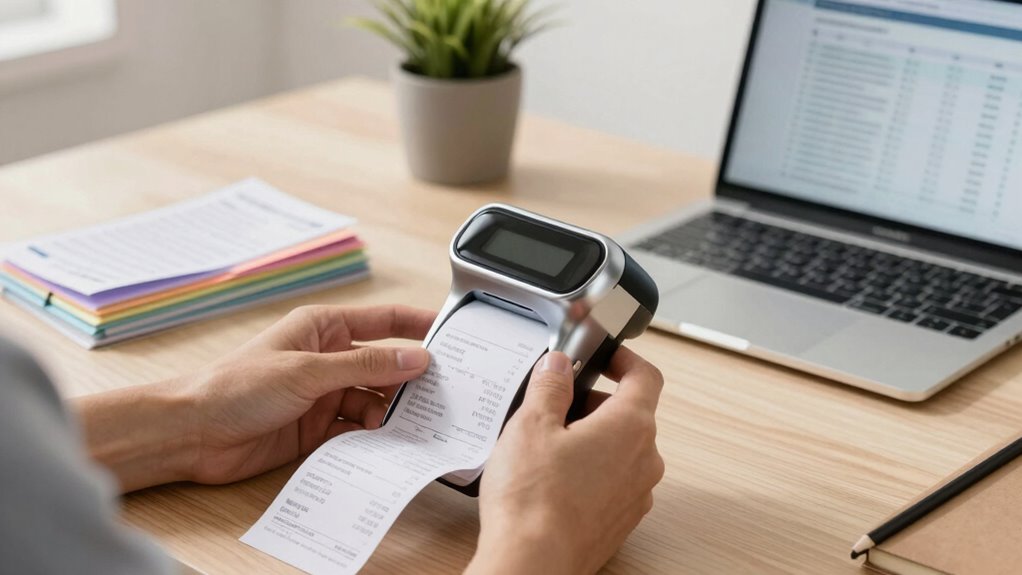

Finding the right receipt scanner for tax records requires balancing portability, speed, and ease of use. The Epson RapidReceipt RR-70W stands out for its wireless capabilities and quick scanning, making it ideal for busy professionals. The Brother DS-640 offers a compact design perfect for small spaces, while the ScanSnap iX1300 strikes a balance with double-sided scanning and user-friendly features. Most buyers face tradeoffs between cost, portability, and feature set, so understanding these differences can help you choose the best fit. Keep reading for a detailed breakdown of these options and more to find your ideal receipt scanner for tax needs.
Key Takeaways
- Top picks vary significantly in portability, with handheld options suited for on-the-go use and larger scanners better for office setups.
- Wireless connectivity is a key feature for flexibility, especially for those who want to scan receipts directly to cloud storage or mobile devices.
- Price often correlates with features; more affordable models tend to have fewer advanced options like duplex scanning or wireless capabilities.
- Build quality and ease of use are essential for maintaining efficiency, particularly if you plan to scan large volumes regularly.
- Choosing the right scanner depends heavily on your specific workflow—whether you prioritize speed, portability, or budget.
| Portable Handheld Scanner for Documents and Photos, 900 DPI, 16GB SD Card Included |  | Best for On-the-Go High-Resolution Scanning | Resolution: up to 900 DPI | File formats: JPEG, PDF | Included SD Card: 16GB | VIEW ON AMAZON | See Our Full Breakdown |
| Epson RapidReceipt RR-70W Mobile Document Scanner |  | Best for Wireless, Cloud-Connected Receipt Capture | Technology: ScanSmart AI PRO | Scanning Speed: 15 pages per minute | Weight: under 11 oz | VIEW ON AMAZON | See Our Full Breakdown |
| Brother DS-640 Compact Mobile Document Scanner |  | Best for Multi-OS, On-the-Go Scanning | Scan Speed: 16 ppm | Weight: 1.5 lbs | Power: USB powered | VIEW ON AMAZON | See Our Full Breakdown |
| NeatReceipts Mobile Scanner and Digital Filing System – PC |  | Best for Automated Data Extraction and Tax Filing | Connectivity: USB | Compatibility: PC | Features: Automatic data extraction, cloud backup | VIEW ON AMAZON | See Our Full Breakdown |
| Epson RapidReceipt RR-60 Compact Mobile Document Scanner Receipt |  | Best for Versatile, High-Resolution Receipt Scanning | Technology: ScanSmart AI PRO | Scan Speed: 10 pages per minute | Weight: Under 10 oz | VIEW ON AMAZON | See Our Full Breakdown |
| Epson Workforce ES-50 Compact & Lightweight Mobile Document Scanner |  | Best Portable Scanner for On-the-Go Tax Record Keeping | Maximum Document Size: 8.5 x 72 inches | Scan Speed: 5.5 seconds per page | Connectivity: USB 2.0 | VIEW ON AMAZON | See Our Full Breakdown |
| Epson RapidReceipt RR-400W Wireless Business Scanner |  | Best Wireless Receipt Scanner for Business and Remote Use | Technology: ScanSmart AI PRO | Export Compatibility: Financial Software (QuickBooks, TurboTax) | Design: Compact Desktop | VIEW ON AMAZON | See Our Full Breakdown |
| ScanSnap iX2500 Wireless and USB Document Scanner, Black |  | Best High-Speed Scanner for Large Volume Receipt Storage | Connectivity: Wi-Fi 6, USB-C | Speed: 45 ppm double-sided | Document Capacity: 100 sheets | VIEW ON AMAZON | See Our Full Breakdown |
| Doxie Pro Duplex Document Scanner and Receipt Scanner for Home and Office |  | Best Compact Duplex Scanner for Versatile Receipt and Document Scanning | Dimensions: 11.75 x 4 x 3 inches | Weight: Just over 3 pounds | Connectivity: Wired | VIEW ON AMAZON | See Our Full Breakdown |
| ScanSnap iX1300 Wireless or USB Double-Sided Color Document Scanner, White |  | Best Space-Saving Scanner for Versatile Receipt and Document Management | Connectivity: USB, Wi-Fi | Scan Speed: Up to 30 ppm | Color: White | VIEW ON AMAZON | See Our Full Breakdown |
| receipt scanner for tax record | Connectivity |
|---|---|
| Portable Handheld Scanner for | — |
| Epson RapidReceipt RR-70W Mobi | USB, Battery, Wireless |
| Brother DS-640 Compact Mobile | Micro USB 3.0 |
| NeatReceipts Mobile Scanner an | USB |
| Epson RapidReceipt RR-60 Compa | USB, Cloud |
| Epson Workforce ES-50 Compact | USB 2.0 |
| Epson RapidReceipt RR-400W Wir | Wireless |
| ScanSnap iX2500 Wireless and U | Wi-Fi 6, USB-C |
| Doxie Pro Duplex Document Scan | Wired |
| ScanSnap iX1300 Wireless or US | USB, Wi-Fi |
More Details on Our Top Picks
Portable Handheld Scanner for Documents and Photos, 900 DPI, 16GB SD Card Included
This handheld scanner excels in portability and high-resolution scans, making it perfect for capturing receipts and documents quickly while traveling. Its ability to scan at up to 900 DPI surpasses many portable options like the Epson RR-70W, which offers faster speeds but lower resolution. The lack of a built-in display and reliance on batteries mean it’s less suited for detailed review or frequent use without extra supplies. Compared to larger desktop scanners, this device sacrifices some precision for mobility, but it remains a solid choice for those who need quick scans on the move. Its plug-and-play compatibility with Windows and Mac adds convenience, though limited to handheld operation can hinder accuracy for complex documents.
Pros:- High-resolution scanning up to 900 DPI
- No software needed, plug and play
- Compact, lightweight, ideal for travel
- Supports large storage capacity with included 16GB SD card
Cons:- Requires 2 AA batteries (not included)
- Limited to handheld operation, less precise than flatbed scanners
- No built-in preview screen
Best for: Travelers and field professionals who need high-res scans without carrying bulky equipment
Not ideal for: Users requiring large-volume, precise scans or frequent detailed review—it’s less stable and lacks a display
- Resolution:up to 900 DPI
- File formats:JPEG, PDF
- Included SD Card:16GB
- Supported Micro SD Card Capacity:up to 32GB
- Power:2 AA batteries (not included)
- Compatibility:Windows XP/7/Vista, Mac OS 10.4 or above
Our verdict“This pick is best for mobile users needing high-resolution scans on the go, accepting some tradeoffs in stability and preview features.”
Epson RapidReceipt RR-70W Mobile Document Scanner
The Epson RR-70W shines for users needing fast, wireless digitization of receipts and small documents, especially in mobile or small office settings. Its 15 ppm speed and AI-powered data extraction outperform the Brother DS-640’s speed, though it handles only single sheets at a time. The wireless connection to cloud storage services like Dropbox or Google Drive makes it ideal for those who want to minimize manual file management. However, its limited capacity to scan only one sheet at a time and the dependence on compatible software can slow down batch processing. Compared to the NeatReceipts scanner, it offers more seamless cloud integration but less robust automatic data extraction for complex receipts.
Pros:- Wireless connectivity for cloud and device scanning
- Fast scanning speed of 15 ppm
- AI-powered data extraction for organized files
- Lightweight and portable under 11 oz
Cons:- Limited to single-sheet scanning at a time
- Requires compatible software for full features
- Battery life may vary with usage
Best for: Small business owners or freelancers who need quick, wireless receipt scanning with automatic organization
Not ideal for: Users needing double-sided scans or batch processing of large stacks—its single-sheet limitation hampers efficiency
- Technology:ScanSmart AI PRO
- Scanning Speed:15 pages per minute
- Weight:under 11 oz
- Connectivity:USB, Battery, Wireless
- Maximum Document Size:8.5″ x 72″
- Compatible Software:Epson ScanSmart, PDF editing software
Our verdict“Ideal for mobile professionals who prioritize wireless convenience and AI-driven organization over bulk batch processing.”
Brother DS-640 Compact Mobile Document Scanner
The Brother DS-640 is designed for users who need reliable, fast scans from various devices, including Windows, Mac, and Linux. With 16 ppm speed, it outpaces the Epson RR-60 but is less portable due to its slightly larger size. Its USB-powered setup simplifies travel, but the need for software installation and absence of wireless options limit flexibility, especially for those wanting quick, wireless uploads. While it supports multiple cloud destinations and offers OCR, its small size restricts handling larger documents, making it less suited for extensive receipts or lengthy pages. Compared to the Epson RR-60, it offers more flexibility in software and OS compatibility but falls short on wireless convenience.
Pros:- Fast scanning speeds of up to 16 ppm
- Supports multiple operating systems
- Supports cloud destinations and OCR
- Ultra-compact and lightweight at 1.5 lbs
Cons:- Limited to 1 foot in length, not ideal for large documents
- Requires software installation for full features
- No wireless connectivity
Best for: Mobile professionals needing high-speed, multi-platform scanning without relying on Wi-Fi
Not ideal for: Users seeking wireless or longer document scanning—its wired-only setup is limiting
- Scan Speed:16 ppm
- Weight:1.5 lbs
- Power:USB powered
- Compatibility:Windows, Mac, Linux
- Connectivity:Micro USB 3.0
- Maximum Document Size:1 foot
Our verdict“Best suited for tech-savvy users who need fast, multi-platform mobile scanning with a wired connection.”
NeatReceipts Mobile Scanner and Digital Filing System – PC
The NeatReceipts scanner stands out for users who want automated data extraction and seamless organization, especially for expense and tax records. Its ability to export to Excel, Quicken, or TurboTax simplifies tax preparation, outperforming basic scanners like the Epson RR-60 with its focus on data management. However, its reliance on a PC limits mobility, and the lack of wireless features hampers quick, on-the-fly scans. The scanner’s main strength lies in its automatic data extraction, making it ideal for detailed record keeping, but it may be less suitable for those who prefer cloud-based workflows or need portable, standalone devices.
Pros:- Automatic data extraction streamlines record keeping
- Supports export to tax and financial software
- Lightweight and compact design
- Includes free trial of cloud backup service
Cons:- Requires connection to a PC, limiting portability
- Limited scanning speed and resolution details
- Additional costs after trial for premium support
Best for: Tax preparers and small business owners who prioritize automatic data extraction from receipts
Not ideal for: Travelers or field workers needing portable, wireless, or standalone scanning solutions
- Connectivity:USB
- Compatibility:PC
- Features:Automatic data extraction, cloud backup
- Supports:Tax and expense reports
- Size:Slim and lightweight
- Included Trial:30-day NeatCloud
Our verdict“Ideal for users who need automated receipt data management integrated with tax and expense software, accepting less mobility.”
Epson RapidReceipt RR-60 Compact Mobile Document Scanner Receipt
The Epson RR-60 combines portability with advanced AI features, making it ideal for those who need to scan a variety of documents, including receipts, invoices, and ID cards. Its high-resolution scans with auto cropping and background removal surpass basic models like the Brother DS-640, offering clearer digital copies. The AI-powered organization and export capabilities are advantageous for users who want to seamlessly incorporate scans into financial workflows. Its main limitation is the single-sheet capacity, which can slow down batch processing, and it requires a USB connection, reducing mobility somewhat. Compared to larger scanners, it is more portable but less efficient for large-volume tasks.
Pros:- Portable and lightweight under 10 oz
- AI-powered organization and categorization
- High-resolution scans with auto cropping
- Supports creating searchable PDFs
Cons:- Limited to single-sheet scanning at a time
- Requires USB connection for power
- Advanced features may need extra setup
Best for: Small business owners or freelancers needing versatile, high-quality receipt scans with AI organization
Not ideal for: Bulk processing or users requiring wireless, multi-sheet scanning—its single-sheet limit is restrictive
- Technology:ScanSmart AI PRO
- Scan Speed:10 pages per minute
- Weight:Under 10 oz
- Connectivity:USB, Cloud
- Supported Documents:Receipts, invoices, ID cards
- Power:USB-powered
Our verdict“Best for on-the-go users who value high-res, AI-enhanced scans but accept slower batch processing.”
Epson Workforce ES-50 Compact & Lightweight Mobile Document Scanner
The Epson Workforce ES-50 stands out for its portability, making it ideal for those who need to scan receipts and documents directly at meetings or on business trips. Compared with larger desktop scanners like the ScanSnap iX2500, it sacrifices speed and capacity but excels in mobility and ease of use. Its quick 5.5-second scan time and OCR capabilities turn physical receipts into searchable digital files effortlessly. The tradeoff comes with its single-sheet limitation and reliance on USB, which may be inconvenient if wireless flexibility is needed. This pick makes the most sense for freelancers or contractors who regularly scan receipts outside of a fixed office setup.
Pros:- Lightweight and portable for mobile use
- Fast scan speed of 5.5 seconds per page
- Includes OCR to create searchable/editable PDFs
- No external power required — USB-powered
Cons:- Limited to single-page scans, restricting batch processing
- No wireless connectivity, tethered to USB
Best for: Travelers, freelancers, or remote workers needing quick, portable receipt scans
Not ideal for: Bulk processing or high-volume scanning environments where capacity and speed are priorities
- Maximum Document Size:8.5 x 72 inches
- Scan Speed:5.5 seconds per page
- Connectivity:USB 2.0
- Power:USB-powered
- Compatibility:Windows and Mac
Our verdict“This scanner is perfect for mobile professionals prioritizing portability over high-volume capacity.”
Epson RapidReceipt RR-400W Wireless Business Scanner
The Epson RapidReceipt RR-400W is tailored for busy professionals who need quick, wireless receipt management. Its AI-powered ScanSmart PRO technology automatically extracts data, which makes it stand out against basic scanners like the ScanSnap iX1300. The 20-page automatic document feeder and two-sided scanning speed up workflows, especially for frequent receipt processing. While its advanced software integration is appealing, the lack of specific price details and limited info on compatibility might pose questions for budget-conscious buyers. This scanner is ideal for small businesses or accountants handling frequent receipts and needing wireless convenience.
Pros:- AI-powered data extraction simplifies record keeping
- Fast two-sided scanning in a single pass
- Wireless connectivity adds flexibility
- 20-page document feeder improves efficiency
Cons:- Limited software compatibility details available
- Potentially higher cost for its features
Best for: Small business owners, bookkeepers, or accountants managing a high volume of receipts remotely
Not ideal for: Users seeking a budget-friendly option or those with minimal scanning needs
- Technology:ScanSmart AI PRO
- Export Compatibility:Financial Software (QuickBooks, TurboTax)
- Design:Compact Desktop
- Document Feeder:20 pages
- Scanning Speed:Up to 30 pages per minute
- Connectivity:Wireless
Our verdict“This scanner is well-suited for busy professionals who want efficient, wireless receipt management with minimal manual data entry.”
ScanSnap iX2500 Wireless and USB Document Scanner, Black
The ScanSnap iX2500 offers impressive speed, capable of scanning 45 pages per minute, making it suitable for those with high-volume receipt or document needs. Its large 100-sheet capacity and automatic feeding streamline the process, unlike the Doxie Pro, which is more portable but slower and limited in capacity. The large touchscreen simplifies operation for users who prefer intuitive controls, though the setup can be complex for less tech-savvy buyers. The higher price point reflects its advanced features, making it a solid choice for busy offices or accounting departments that handle large stacks regularly.
Pros:- Fast scanning at 45 pages per minute
- Large 100-sheet capacity with automatic feeding
- Flexible connectivity via Wi-Fi 6 and USB-C
- User-friendly large touchscreen interface
Cons:- Higher cost compared to basic models
- Setup may be complex for some users
Best for: Offices or individuals handling large batches of receipts regularly who need fast, high-capacity scanning
Not ideal for: Casual users or those with limited space who only need occasional scans
- Connectivity:Wi-Fi 6, USB-C
- Speed:45 ppm double-sided
- Document Capacity:100 sheets
- Design:Faceted, premium materials
- Supported Devices:Mac, PC, iOS, Android
Our verdict“This scanner is a top pick for high-volume environments needing rapid, reliable receipt digitization with minimal manual intervention.”
Doxie Pro Duplex Document Scanner and Receipt Scanner for Home and Office
The Doxie Pro excels in quality duplex scanning and portability, making it suitable for users who want a reliable, all-in-one solution. Its automatic cropping, rotation, and contrast enhancement improve scan quality compared to simpler models like the ScanSnap iX1300. While its wired setup limits flexibility, its compact design—just over 3 pounds—fits well in small offices or for mobile use. The absence of wireless connectivity is a drawback for those who prefer wireless convenience, but the software’s cloud integration and support make it easy to organize and access files. This device is ideal for home users or small teams who prioritize scan quality and portability.
Pros:- High-quality duplex scanning with automatic features
- Lightweight and portable for easy transport
- Seamless cloud integration for file management
- Includes a 1-year warranty with support
Cons:- Requires wired connection, limiting mobility
- No wireless or mobile app support
Best for: Home users or small teams needing high-quality duplex scans with portable design
Not ideal for: High-volume environments or those requiring wireless scanning capabilities
- Dimensions:11.75 x 4 x 3 inches
- Weight:Just over 3 pounds
- Connectivity:Wired
Our verdict“This scanner suits users seeking premium duplex quality in a portable, wired device for home or small-office use.”
ScanSnap iX1300 Wireless or USB Double-Sided Color Document Scanner, White
The ScanSnap iX1300 combines compact size with fast duplex scanning, making it ideal for small spaces and diverse document types. Its automatic de-skew, color optimization, and blank page removal streamline the process, surpassing the simplicity of the Doxie Pro in setup for some users. Its support for multiple devices and cloud services offers versatility, though it requires initial software setup, which might challenge less tech-savvy users. It is perfect for home offices or compact workspaces needing reliable, multi-function scanning without sacrificing speed or quality.
Pros:- Compact, space-saving design
- Fast duplex scanning with high-quality images
- Supports multiple device types and cloud services
- Automatic image optimization features
Cons:- Requires software setup for optimal use
- Limited capacity for large batch scanning
Best for: Small offices or home users with limited space needing quick, versatile scans
Not ideal for: High-volume environments or users who prefer wireless-only operation
- Connectivity:USB, Wi-Fi
- Scan Speed:Up to 30 ppm
- Color:White
- Supported Devices:Mac, PC, mobile devices, cloud services
Our verdict“This scanner is an excellent choice for users who need a small, fast, and versatile device for regular receipt and document scanning in tight spaces.”

How We Picked
Our evaluation focused on performance, ease of use, build quality, and value for the specific purpose of managing tax records. We prioritized models that offer reliable scanning quality at 300 DPI or higher, as this ensures readable digital copies for tax purposes. Portability was also key, especially for users who need to scan receipts at different locations. We considered wireless connectivity, as seamless data transfer simplifies record-keeping. Finally, user reviews and overall durability influenced our rankings, with a preference for models that combine affordability with critical features needed for accurate tax record management.Factors to Consider When Choosing Receipt Scanner For Tax Records
Choosing the right receipt scanner for tax records involves understanding several key factors. Beyond just scanning speed, you’ll want to consider how easily the device integrates into your workflow, whether it supports duplex scanning for double-sided receipts, and if it offers wireless connectivity for convenience. Budget is also an important aspect—more feature-rich models tend to cost more but save time in the long run. Additionally, think about the scanner’s portability if you need mobility or a fixed device for an office setting. Being aware of these considerations can help prevent costly mistakes and ensure your investment matches your specific needs.Scanning Quality and Resolution
Opt for a scanner that offers at least 300 DPI resolution, which ensures that receipts and documents are clear and easy to read in digital form. Higher resolution is especially useful if you need to extract data or if receipts are small and detailed. Remember, though, that higher resolution scans take more storage space and may slow down the scanning process, so balance quality with speed and storage needs.
Portability and Size
If you frequently move between locations or need to scan receipts in the field, a compact, lightweight model is essential. Handheld or portable scanners are convenient but may sacrifice speed or batch processing capabilities. Conversely, larger desktop models tend to offer faster throughput and better features but are less flexible for mobile use. Consider your workflow to determine whether portability or high-volume capacity matters more.
Connectivity Options
Wireless connectivity, including Wi-Fi and Bluetooth, enhances flexibility by allowing direct scanning to mobile devices or cloud storage. If you prefer a wired connection, USB models still provide reliable data transfer but limit mobility. Evaluate your existing setup and choose a scanner that integrates seamlessly with your preferred storage solutions, reducing the need for manual data transfer and minimizing errors.
Duplex and Speed Features
Double-sided (duplex) scanning saves time by capturing both sides of a receipt in a single pass, which is especially useful for bulk scanning or extensive record-keeping. Speed is another factor—look for models that can scan multiple pages per minute if you have large volumes to digitize regularly. Balancing duplex capability and speed can streamline your workflow and reduce manual effort.
Price and Long-term Value
While budget models are tempting, investing in a slightly more expensive device with better durability, faster processing, and additional features can save money and frustration over time. Consider your scanning volume and whether features like automatic feeding, OCR, or cloud integration justify the higher price. Avoid models with limited support or questionable build quality, as they may incur additional costs or break down prematurely.
Frequently Asked Questions
Is wireless connectivity necessary for a receipt scanner for tax records?
Wireless connectivity is highly beneficial if you want to scan receipts directly to cloud services or mobile devices without the hassle of cables. It increases flexibility, allowing you to place the scanner anywhere within range and reduces clutter. However, if you mostly scan in one fixed location, a wired model may suffice and often offers more stable data transfer. The choice depends on your workflow and preference for convenience versus simplicity.
Should I prioritize duplex scanning or speed for tax record keeping?
For managing receipts for taxes, duplex scanning offers a significant advantage by capturing both sides of a receipt in one pass, saving time, especially if you have large volumes. Speed also matters, but the ability to scan both sides quickly generally outweighs raw speed in pages per minute. Combining duplex capability with decent speed ensures efficient digitization without sacrificing quality or accuracy.
Do I need a scanner with OCR capabilities?
OCR (Optical Character Recognition) transforms scanned images into editable, searchable text, which can be a huge time-saver when organizing receipts for tax purposes. If you plan to categorize or extract data from receipts regularly, investing in a scanner with OCR is sensible. However, for simple storage or basic record keeping, OCR may not be necessary, and a more straightforward scanner could be sufficient.
What’s the best scanner for someone with limited desk space?
Compact, portable models like the Brother DS-640 or Epson ES-50 are ideal for limited space and mobile use. These devices are small, lightweight, and easy to store when not in use. Keep in mind, though, that smaller scanners may have slower speeds or less advanced features, so weigh your space constraints against your volume and feature needs.
Is it worth paying more for a scanner with cloud integration?
Investing in a scanner with cloud integration can significantly streamline your workflow by automatically uploading receipts to your preferred storage or accounting platform. This reduces manual effort, minimizes the risk of losing digital copies, and allows faster access during tax season. While such models tend to cost more upfront, the time saved and increased convenience often justify the expense for frequent users.
Conclusion
For most users seeking a reliable, easy-to-use receipt scanner for tax records, the Epson RapidReceipt RR-70W offers a balanced mix of portability, wireless connectivity, and speed, making it ideal for busy professionals. Budget-conscious buyers will appreciate the Epson Workforce ES-50 for its simplicity and affordability. Those who need a premium, high-volume solution should consider the ScanSnap iX2500 for its robust features and durability. Beginners or occasional users might find the Doxie Pro straightforward and lightweight, while office-based setups benefit from the versatility and double-sided scanning of the ScanSnap iX1300. Choosing the right model depends on your specific volume, mobility needs, and feature preferences—use this guide to find the best fit for your tax record management.