Choosing investing software as a beginner is less about finding the platform with the most tools and more about learning the right tools without taking on unnecessary complexity. In this comparison, A Beginner’s Guide to thinkorswim is my leading pick for learners who want a hands-on introduction to scanners, scripts, and trading setups. Interactive Brokers for Beginners is the clearest fit for readers whose first priority is understanding IBKR and getting started with investing, while The Day Trader’s Toolkit is aimed at people who already know they want a trading-focused software setup.

Get smart everyday buys delivered free with Prime
- Fast, free delivery on millions of items
- Prime Video, Amazon Music and more included
- Member-only deals all year
These are books and guides about investing software, not the software platforms themselves. The supplied descriptions do not establish their formats, depth, publication details, or whether they include screenshots, exercises, or current platform instructions. That limits how confidently I can compare their teaching quality. I rank them by the beginner need each description addresses: getting oriented to a specific platform, learning hands-on trading tools, or planning a broader day-trading setup. The main tradeoff is clear: platform-specific guidance may be more actionable, but scanner, script, and day-trading topics can move a novice toward active trading before they have settled on a suitable investing approach.
Key Takeaways
- I rank A Beginner’s Guide to thinkorswim first for new learners who want an introduction to a named platform plus scanners, scripts, and trading setups.
- Interactive Brokers for Beginners is the more direct match if your immediate question is how to understand IBKR and begin investing; its description does not specify the topics covered beyond that broad aim.
- The Day Trader’s Toolkit is a specialized choice for readers planning a day-trading setup, not the strongest starting point for someone seeking a simple long-term investing workflow.
- All three listings describe guides rather than software, so they cannot replace opening an account, reviewing a platform’s current documentation, or learning investment risks.
- The supplied information omits format, detailed chapter scope, and instructional materials; I would verify those details before choosing any of these books.
| A Beginner’s Guide to thinkorswim: Build Your Edge with Custom Scanners, Scripts, and Setups |  | Best Overall for Hands-On Platform Learning | Product type: Guide to investing and trading software | Platform named: thinkorswim | Stated audience: Beginners | VIEW LATEST PRICE | See Our Full Breakdown |
| Interactive Brokers for Beginners: Understand IBKR and Start Investing with Confidence |  | Best for Beginners Starting with IBKR | Product type: Beginner guide to a brokerage platform | Platform named: Interactive Brokers (IBKR) | Stated audience: Beginners | VIEW LATEST PRICE | See Our Full Breakdown |
| The Day Trader’s Toolkit: Top Software, Platforms & Systems to Build Your Ultimate Trading Setup | 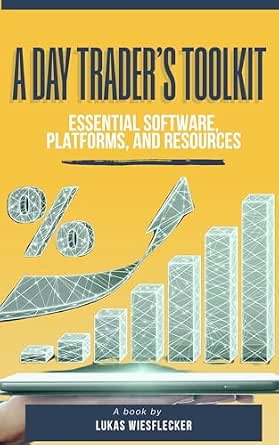 | Best for Planning a Day-Trading Setup | Product type: Guide to day-trading tools and setup planning | Stated audience: Not specified in the supplied information | Primary focus: Building a day-trading setup | VIEW LATEST PRICE | See Our Full Breakdown |
| investing software for beginner | Product type | Stated audience | Instructional format | Coverage depth |
|---|---|---|---|---|
| A Beginner’s Guide to thinkors | Guide to investing and trading software | Beginners | Not specified in the supplied information | Not specified in the supplied information |
| Interactive Brokers for Beginn | Beginner guide to a brokerage platform | Beginners | Not specified in the supplied information | Not specified in the supplied information |
| The Day Trader’s Toolkit: Top | Guide to day-trading tools and setup planning | Not specified in the supplied information | Not specified in the supplied information | Not specified in the supplied information |
More Details on Our Top Picks
A Beginner’s Guide to thinkorswim: Build Your Edge with Custom Scanners, Scripts, and Setups
This is my first pick for beginners who want a concrete introduction to one named investing platform. Its description identifies thinkorswim and says the guide covers custom scanners, scripts, and trading setups. That gives a prospective reader a clearer sense of the subject than the broad platform-and-systems description for The Day Trader’s Toolkit, and more technical direction than the general IBKR introduction provides in its listing.
The practical appeal is the progression implied by the title: learn a platform, explore ways to search for opportunities, and assemble a setup. For someone who prefers guided exploration over clicking through unfamiliar menus, that focus could make software feel more approachable. Scanners and scripts are also a meaningful distinction from a basic account-orientation guide: they point toward customization and active analysis rather than only learning where to place an investment order.
That same emphasis creates a real tradeoff. Custom tools can add complexity, and an introduction to scripts or trading setups is not the same as a well-rounded foundation in investing principles, risk management, or long-term portfolio planning. The listing calls the guide beginner-focused, but it does not say how much background it assumes or whether it explains technical concepts step by step. I would not treat the title’s promise of building an edge as a promise of better results.
Compared with Interactive Brokers for Beginners, this book has a more detailed stated subject list, but it is also more explicitly trading-oriented. Compared with The Day Trader’s Toolkit, it narrows the learning task to thinkorswim rather than surveying software, platforms, and systems for a whole setup. I rank it first because its stated beginner audience and named learning topics make its purpose easiest to judge—not because the supplied information establishes its format, depth, or teaching quality.
Pros:- The listing explicitly identifies thinkorswim as the subject.
- It is described as beginner-focused.
- Custom scanners and scripts are named learning topics rather than vague platform promises.
- Its trading-setup focus gives prospective readers a reasonably clear idea of its intended use.
Cons:- The listing does not specify the guide’s format, scope, or level of detail.
- Scanners, scripts, and setups may be more involved than a cautious first-time investor needs.
- The supplied description does not establish how much it covers investing fundamentals or risk management.
Best for: New users who have chosen thinkorswim and want an introductory path into its scanners, scripts, and trading setups.
Not ideal for: Beginners who want a platform-neutral introduction, a straightforward long-term investing guide, or a verified description of format and chapter-by-chapter coverage.
- Product type:Guide to investing and trading software
- Platform named:thinkorswim
- Stated audience:Beginners
- Topics identified:Custom scanners, scripts, and trading setups
- Instructional format:Not specified in the supplied information
- Coverage depth:Not specified in the supplied information
- Platform availability or requirements:Not specified in the supplied information
- Investing fundamentals coverage:Not specified in the supplied information
Our verdict“I rank this first for beginners seeking a named-platform tutorial, while treating its trading tools as a specialized learning path rather than a complete investing education.”
Interactive Brokers for Beginners: Understand IBKR and Start Investing with Confidence
This is the most direct choice for a beginner whose main goal is understanding Interactive Brokers. The title promises an introduction to IBKR and getting started with investing, making its audience and platform focus easy to identify. I place it second because that broad purpose fits a genuine beginner need, even though the supplied description does not spell out particular features, lessons, or workflow steps.
That distinction matters beside the thinkorswim guide. The thinkorswim listing names scanners, scripts, and setups, so a reader can anticipate a more hands-on, trading-oriented syllabus. The IBKR listing instead signals platform orientation and getting started. If your priority is to understand a specific broker before exploring advanced tools, that general approach may be a better fit than the technical emphasis of the first-ranked book. It is also less overtly focused on building a day-trading station than The Day Trader’s Toolkit.
Still, the description is too brief to confirm what “getting started” includes. It does not specify whether the guide explains account setup, platform navigation, order types, investing basics, or the differences between available tools. I cannot assume it offers screenshots, step-by-step instructions, or coverage of the current interface. Readers should check the full listing and any publication information, particularly because software instructions can become dated as platforms change.
For a newcomer, a guide centered on one broker can reduce the friction of learning an unfamiliar interface, but it is not automatically a complete investing curriculum. This book makes most sense if IBKR is already your chosen platform. If you are still comparing brokers or want a more detailed stated list of technical topics, the thinkorswim guide is easier to evaluate. If you want a broad day-trading setup plan, The Day Trader’s Toolkit is more aligned, though it is less directly framed around beginner investing.
Pros:- The title directly names Interactive Brokers and IBKR.
- The stated audience is beginners.
- Its stated goal connects platform understanding with getting started investing.
- It is less narrowly framed around day trading than The Day Trader’s Toolkit.
Cons:- The supplied description gives no specific chapters, features, or workflow lessons.
- Format, scope, and instructional materials are not stated.
- The listing does not establish how much it covers investing fundamentals, risk, or platform changes.
Best for: First-time investors who have selected Interactive Brokers and want a beginner-oriented introduction to IBKR and getting started.
Not ideal for: Readers who have not chosen a platform, need a clearly itemized syllabus, or want a specified guide to scanners, scripts, or day-trading systems.
- Product type:Beginner guide to a brokerage platform
- Platform named:Interactive Brokers (IBKR)
- Stated audience:Beginners
- Stated goal:Understand IBKR and start investing
- Specific lessons listed:Not specified in the supplied information
- Instructional format:Not specified in the supplied information
- Coverage depth:Not specified in the supplied information
- Platform requirements or access:Not specified in the supplied information
Our verdict“I recommend this for a beginner committed to IBKR, but its short description leaves more unanswered questions than the thinkorswim guide’s stated topic list.”
The Day Trader’s Toolkit: Top Software, Platforms & Systems to Build Your Ultimate Trading Setup
The Day Trader’s Toolkit serves a narrower purpose than the two platform-specific beginner guides. Its description presents a guide to software, platforms, and systems for building a day-trading setup. That broad, equipment-and-workflow angle could appeal to readers who have already decided that active day trading is their focus and want to think about how the pieces of a setup fit together.
For someone just starting to invest, though, that is a consequential distinction. The thinkorswim guide at least identifies beginner instruction and particular tools within one platform. Interactive Brokers for Beginners is framed around understanding a broker and starting to invest. This title instead centers day trading and an “ultimate” setup, without the supplied description confirming beginner instruction, platform names, or how the material separates essential tools from optional ones. I rank it third for this roundup because it is the least clearly matched to a broad beginner investing need.
The breadth may be useful if you are comparing software categories, but breadth without a stated syllabus makes the guide harder to judge. The listing does not tell me whether it explains how to select a broker, compare charting tools, manage risk, or evaluate systems. It also does not identify a format or say whether the content includes practical examples. I would verify those details before buying rather than reading the title as proof that every component of a trading setup is covered.
Beginners should also separate learning about tools from learning whether day trading fits their goals and risk tolerance. A more elaborate software arrangement does not establish an investment advantage. Compared with the IBKR guide, this is less direct for learning one platform and getting started; compared with the thinkorswim guide, it is broader but less specific in its stated lessons. It makes sense when the buyer already wants a day-trading-oriented overview, not when they simply need a first introduction to investing software.
Pros:- The description identifies a clear day-trading setup focus.
- It addresses software, platforms, and systems rather than only a single named platform.
- It may suit readers comparing the components of an active trading workflow.
- Its role is distinct from the more platform-specific thinkorswim and IBKR guides.
Cons:- The supplied description does not identify named platforms or specific software.
- Beginner suitability and teaching scope are not stated.
- The listing does not specify format, examples, or coverage of risk management.
- Its day-trading emphasis may not fit a beginner seeking long-term investing guidance.
Best for: Readers who have already chosen to explore day trading and want a guide focused on the software, platforms, and systems that may form a trading setup.
Not ideal for: First-time investors seeking a straightforward broker introduction, a clearly defined beginner syllabus, or guidance centered on long-term investing.
- Product type:Guide to day-trading tools and setup planning
- Stated audience:Not specified in the supplied information
- Primary focus:Building a day-trading setup
- Topics identified:Software, platforms, and systems
- Specific platforms named:None in the supplied description
- Instructional format:Not specified in the supplied information
- Coverage depth:Not specified in the supplied information
- Risk-management coverage:Not specified in the supplied information
Our verdict“I would choose this only for a reader specifically planning a day-trading setup; its broad topic and limited description make it a weaker general starting point for beginners.”

How We Picked
I compared these three listings through a beginner’s practical question: which guide appears most likely to help a new investor make sense of software without assuming prior platform knowledge? I used only the supplied product titles and descriptions. I did not infer book format, length, screenshots, exercises, platform access, investing performance, or the exact recency of platform instructions where those details were not provided.
That evidence favors specificity of the stated learning goal. The thinkorswim guide explicitly says it introduces the platform to beginners and covers scanners, scripts, and trading setups, giving it the strongest visible outline of what a reader may learn. The IBKR guide directly addresses beginners and investing, but the listing supplies little detail about its coverage. The Day Trader’s Toolkit describes a broader setup guide, yet its day-trading emphasis makes it a narrower fit for beginners who have not decided to trade actively.
My ranking is not a claim that one platform is better, safer, or more profitable than another. It reflects the apparent match between each guide and different beginner needs. Because the available information is limited, I also weigh fit and uncertainty: readers should check the full listing for format, scope, publication information, and any platform-specific requirements before buying. A guide can explain software, but it cannot make investment decisions for you or remove the risks of trading.
| investing software for beginner | Product type | Platform named | Stated audience | Topics identified |
|---|---|---|---|---|
| A Beginner’s Guide to thinkors | Guide to investing and trading software | thinkorswim | Beginners | Custom scanners, scripts, and trading setups |
| Interactive Brokers for Beginn | Beginner guide to a brokerage platform | Interactive Brokers (IBKR) | Beginners | — |
| The Day Trader’s Toolkit: Top | Guide to day-trading tools and setup planning | — | Not specified in the supplied information | Software, platforms, and systems |
Factors to Consider When Choosing Investing Software For Beginners
Before choosing among these titles, I would separate learning software from learning to invest. A guide can help explain a platform or set of tools, but the listings here do not establish that any book teaches a complete investing plan. Start with the question you actually need answered, then check whether the guide’s full description supports that choice.
Start with your investing goal, not the most technical tool
If you are learning how to make a first investment, you may need platform orientation more than scanners or scripts. The IBKR title is directly framed around understanding a broker and getting started, while the thinkorswim title points toward more hands-on analysis and setup building. The Day Trader’s Toolkit is the clearest fit only if your goal is day trading. I would not choose a guide simply because its title suggests more tools; match the subject to the decisions you are ready to make.
Choose a platform-specific guide only after choosing a platform
A book centered on one platform can be easier to follow than a general survey because it focuses attention on a single interface and vocabulary. That focus can also limit its usefulness if you later choose another broker. The thinkorswim and IBKR guides both name a platform, but only the thinkorswim description lists particular lessons. If you have not selected a platform, compare the current official platform materials and account requirements before committing to a platform-specific book.
Decide whether you need orientation or active-trading tools
Scanners, scripts, and trading setups point toward active analysis; they are not automatically necessary for a beginner building a simple investing routine. The thinkorswim guide’s named topics make it more technical than the IBKR title’s broad beginner framing. The Day Trader’s Toolkit expands the focus to a wider setup, but the supplied description does not name its platforms or methods. I would look for a clear explanation of how tools support a strategy, rather than assuming that adding software improves investing decisions.
Check what the listing does not tell you
For all three books, the provided details leave important questions open: format, length, publication information, screenshots, exercises, and chapter scope. These omissions matter most when a guide teaches software interfaces, which can change. Read the full product listing for those particulars and check whether the named platform is the one you plan to use. Where a guide does not state that it covers risk, order types, or investing fundamentals, do not assume those topics are included.
Keep software education separate from investment risk
Learning how to operate a platform does not show whether a security or strategy suits your finances. Day trading in particular involves decisions that can carry substantial risk, and the product descriptions here do not establish that any guide provides risk-management instruction. I would use these books as possible software references, not as a substitute for learning basic investing concepts, reviewing a platform’s own terms, or deciding how much risk is appropriate for you.
Frequently Asked Questions
Are these products investing software?
No. The listings describe books or guides about software, platforms, or investing workflows; they are not the software platforms themselves. A guide may help you understand a named platform, but the supplied information does not say that it provides an account, subscription, or access to trading tools. Check the full listing to confirm the product format before buying.
Which guide is the best starting point for a complete beginner?
For a beginner who wants a clearly identified platform and specific topics, I rank A Beginner’s Guide to thinkorswim first because its description names scanners, scripts, and trading setups. If your main aim is understanding Interactive Brokers and starting to invest, the IBKR guide may fit better. Neither listing gives enough detail to confirm that it teaches all investing fundamentals, so choose according to your immediate learning goal.
Is The Day Trader’s Toolkit suitable for someone investing for the long term?
Its description is centered on day-trading software, platforms, and systems, so it is not the most direct match for a reader who wants a long-term investing introduction. It may help someone planning an active trading setup, but the supplied information does not establish coverage of long-term portfolio building or risk management. For broader platform orientation, the beginner-focused thinkorswim or IBKR title appears more aligned with the stated goal.
Do these guides explain how to use current platform interfaces?
The provided descriptions do not state how current the instructions are, whether screenshots are included, or whether the guides address interface changes. This matters for platform-specific material, since menus and tools can change over time. Before purchasing, check the full listing for publication information and instructional details, then compare any steps with the platform’s current official documentation.
Can a guide to scanners or trading setups help me choose investments?
A guide may explain how to use a tool, but learning a scanner or setup does not by itself establish that a particular investment is appropriate. The supplied listing for the thinkorswim book names scanners, scripts, and trading setups, but does not specify its coverage of investment research, risk, or portfolio planning. Treat tool instruction as one part of learning, and make investment decisions with attention to your own goals and risk tolerance.
Conclusion
My recommendation depends on the kind of beginner you are. Choose A Beginner’s Guide to thinkorswim if you have selected that platform and want the most clearly stated set of technical learning topics. Choose Interactive Brokers for Beginners if IBKR is already your intended broker and you want a guide framed around getting started with investing. Choose The Day Trader’s Toolkit only if you specifically want to explore a day-trading setup, not as a default guide to beginner investing.
Before purchasing any of them, check the full listing for format, publication details, and lesson scope: the information supplied here does not confirm those points. I would also keep a guide’s software instruction separate from advice about what to buy. For a new investor, the strongest fit is the book that addresses the next decision you actually face, without mistaking a more technical setup for a better investing plan.