
For budgeting software for families, Quicken Classic Deluxe is my best overall pick for households that want a fuller personal-finance toolkit, while Family Budget and SayMoney Pro stand out for families seeking a more focused way to track household money. The main tradeoff is between hands-on, customizable spreadsheets and dedicated software that may offer more structure but can take longer to learn. Device compatibility, shared access, and how much setup your household will tolerate matter as much as the feature list. I compare all 11 options by their fit for real family budgeting needs, not by how many tools they promise. Read on for the full breakdown and help matching a pick to your household.

Get smart everyday buys delivered free with Prime
- Fast, free delivery on millions of items
- Prime Video, Amazon Music and more included
- Member-only deals all year
Key Takeaways
- Quicken Classic Deluxe leads for breadth: it is the strongest fit here for families who want more than a basic income-and-expense worksheet, though its greater scope may be unnecessary for simple budgets.
- Spreadsheets offer control, not automatic simplicity: the Google Sheets and Excel template, Basic Income and Expense Tracker, and Monthly Finance Tracker suit families willing to enter and maintain their own data.
- Several options are deliberately narrow: Calm Budget, Family Budget, and the Home Budget Planner are better starting points for households that prioritize a straightforward budgeting routine over a broad finance suite.
- Desktop and download products need a compatibility check: Home Accountz V3, SavePoint, Dave Ramsey’s software, and Home Budget Planner differ from web-based spreadsheet workflows, so families should confirm device fit before choosing.
- Best fit depends on who will maintain the budget: a feature-rich tool can fall short if only one adult can use it comfortably; ease of shared routines may matter more than extra reporting or account tools.
| Family Budget |  | Best for Buyers Seeking a Family-Focused Starting Point | Product name: Family Budget | Format: Not specified | Supported platforms: Not specified | VIEW LATEST PRICE | See Our Full Breakdown |
| Personal Budget Spreadsheet Template for Google Sheets and Microsoft Excel |  | Best Value for Spreadsheet-Savvy Families | Format: Digital spreadsheet template | Compatible software: Google Sheets and Microsoft Excel | Budgeting use: Personal budgeting | VIEW LATEST PRICE | See Our Full Breakdown |
| Basic Income and Expense Tracker for Excel |  | Best for Families with Irregular Income | Format: Excel spreadsheet | Expense categories: 21, customizable | Income categories: 8, customizable | VIEW LATEST PRICE | See Our Full Breakdown |
| Home Accountz V3 Personal Finance Software (Download) |  | Best for Hands-Off Account Tracking | Format: Download | Supported operating systems: Windows 8, Windows 7, Windows Vista | Recommended hardware: Multi-core processor, 2 GB RAM | VIEW LATEST PRICE | See Our Full Breakdown |
| SayMoney Pro Personal Finance Software |  | Best for Receipt and Grocery Tracking | Platform: Windows | Supported operating systems: Windows 10, 8, 8.1, 7, Vista, XP, and 2000 | Minimum processor: 1000 MHz | VIEW LATEST PRICE | See Our Full Breakdown |
| SavePoint Personal Finance Software with 8GB USB Drive for PC and Mac |  | Best for Offline Family Finance Planning | Software type: Personal finance | Connectivity: 100% offline | Data storage: Local-only | VIEW LATEST PRICE | See Our Full Breakdown |
| Monthly Finance Tracker and Budgeting Tool for Excel |  | Best for Spreadsheet-Based Monthly Budgeting | Format: Excel spreadsheet | Tracking period: Monthly | Primary purpose: Budgeting and finance tracking | VIEW LATEST PRICE | See Our Full Breakdown |
| Calm Budget – Simple Budget & Expense Tracker |  | Best for a Minimalist Family Budget | Product type: Budget and expense tracker | Stated focus: Simple budget and expense tracking | Platform: Not specified in the supplied product details | VIEW LATEST PRICE | See Our Full Breakdown |
| Quicken Classic Deluxe Personal Finance Software for New Subscribers, 1-Year Online Code for PC/Mac | 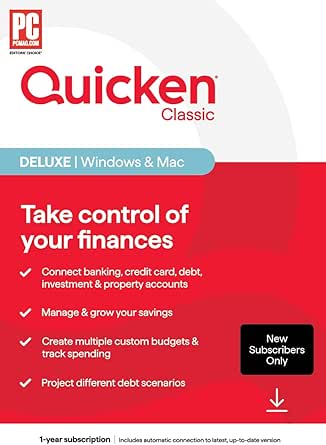 | Best for Families Managing Multiple Financial Areas | Subscription duration: 1 year | Platform: PC and Mac | Delivery format: Online code | VIEW LATEST PRICE | See Our Full Breakdown |
| Dave Ramsey’s Personal Finance Software, Version 5.3 |  | Best for a Simple Money-Management Approach | Product category: Personal finance software | Version: 5.3 | Developer or brand reference: Dave Ramsey | VIEW LATEST PRICE | See Our Full Breakdown |
| Home Budget Planner 2.0 [Download] | ” image=”https://m.media-amazon.com/images/I/61XzLOiYHvL._AC_SY445_SX342_QL70_ML2_.jpg” link=”0″] | Best for Detailed Household Category Planning | Version: 2.0 | Format: Download | Top-level categories: 13 income and expense categories | VIEW LATEST PRICE | See Our Full Breakdown |
| budgeting software for familie | Format |
|---|---|
| Family Budget | Not specified |
| Personal Budget Spreadsheet Te | Digital spreadsheet template |
| Basic Income and Expense Track | Excel spreadsheet |
| Home Accountz V3 Personal Fina | Download |
| SayMoney Pro Personal Finance | — |
| SavePoint Personal Finance Sof | — |
| Monthly Finance Tracker and Bu | Excel spreadsheet |
| Calm Budget | — |
| Quicken Classic Deluxe Persona | — |
| Dave Ramsey’s Personal Finance | — |
| Home Budget Planner 2.0 [Downl | Download |
More Details on Our Top Picks
Family Budget
Family Budget has a family-oriented title, but the available product information does not describe its format, budgeting tools, supported devices, or account-sharing features. That makes it hard to judge whether it can handle shared household spending, child-related costs, or recurring bills. Compared with the Personal Budget Spreadsheet Template, which is confirmed to work with Google Sheets and Excel, this option offers no documented compatibility details to help a household plan how everyone will access it. I can only recommend it to buyers who can check the product listing for current specifics before committing. The lack of detail is a real drawback for families choosing software they may rely on for shared financial decisions.
Pros:- The product is explicitly positioned around family budgeting
- Its title makes its intended audience easy to identify
- May suit buyers who are able to confirm missing details before purchase
Cons:- No product description or technical specifications were provided
- Supported platforms and file format are unknown
- Family collaboration and budgeting capabilities cannot be confirmed
Best for: Families considering a family-labeled budgeting product who can verify its format, features, and compatibility before purchase
Not ideal for: Households that need confirmed device compatibility, shared access, or clearly documented budgeting features before choosing
- Product name:Family Budget
- Format:Not specified
- Supported platforms:Not specified
- Budgeting features:Not specified
- Family or shared access:Not specified
- System requirements:Not specified
Our verdict“Choose Family Budget only if you can verify its actual features and compatibility, since the spreadsheet option has clearer documented details.”
Personal Budget Spreadsheet Template for Google Sheets and Microsoft Excel
This template is the clearest low-complexity choice for a family that already organizes household finances in spreadsheets. Its Google Sheets and Microsoft Excel compatibility lets households use familiar tools rather than learn a dedicated finance program. Compared with Home Accountz V3, it has no listed forecasting, automated transactions, or reconciliation features, so it is better suited to hands-on budget entry than ongoing account management. The tradeoff is flexibility: spreadsheet users can adapt their process, but the product details do not confirm built-in family sharing, expense categories, reports, or automation. A family should choose it for a simple, editable budget workflow—not for automatic transaction tracking or a ready-made household finance system.
Pros:- Works with both Google Sheets and Microsoft Excel
- Provides a straightforward digital format for personal budgeting
- Can fit households that prefer familiar spreadsheet workflows
Cons:- Requires compatible spreadsheet software
- No automated transaction or reconciliation features are specified
- Built-in family sharing, categories, and reports are not documented
Best for: Families comfortable editing spreadsheets who want a simple household budget they can open in either Google Sheets or Excel
Not ideal for: Households seeking automatic bank transaction handling, built-in forecasting, or documented shared budgeting features
- Format:Digital spreadsheet template
- Compatible software:Google Sheets and Microsoft Excel
- Budgeting use:Personal budgeting
- Internet requirement:Not specified
- Automated transactions:Not specified
- Reporting features:Not specified
Our verdict“Pick this template if your family wants a familiar spreadsheet budget, but choose Home Accountz V3 for documented account tracking and automation.”
Basic Income and Expense Tracker for Excel
Although described as a small-business tracker, this Excel tool can suit a household that needs to sort several income sources and spending types into custom categories. Its 21 expense categories and 8 income categories give families room to separate costs such as childcare, utilities, and side-gig earnings, while monthly, quarterly, and year-to-date charts can reveal patterns over time. That reporting makes it more structured than the Personal Budget Spreadsheet Template, whose supplied details do not specify categories or reports. The tradeoff is that it requires Microsoft Excel and is built around business tracking rather than explicitly shared family budgeting. The stated download option may also require a request if there is no CD/DVD drive, adding friction for some buyers.
Pros:- Includes 21 customizable expense categories
- Includes 8 customizable income categories
- Produces monthly, quarterly, and year-to-date reports with charts
- Can help households review income and spending patterns over multiple periods
Cons:- Requires Microsoft Excel
- Designed for small-business tracking rather than specifically for family budgeting
- A download may need to be requested if a CD/DVD drive is unavailable
Best for: Families with multiple income sources or variable household expenses who want customizable categories and periodic reports
Not ideal for: Households using Google Sheets or looking for an explicitly family-oriented app with documented shared access
- Format:Excel spreadsheet
- Expense categories:21, customizable
- Income categories:8, customizable
- Reports:Monthly, quarterly, and year-to-date reports with charts
- Requirement:Microsoft Excel
- Download option:Available upon request if no CD/DVD drive is available
Our verdict“Choose this tracker over the basic spreadsheet template if your family values customizable categories and charted reporting and already uses Excel.”
Home Accountz V3 Personal Finance Software (Download)
Home Accountz V3 is a stronger fit than a spreadsheet when a family wants one desktop program to track income, expenses, bank accounts, and credit cards. Budgeting, forecasting, automated transactions, and reconciliation can reduce manual upkeep and make it easier to compare planned spending with account activity. Its mobile expense tracker and dashboard also give households more ways to record and review purchases than the Basic Income and Expense Tracker for Excel, which focuses on categorized reports. The tradeoffs are substantial: the listed operating systems are limited to Windows 8, 7, and Vista, installation and updates require internet access, and online services are included only for the first year before charges apply. Families should check current compatibility before relying on it.
Pros:- Tracks income, expenses, bank accounts, and credit cards
- Combines budgeting, forecasting, and account reconciliation
- Automated transactions can reduce repetitive entry for recurring activity
- Includes a dashboard, mobile expense tracker, and online backup and recovery
Cons:- Listed operating system support is limited to Windows 8, Windows 7, and Windows Vista
- Online services are included for the first year and charged thereafter
- Internet access is required for installation, licensing, and updates
Best for: Windows households that want budgeting, forecasting, and bank or credit-card reconciliation in one desktop finance program
Not ideal for: Families on newer or non-Windows systems, or those who want ongoing online services without a later charge
- Format:Download
- Supported operating systems:Windows 8, Windows 7, Windows Vista
- Recommended hardware:Multi-core processor, 2 GB RAM
- Internet connection:Required for installation, licensing, and updates
- Included online services:First year; charged thereafter
- Security:Password protection
- Finance features:Income and expense tracking, budgeting, forecasting, automated transactions, reconciliation
- Additional tools:Dashboard, mobile expense tracker, online backup and recovery
Our verdict“Choose Home Accountz V3 over the Excel tracker if your family needs broader account automation and its listed Windows and service requirements fit.”
SayMoney Pro Personal Finance Software
SayMoney Pro stands apart for families that want everyday spending records alongside budget tracking. Receipt and grocery-list management, recurring payments, and voice input can help capture purchases as they happen, while CSV import and export gives a household a way to move transaction data between tools. Compared with Home Accountz V3, SayMoney Pro adds receipt-focused features and voice controls, but its supplied platform details list Windows only and do not describe bank reconciliation or forecasting. PIN protection, encryption, and backup and restore tools add useful safeguards for household records. Buyers should note that the minimum system requirements are provided without recommended requirements, so performance on a particular computer is less clear.
Pros:- Tracks income, expenses, budgets, accounts, categories, and recurring payments
- Includes receipt and grocery-list management with voice input and output
- Supports CSV transaction import and export, plus receipt export as ZIP
- Offers PIN protection, encryption, synchronization, and backup and restore
Cons:- Product details list Windows platforms only
- Recommended system requirements are not specified
- Bank reconciliation and forecasting are not listed among its features
Best for: Windows families who want budget and account tracking combined with receipt, grocery-list, and recurring-payment tools
Not ideal for: Households needing confirmed Mac or mobile-platform support, or those who prioritize documented forecasting and bank reconciliation
- Platform:Windows
- Supported operating systems:Windows 10, 8, 8.1, 7, Vista, XP, and 2000
- Minimum processor:1000 MHz
- Minimum RAM:1 GB
- Minimum hard disk space:100 MB
- Minimum video memory:128 MB
- Data features:Income and expense tracking, budgets, accounts, categories, and recurring payments
- Import and export:CSV transaction import and export; receipts export as ZIP
- Security and additional features:PIN protection, encryption, synchronization, backup and restore, voice input and output, printing, currency converter
Our verdict“Choose SayMoney Pro over Home Accountz V3 if receipt and grocery tracking matter more to your family than documented forecasting and reconciliation.”
SavePoint Personal Finance Software with 8GB USB Drive for PC and Mac
SavePoint stands out for families who want financial records kept on their own computers rather than in an online service. Its budgeting tools connect spending plans with cash flow, balance sheets, and reports, which can help households see how monthly choices affect the bigger picture. Compared with the simpler Monthly Finance Tracker and Budgeting Tool for Excel, SavePoint offers broader planning features, including Monte Carlo simulations and several FIRE strategies. That extra scope suits families coordinating savings goals, accounts, and long-range plans, but it may be more software than a household needs for basic monthly tracking. Local-only storage means internet access is not required for the stated core use, though families must manage their own device backups. The license supports up to two devices, and updates apply to the licensed version, so it is less flexible for larger households or people expecting ongoing version upgrades.
Pros:- Local-only storage and offline operation keep financial data on the computer
- Combines budgets, variance analysis, cash flow, balance sheets, and multiple report types
- Monte Carlo simulations and several FIRE strategies support long-term household planning
- Supports eight languages and more than 150 currencies
Cons:- Use is limited to up to two devices
- Updates are included only for the licensed version
- Its wide range of planning tools may feel excessive for families tracking only monthly spending
Best for: Families who want offline budgeting plus cash-flow, balance-sheet, and long-term financial planning tools on up to two computers
Not ideal for: Households needing shared access across several devices or a straightforward monthly tracker without advanced planning features
- Software type:Personal finance
- Connectivity:100% offline
- Data storage:Local-only
- License:Lifetime; includes updates for the licensed version
- Device limit:Up to 2 devices
- Compatibility:Windows PC and Mac
- Planning tools:Monte Carlo simulations; Lean, Traditional, Fat, and Coast FIRE strategies
- Finance tools:Budget variance analysis, balance sheets, cash flow center, Sankey diagrams, 10+ report types, unlimited accounts and transactions, and smart categorization
- Languages and currencies:8 languages; 150+ currencies
Our verdict“Choose SavePoint if your family wants offline control and detailed planning in one tool, but skip it if you need easy multi-device sharing or only a basic budget.”
Monthly Finance Tracker and Budgeting Tool for Excel
This Excel tracker is a focused choice for families who want to organize a monthly budget in a familiar spreadsheet format. Its stated purpose is to track finances and help identify spending leaks, making it more approachable than broader software such as SavePoint Personal Finance Software, which also covers balance sheets and long-term planning. That narrower scope can be an advantage when a household wants to review monthly spending without taking on a larger finance system. The tradeoff is that the available product details do not specify built-in reports, account syncing, or family collaboration features, so buyers should not assume those are included. Excel is required, tying the tool to a particular spreadsheet application and leaving setup and ongoing data entry dependent on the user. It makes the most sense for families comfortable maintaining a spreadsheet, not those seeking a more automated or connected budgeting experience.
Pros:- Designed around monthly budgeting and finance tracking
- Uses Excel, a familiar format for spreadsheet-comfortable households
- Aims to help users identify spending leaks
- Keeps the focus on monthly finance organization rather than a broad suite of planning tools
Cons:- Requires Excel to use
- Product details do not specify account syncing or automation
- Monthly tracking may not suit families seeking broader long-term planning tools like SavePoint
Best for: Families who already use Excel and want a simple monthly structure for recording spending and spotting budget leaks
Not ideal for: Households without Excel or those seeking specified account syncing, automated categorization, or detailed long-range planning
- Format:Excel spreadsheet
- Tracking period:Monthly
- Primary purpose:Budgeting and finance tracking
- Intended use:Organize finances and identify spending leaks
- Software requirement:Microsoft Excel
- Product category:Finance tracker and budgeting tool
Our verdict“Pick this tracker if your family prefers to manage a monthly budget in Excel, but choose a broader finance program if you need more than spreadsheet-based tracking.”
Calm Budget – Simple Budget & Expense Tracker
Calm Budget is the most minimal choice in this group by description: it is presented as a simple way to track budgets and expenses, without details about advanced reports, account connections, or long-term planning. That limited scope may appeal to families who want to keep attention on everyday spending rather than build a detailed financial system. Compared with Quicken Classic Deluxe, which covers banking, debt, investments, and property, Calm Budget appears much more focused; however, the available information does not establish what platforms it supports or how data is stored. Those missing details make it harder to judge whether it fits a household’s devices and privacy preferences. Its main appeal is simplicity, not proven breadth, so families should confirm the practical details before relying on it for shared budgeting or more complex financial decisions.
Pros:- Designed for straightforward budget and expense tracking
- A simple stated scope may suit families who want to focus on routine spending
- Less expansive in stated purpose than Quicken Classic Deluxe, which may reduce feature overhead
- The product title clearly signals a budget-and-expense tracking focus
Cons:- Available product information does not specify supported platforms
- Data storage and privacy details are not provided
- No advanced reporting, account syncing, or household sharing features are specified
Best for: Families seeking a simple budget-and-expense tracking tool and willing to verify platform and data-handling details before choosing
Not ideal for: Households that need specified account syncing, investment or property tracking, detailed reporting, or confirmed multi-device access
- Product type:Budget and expense tracker
- Stated focus:Simple budget and expense tracking
- Platform:Not specified in the supplied product details
- Connectivity:Not specified in the supplied product details
- Data storage:Not specified in the supplied product details
- Reporting tools:Not specified in the supplied product details
Our verdict“Consider Calm Budget if your family wants a basic tracker and can confirm its platform and data features, but choose a more fully specified option for complex finances.”
Quicken Classic Deluxe Personal Finance Software for New Subscribers, 1-Year Online Code for PC/Mac
Quicken Classic Deluxe is the broadest household finance option in this batch, combining banking and credit-card tracking with debt, investments, and property. For families balancing everyday spending with loans and assets, that range can make it easier to see more of the financial picture alongside custom budgets and savings tools. Compared with Monthly Finance Tracker and Budgeting Tool for Excel, Quicken is aimed at managing more than a monthly spreadsheet budget. The tradeoff is a one-year subscription, rather than SavePoint’s lifetime license, and this offer is designated for new subscribers. Buyers should factor that renewal-based arrangement into their choice and confirm their eligibility. Its 30-day trial period provides a chance to evaluate fit, but families wanting an offline, locally stored system may prefer SavePoint, whose product details explicitly state offline operation and local-only data.
Pros:- Brings banking, credit cards, debt, investments, and property tracking together
- Supports custom budgets and spending tracking
- Includes tools for growing savings and comparing debt scenarios
- Supports PC and Mac and includes a 30-day trial period
Cons:- The subscription term is limited to one year
- This offer is intended for new subscribers
- Unlike SavePoint, the supplied product details do not specify offline operation or local-only storage
Best for: New-subscriber families who want to track budgets alongside debt, investments, banking, credit cards, and property on PC or Mac
Not ideal for: Families seeking a lifetime license, an explicitly offline local-only setup, or an offer not restricted to new subscribers
- Subscription duration:1 year
- Platform:PC and Mac
- Delivery format:Online code
- Subscriber eligibility:New subscribers
- Trial period:30 days
- Budgeting features:Custom budgets and spending tracking
- Financial areas:Banking, credit cards, debt, investments, and property
- Planning tools:Savings tools and debt-scenario comparisons
Our verdict“Choose Quicken if your household wants budgeting alongside debt and asset tracking and accepts a one-year subscription for new subscribers.”
Dave Ramsey’s Personal Finance Software, Version 5.3
Dave Ramsey’s Personal Finance Software is a basic, purpose-led option for households looking for a tool to help manage their money without the extensive feature list described for Quicken Classic Deluxe or SavePoint. The supplied details identify version 5.3 and a general personal-finance purpose, but do not describe specific budgeting workflows, account connections, platforms, or reporting tools. That makes it difficult to compare its day-to-day family budgeting capabilities with the monthly structure of the Excel Finance Tracker or the wider planning features in SavePoint. Its narrower, less-defined scope may suit buyers who want a straightforward finance program, but it also leaves important fit questions unanswered. Families should verify compatibility and included functions before choosing it, particularly if multiple household members need access or they rely on detailed spending reports.
Pros:- Designed to help users manage their money
- Identified as personal finance software
- Version number is specified, giving buyers a concrete version to verify
- May suit households seeking a less expansive alternative to Quicken Classic Deluxe
Cons:- The supplied information does not describe specific budgeting features
- Supported platforms and device access are not specified
- Account connections and reporting capabilities are not specified
Best for: Families interested in a straightforward personal-finance program who can confirm that version 5.3 supports their devices and budgeting needs
Not ideal for: Households that need clearly documented budgeting workflows, platform compatibility, account connections, or advanced reporting
- Product category:Personal finance software
- Version:5.3
- Developer or brand reference:Dave Ramsey
- Stated purpose:Money management
- Platform:Not specified in the supplied product details
- Budgeting features:Not specified in the supplied product details
Our verdict“Consider this software only if its version 5.3 compatibility and budgeting functions meet your family’s needs, since the supplied details do not establish its specific capabilities.”
Home Budget Planner 2.0 [Download]
” image=”https://m.media-amazon.com/images/I/61XzLOiYHvL._AC_SY445_SX342_QL70_ML2_.jpg” link=”0″]Best for Detailed Household Category Planning
View Latest PriceHome Budget Planner 2.0 is a good fit for families who want to organize a household budget around many named spending areas rather than a short list of broad totals. Its 13 top-level categories and more than 110 budget items give parents room to separate recurring bills, varied expenses, and income sources, while flexible schedules accommodate costs that arrive weekly, quarterly, or on a custom basis. Graphical summaries and printable budget-versus-spending reports make it easier to spot where actual spending diverges from the plan.
Compared with the Personal Budget Spreadsheet Template for Google Sheets and Microsoft Excel, this download offers built-in reporting rather than relying on a spreadsheet layout. The tradeoff is its fixed January–December budgeting year, which may not suit families who plan around a different fiscal cycle. It also centers on manual budgeting and reporting, so families seeking a broader personal-finance system may prefer another option.
Pros:- More than 110 budget items support detailed tracking across household spending areas.
- Multiple scheduling choices accommodate expenses that occur at different intervals.
- Graphical summaries and detailed reports help compare planned amounts with actual spending.
- Printable reports provide a convenient format for household budget reviews.
Cons:- Budgets follow a January–December period, limiting fit for families with a different fiscal year.
- Its focus on budgeting and reporting may not meet needs for a broader financial-management tool.
Best for: Families who want to divide household income and expenses into many categories and review budget-versus-actual reports.
Not ideal for: Families whose budgeting year starts outside January or who want a broader personal-finance system rather than a household budgeting tool.
- Version:2.0
- Format:Download
- Top-level categories:13 income and expense categories
- Budget items:More than 110
- Budget period:January–December
- Scheduling options:Daily, weekly, biweekly, monthly, twice monthly, every other month, quarterly, twice yearly, yearly, and custom month selections
- Reporting:Graphical summaries, detailed comparison reports, and report printing
Our verdict“Choose Home Budget Planner 2.0 if your family wants detailed category planning and printable spending comparisons within a calendar-year budget.”

How We Picked
I ranked these 11 products by how well their format and apparent scope match common family budgeting tasks: tracking household income and expenses, planning recurring spending, and keeping a budget usable for more than one person. I also weighed the setup and upkeep each approach asks of the household. A spreadsheet can be flexible and familiar, but it depends on manual updates; dedicated software may provide more structure, but can bring extra complexity or device limits.
The order gives priority to options with broader usefulness for a household budget, then distinguishes focused trackers, templates, and desktop programs by the kind of family they suit. A product is not ranked higher simply for having more features: a narrow tool can be a better match for beginners, while a finance suite can be a poor choice for a family that only wants a shared monthly plan. Before buying, check current operating-system support, access arrangements, and whether the product handles the workflow your family actually uses.
| budgeting software for familie | Format |
|---|---|
| Family Budget | Not specified |
| Personal Budget Spreadsheet Te | Digital spreadsheet template |
| Basic Income and Expense Track | Excel spreadsheet |
| Home Accountz V3 Personal Fina | Download |
| SayMoney Pro Personal Finance | — |
| SavePoint Personal Finance Sof | — |
| Monthly Finance Tracker and Bu | Excel spreadsheet |
| Calm Budget | — |
| Quicken Classic Deluxe Persona | — |
| Dave Ramsey’s Personal Finance | — |
| Home Budget Planner 2.0 [Downl | Download |
Factors to Consider When Choosing Budgeting Software For Families
Choosing household budgeting software is less about finding the longest feature list and more about choosing a method your family can keep using. I would start with how money is shared, who updates the plan, and how much manual work feels realistic.
Decide Who Needs to See and Update the Budget
A household budget often fails because the person who pays the bills is also the only person who can explain the plan. Before choosing a tool, decide whether both adults need to update transactions, review spending, or simply see the current limits. A shared spreadsheet can make the numbers visible, but editing access and version habits need agreement. Dedicated software may organize money in one place, yet that does not automatically make collaboration easy. Avoid assuming that a family label means every household member can use the same account or device. Choose the access pattern first, then check whether the product supports it.
Choose a Realistic Amount of Manual Work
Spreadsheets and basic trackers can keep a family focused on the categories it chooses, but they rely on someone entering expenses and checking formulas or totals. That can work well when a household already reviews money weekly. It can become a burden when purchases are spread across several adults, cards, and accounts. A common mistake is choosing a detailed template because it looks thorough, then abandoning it when updates take too long. Start with the minimum routine your family can sustain, such as a weekly review and a short list of spending categories. Add detail only after that habit sticks.
Match the Tool to Your Devices and Work Locations
Families may budget from a laptop at home, a phone while shopping, or more than one operating system. A downloadable desktop program or USB-based option may suit a household that prefers keeping its workflow on a computer, but it can be awkward when family members need access elsewhere. A cloud spreadsheet can be easier to reach across devices, though it depends on account access and a stable shared file. Check supported operating systems and whether the product is a download, a local program, or an online service before purchase. Do not assume that a product advertised for PC and Mac offers the same experience on both. Device fit can decide whether the budget stays current.
Keep the Budget at the Right Level of Detail
More categories can help a family spot where money goes, but they also demand more decisions every time someone records a purchase. A household with irregular expenses may benefit from categories for school costs, medical needs, or annual bills; a simpler family may do better with a few broad groups. Avoid copying an elaborate budget structure before identifying the questions you want it to answer. If the main concern is staying within monthly limits, a focused tracker may be enough. If you need a wider view of household finances, a broader program may justify its added learning curve. The right level of detail is the one your family will maintain.
Check the Ownership and Update Model Before You Commit
Budgeting products can differ in whether they are sold as downloads, desktop software, templates, or subscription-linked services. Those differences affect installation, access after a computer change, and how easily another household member can take over. Read the current product terms and system requirements rather than relying on an old listing or a familiar product name. A one-time template may seem simple, but it may require more manual upkeep than software with built-in workflows. Conversely, a broader program can be more than a family needs if all it wants is a monthly spending plan. Compare the ongoing effort and access rules, not just the initial setup.
Pay for Scope Only When Your Household Will Use It
A premium or more feature-rich tool makes sense when its extra scope replaces several separate routines or gives the family a clearer view of money. It is harder to justify when the household only needs a simple income-and-expense record. Families often overbuy because they expect more tools to create better habits; software cannot decide who updates the budget or resolve different spending priorities. Try listing the two or three jobs the tool must perform before comparing options. If a basic spreadsheet covers those jobs, extra complexity may slow adoption rather than help. Pay for broader capabilities only when someone in the household will use them regularly.
Frequently Asked Questions
Should my family choose a spreadsheet or dedicated budgeting software?
A spreadsheet is a strong fit when your household wants control over categories and is comfortable entering information by hand. Dedicated software may suit families looking for a more structured finance workflow, particularly if they want more than a monthly expense table. The main decision is not which format has more features; it is whether your family will keep the information current. Consider who will maintain it and how often everyone needs access. If that routine is unclear, start with the simpler format and expand only when you can name a task it does not handle.
Can two adults manage a family budget in one of these products?
Potentially, but shared use depends on the product’s access model and the devices each adult uses. A shared spreadsheet can give both people visibility, while downloadable desktop programs may center the budget on one computer or installation. Before choosing, check whether multiple people can view or edit the same budget and whether changes sync across devices. Also agree on who records cash purchases, reviews categories, and resolves duplicate entries. Shared access helps, but a simple household routine is what keeps the numbers useful.
Which type of budgeting software is easiest for a family just starting out?
For beginners, a focused tracker or uncomplicated spreadsheet is often easier to maintain than a broad personal-finance program. The best starting point is the one that lets your family record income and spending without designing a complicated category system first. Keep the first budget limited to regular bills, flexible spending, and a small buffer for irregular costs. Once the household has a consistent review habit, you can decide whether you need more reporting or broader finance features. A simple tool that gets used is more useful than a sophisticated one that feels like another chore.
What should I check before buying downloadable or desktop budgeting software?
Confirm the current operating-system requirements, installation process, and whether the license supports the computers your household uses. Check how the budget is backed up and what happens if the primary computer is replaced. If family members need to enter expenses from different locations, ask whether the program supports that workflow or whether updates must be made on one device. Also look for current documentation and support information, since older software versions may not match present-day systems. These checks can prevent a good budgeting approach from becoming difficult to access.
Is a more feature-rich program worth it if my family only wants to control monthly spending?
Usually, a focused tracker or spreadsheet is enough when the family’s only goal is setting monthly limits and recording expenses. A broader program becomes more useful when you also want a wider view of household finances or additional organization beyond a basic budget. Extra scope can bring a learning curve, so it is worth identifying who will use those features before choosing. Avoid paying for capabilities that no one has time to maintain. If your needs grow, you can move to a broader tool after the simple routine is established.
Conclusion
Quicken Classic Deluxe is my best overall recommendation for families who want a broader finance program, while the Personal Budget Spreadsheet Template is the best value-style choice for households comfortable managing their own setup and updates. For beginners, I would start with Calm Budget or Family Budget if a focused routine matters more than extensive tools. Families seeking a wider desktop workflow can compare Home Accountz V3 and SavePoint, after checking device and access requirements; spreadsheet users who want a narrower task-specific format can look at the Basic Income and Expense Tracker or Monthly Finance Tracker. The best premium fit is the broader Quicken option, but only if your household will use its added scope. Choose the simplest product that supports your family’s shared routine, then move up when a specific limitation gets in the way.