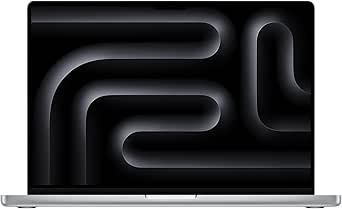
For most 3D modeling and VFX work, my best overall pick is the 16-inch MacBook Pro with M5 Pro, 48GB memory, and 2TB SSD: it balances graphics capability, working memory, screen space, and project storage. The 16-inch M5 Max with 128GB memory is better suited to large scenes and demanding effects, while the 14-inch M5 Pro with 48GB memory is the more portable choice for artists who work across locations. The main tradeoffs are GPU performance versus portability, and how much memory and storage your projects really need. MacBook Pro configurations differ sharply here, even when their names look similar. Read on for the full breakdown and guidance on choosing the right setup for your software and workload.

Get smart everyday buys delivered free with Prime
- Fast, free delivery on millions of items
- Prime Video, Amazon Music and more included
- Member-only deals all year
Key Takeaways
The 16-inch M5 Pro with 48GB memory and 2TB storage is the balanced pick: it offers more project space than the 1TB version without stepping up to an M5 Max configuration.
M5 Max and M5 Pro serve different workloads. The 40-core GPU models suit graphics-heavy scenes and effects, while M5 Pro configurations can make more sense for modeling, animation, and mixed workloads that do not keep a top-tier GPU busy.
Memory separates the high-end choices. The 128GB M5 Max models are aimed at large assets and complex scenes; 36GB or 48GB configurations are more practical for many individual creators.
Screen size is a real workflow choice. The 16-inch models offer more room for timelines, tool panels, and reference images, while 14-inch models are easier to carry between a studio, classroom, and set.
Renewed M3 and M4 models are compromises, not automatic bargains. Their appeal depends on condition, warranty, software needs, and whether their memory and GPU capacity fit the work better than a newer configuration.



| macbook pro for 3d modeling and vfx | Storage | Display | Ports | Processor |
|---|---|---|---|---|
| Apple MacBook Pro 16-inch | 512GB SSD | 16.2-inch Liquid Retina XDR | — | Apple M3 Pro, 12-core CPU |
| Apple 2024 MacBook Pro Laptop | 1TB SSD | 14-inch Liquid Retina XDR | Three Thunderbolt 5, MagSafe 3, SDXC, HDMI, headphone jack | Apple M4 Max |
| Apple 2026 MacBook Pro 16.2-in | 1TB SSD | 16.2-inch Liquid Retina XDR, up to 1600 nits peak brightness | Three Thunderbolt 5, HDMI, SDXC, MagSafe 3 | Apple M5 Pro, 18-core CPU |
| Apple MacBook Pro 14.2-inch wi | 2TB SSD | 14.2-inch Liquid Retina XDR | Three Thunderbolt 5, MagSafe 3, SDXC, HDMI, headphone jack | Apple M5 Max, 18-core CPU |
| Apple MacBook Pro 16.2-inch wi | 2TB SSD | 16.2-inch Liquid Retina XDR | Three Thunderbolt 5, HDMI, SDXC, MagSafe 3, headphone jack | Apple M5 Max, 18-core CPU |
| Apple MacBook Pro Laptop with | 1TB SSD | 14.2-inch Liquid Retina XDR | Three Thunderbolt 5, MagSafe 3, SDXC, HDMI, headphone jack | — |
| Apple MacBook Pro 16.2-inch wi | 4TB SSD | 16.2-inch Liquid Retina XDR | Three Thunderbolt 5, MagSafe 3, SDXC card slot, HDMI, headphone jack | — |
| Apple 2024 MacBook Pro with M4 | 1TB SSD | 14.2-inch Liquid Retina XDR | Three Thunderbolt 5, MagSafe 3, SDXC, HDMI, headphone jack | Apple M4 Max |
| Apple 2025 MacBook Pro Laptop | 1TB SSD | 14.2-inch Liquid Retina XDR | Three Thunderbolt 4, MagSafe 3, SDXC card slot, HDMI, headphone jack | Apple M5 chip |
| Apple MacBook Pro 16.2-inch wi | 2TB SSD | 16.2-inch Liquid Retina XDR | Three Thunderbolt 5, MagSafe 3, SDXC card slot, HDMI, headphone jack | — |
| Apple 2026 MacBook Pro 14-inch | 2TB SSD | 14.2-inch Liquid Retina XDR, up to 1600 nits peak brightness | Three Thunderbolt 5, HDMI, SDXC, MagSafe 3 | Apple M5 Max, 18-core CPU |
| Apple 16-inch MacBook Pro with | 1TB SSD | 16-inch Liquid Retina XDR | — | Apple M5 Pro, 18-core CPU |
| Apple 2024 MacBook Pro with M4 | 512GB SSD | 16.2-inch Liquid Retina XDR | Three Thunderbolt 5, MagSafe 3, SDXC, HDMI, headphone jack | M4 Pro or M4 Max chip, as listed in product data |
More Details on Our Top Picks
Apple MacBook Pro 16-inch (2023) with M3 Pro, 12-core CPU, 18-core GPU, 18GB RAM, 512GB SSD, Space Black (Renewed Premium)
This 16-inch model offers a roomy Liquid Retina XDR display and an M3 Pro chip, making it a more approachable fit for learning 3D workflows, editing lighter scenes, and reviewing VFX work than the newer, more powerful M5 Pro and M5 Max options here. Its 18-core GPU and 18GB of unified memory can handle modest projects, but that memory ceiling leaves less room for large scenes, high-resolution textures, and demanding simulations. The 512GB SSD also fills quickly when projects include cache files and source footage. Compared with the 2024 M4 Max 14-inch, this renewed M3 Pro is a less capable choice for heavy rendering, but its larger screen may suit timeline and workspace tasks better. The main tradeoffs are its older chip, limited storage, and renewed condition with a 90-day warranty.
Pros:- 16.2-inch Liquid Retina XDR display provides generous room for timelines and modeling panels.
- M3 Pro with an 18-core GPU suits lighter 3D and VFX workloads.
- Up to 22 hours of stated battery life supports long sessions away from a charger.
- Renewed Premium condition comes with a 90-day warranty.
Cons:- 18GB of memory is restrictive for large scenes, heavy compositing, and simulation work.
- 512GB SSD can run short on space once caches, footage, and project files accumulate.
- Renewed condition and the 90-day warranty offer less reassurance than a new model.
Best for: Students and hobbyists learning Blender, modeling smaller assets, or doing light VFX work who want a large built-in display and can manage project files externally.
Not ideal for: Artists regularly working with complex scenes, large simulations, or high-resolution footage; 18GB of memory and 512GB of storage leave little headroom compared with the M5 Pro and M5 Max models.
- Model year:2023
- Processor:Apple M3 Pro, 12-core CPU
- GPU:18-core GPU
- Memory:18GB
- Storage:512GB SSD
- Display:16.2-inch Liquid Retina XDR
- Battery life:Up to 22 hours
- Condition and warranty:Renewed Premium; 90-day warranty
Our verdict“Choose this renewed 16-inch M3 Pro for learning and lighter creative projects, not for memory-hungry production work.”
Apple 2024 MacBook Pro Laptop with M4 Max, 14-inch, 36GB RAM, 1TB SSD, Silver
The M4 Max gives this 14-inch MacBook Pro a strong case for artists who need substantial GPU capability in a smaller chassis. Its 36GB of unified memory and 1TB SSD offer more practical working room than the renewed 16-inch M3 Pro, especially for layered compositions and projects with multiple assets. The tradeoff is screen space: dense node graphs, timelines, and modeling panels feel more constrained on the 14-inch display than on the 16.2-inch M5 Pro. For mobile artists, its selection of ports—including Thunderbolt 5, HDMI, and SDXC—helps connect fast storage and external displays without relying solely on adapters. The supplied details do not specify a GPU core count, so I would not rank it ahead of the M5 Max configurations for the heaviest GPU-driven work. It is also limited to 36GB of memory, a constraint for especially large scenes.
Pros:- M4 Max chip is suited to demanding professional creative work.
- 36GB unified memory offers more workspace than the 18GB M3 Pro configuration.
- 1TB SSD provides twice the listed capacity of the renewed M3 Pro model.
- Thunderbolt 5, HDMI, and SDXC ports support a flexible desktop or mobile setup.
Cons:- 14-inch display provides less workspace than the 16.2-inch models.
- 36GB of memory may constrain unusually large scenes and heavy multitasking.
- GPU core count is not specified in the supplied product data, limiting direct comparison with the M5 Max options.
Best for: Mobile 3D generalists and VFX editors who need an M4 Max-class chip, useful port selection, and a more compact laptop for travel between work locations.
Not ideal for: Artists who keep many panels open on the laptop display or routinely handle very large scenes; the 14-inch screen and 36GB memory offer less room than the 16-inch, higher-memory options.
- Model year:2024
- Processor:Apple M4 Max
- Display:14-inch Liquid Retina XDR
- Memory:36GB unified memory
- Storage:1TB SSD
- Weight:4.73 pounds
- Ports:Three Thunderbolt 5, MagSafe 3, SDXC, HDMI, headphone jack
- Battery:All-day battery life (runtime not specified)
Our verdict“Pick this M4 Max when compact size and strong creative performance matter more than a large built-in canvas or maximum memory.”
Apple 2026 MacBook Pro 16.2-inch (M5 Pro, 18-Core CPU, 20-Core GPU, 48GB RAM, 1TB SSD, Space Black)
This M5 Pro configuration is the most balanced pick here for artists who need a capable work machine without stepping up to an M5 Max. Its 48GB of unified memory gives complex scenes and multitasking more breathing room than the M4 Max 14-inch’s 36GB, while the 16.2-inch XDR display leaves space for viewports, timelines, and tool panels. The 20-core GPU is a meaningful step up from the older M3 Pro’s 18-core GPU, though raw core counts across different chip generations do not tell the whole performance story. Compared with the 14-inch M5 Max, this model gives you a larger screen but fewer listed GPU cores and less memory than that model’s 64GB. Its 1TB SSD is a workable starting point, but active VFX projects can still call for external storage. The product data lists advanced connectivity, though no battery runtime figure.
Pros:- 48GB unified memory offers more headroom for complex projects than the 36GB M4 Max 14-inch.
- 16.2-inch Liquid Retina XDR display gives creative applications more on-screen workspace.
- M5 Pro combines an 18-core CPU with a 20-core GPU for demanding creative tasks.
- Thunderbolt 5, HDMI, and SDXC support a broad range of project and display setups.
Cons:- M5 Max models have more listed GPU cores for GPU-intensive work.
- 1TB SSD may require external storage for large footage libraries, caches, and project files.
- At 4.71 pounds, it is less suited to buyers prioritizing a light travel laptop.
Best for: 3D artists and VFX editors who want a large display, 48GB of memory, and a current-generation Pro chip for varied professional projects without choosing a Max configuration.
Not ideal for: GPU-heavy specialists rendering large scenes all day or artists who need very high local storage; the M5 Max models offer more GPU resources, and this configuration has a 1TB SSD.
- Processor:Apple M5 Pro, 18-core CPU
- GPU:20-core GPU
- Memory:48GB unified memory
- Storage:1TB SSD
- Display:16.2-inch Liquid Retina XDR, up to 1600 nits peak brightness
- Connectivity:Wi-Fi 7, Bluetooth 6
- Ports:Three Thunderbolt 5, HDMI, SDXC, MagSafe 3
- Weight:4.71 pounds
Our verdict“Choose this M5 Pro for a strong balance of screen space and memory when your workload does not call for an M5 Max GPU.”
Apple MacBook Pro 14.2-inch with M5 Max, 18-Core CPU, 40-Core GPU, 64GB Memory, 2TB SSD, Silver
With an M5 Max 40-core GPU, 64GB of unified memory, and a 2TB SSD, this 14.2-inch MacBook Pro has the resources for serious 3D and VFX work in a relatively compact form. The memory and storage are a clear step up from the 2024 M4 Max 14-inch, making it better suited to large working files and more demanding multitasking. It also supports up to four external displays, a practical advantage for artists who separate a viewport, timeline, reference material, and monitoring tools across screens. Its smaller built-in display is less comfortable for extended standalone work than the 16.2-inch M5 Pro or M5 Max models. The specifications do not state a battery runtime, and the exceptionally capable chip does not remove the limits of a 14-inch workspace. This is a focused choice for a powerful docked setup that still travels.
Pros:- 40-core M5 Max GPU is designed for demanding graphics workloads.
- 64GB unified memory and 2TB SSD provide substantial project and multitasking capacity.
- Supports up to four external displays for a flexible multi-screen workstation.
- Thunderbolt 5, HDMI, and SDXC cover key high-speed storage and display connections.
Cons:- 14.2-inch display is less spacious for standalone modeling and compositing than the 16.2-inch models.
- Battery runtime is not specified in the supplied product data.
- Its high memory and GPU capacity may be more than needed for lighter modeling or entry-level VFX work.
Best for: VFX professionals and 3D artists who want high GPU capability, 64GB of memory, and support for up to four external displays in a more compact laptop.
Not ideal for: Artists who work mainly on the laptop screen and want a large viewport or timeline; the 14.2-inch panel offers less room than either 16.2-inch option.
- Processor:Apple M5 Max, 18-core CPU
- GPU:40-core GPU
- Memory:64GB unified memory
- Storage:2TB SSD
- Display:14.2-inch Liquid Retina XDR
- External displays:Up to four
- Wireless:Wi-Fi 7, Bluetooth 6
- Ports:Three Thunderbolt 5, MagSafe 3, SDXC, HDMI, headphone jack
Our verdict“Choose this M5 Max when you need strong GPU resources and a multi-display workstation but prefer a smaller laptop body.”
Apple MacBook Pro 16.2-inch with M5 Max, 18-core CPU, 40-core GPU, 128GB Memory, and 2TB SSD
This is the specialist pick for workloads where scene size and memory demand matter as much as GPU speed. The 128GB of unified memory gives it far more room than the 64GB 14.2-inch M5 Max for massive assets, high-resolution textures, and multitasking across creative applications. It pairs that capacity with the same listed 18-core CPU and 40-core GPU, plus a 16.2-inch XDR screen that is better suited to detailed viewport and timeline work than the smaller M5 Max. The 2TB SSD is useful, though large footage and cache libraries may still need external drives. Compared with the balanced 16.2-inch M5 Pro, this configuration has a much higher memory ceiling and a more powerful GPU tier, but that advantage matters most on demanding projects. The larger display also makes it less convenient for frequent travel, and no specific battery runtime is provided.
Pros:- 128GB unified memory provides substantial room for memory-intensive scenes and multitasking.
- M5 Max with a 40-core GPU targets demanding 3D and VFX workloads.
- 16.2-inch Liquid Retina XDR display gives more workspace than the 14.2-inch M5 Max.
- 2TB SSD and a broad Thunderbolt 5, HDMI, and SDXC port selection support active project workflows.
Cons:- 128GB of memory is unnecessary for many modeling and editing workloads.
- The 16.2-inch chassis is less convenient for frequent travel than the 14-inch M5 Max.
- Battery runtime is not stated in the supplied product data.
Best for: Senior 3D artists, VFX supervisors, and motion-design professionals who work with unusually large scenes, high-resolution assets, and several demanding applications at once.
Not ideal for: Students, hobbyists, and general creative users whose projects fit comfortably within 48GB of memory; the M5 Pro offers a more proportionate configuration for less demanding work.
- Processor:Apple M5 Max, 18-core CPU
- GPU:40-core GPU
- Memory:128GB unified memory
- Storage:2TB SSD
- Display:16.2-inch Liquid Retina XDR
- Peak brightness:1600 nits
- Wireless:Wi-Fi 7, Bluetooth 6
- Ports:Three Thunderbolt 5, HDMI, SDXC, MagSafe 3, headphone jack
Our verdict“Pick this 16.2-inch M5 Max for demanding projects that can use its 128GB memory, and skip it if your scenes fit within a lower-memory configuration.”
Apple MacBook Pro Laptop with M5 Pro Chip, 15-core CPU, 16-core GPU, 14.2-inch Liquid Retina XDR Display, 48GB RAM, 1TB SSD, Space Black
This 14.2-inch MacBook Pro suits 3D artists who need a substantial memory pool without carrying a 16-inch workstation. Its 48GB unified memory gives complex scenes, large textures, and multiple creative apps more room than the 16GB M5 model, while the M5 Pro 16-core GPU is the more suitable choice for GPU-heavy work. Compared with the 16.2-inch M5 Pro model in this roundup, it is smaller and has a less powerful listed GPU, but keeps the same memory capacity and adds a more travel-friendly footprint. The 1TB SSD may fill quickly with footage, caches, and asset libraries, so external storage could become part of the workflow. I’d choose it for mobile professionals, not for artists who prioritize maximum GPU throughput or screen space.
Pros:- 48GB unified memory provides room for demanding scenes and multitasking.
- M5 Pro chip with 16-core GPU is suited to professional creative workloads.
- 14.2-inch Liquid Retina XDR display keeps the system more portable than the 16.2-inch options.
- Three Thunderbolt 5 ports, HDMI, and SDXC provide useful workstation connectivity.
Cons:- The 16-core GPU trails the 20-core and 40-core GPUs in other listed models for GPU-intensive work.
- The 1TB SSD may require external storage for large footage, caches, and asset libraries.
- The compact display offers less workspace for timelines and detailed 3D interfaces.
Best for: 3D artists and VFX editors who travel frequently and need 48GB of memory for substantial projects in a smaller laptop.
Not ideal for: Artists rendering large GPU-heavy scenes or working mainly on the laptop display, who would benefit more from the 40-core GPU or 16.2-inch screen of higher-tier models.
- Chip:Apple M5 Pro
- CPU:15-core
- GPU:16-core
- Display:14.2-inch Liquid Retina XDR
- Unified memory:48GB
- Storage:1TB SSD
- Ports:Three Thunderbolt 5, MagSafe 3, SDXC, HDMI, headphone jack
- Wireless:Wi-Fi 7, Bluetooth 6
Our verdict“Choose this compact M5 Pro when 48GB of memory and easier travel matter more than a larger screen or the lineup’s fastest GPU.”
Apple MacBook Pro 16.2-inch with M5 Max, 18-Core CPU, 40-Core GPU, 128GB Memory, 4TB SSD, Space Black
For artists whose work regularly pushes memory and GPU limits, this 16.2-inch M5 Max configuration has the strongest listed combination in this group: a 40-core GPU, 128GB unified memory, and a 4TB SSD. Those capacities can accommodate demanding scene data and large project libraries with less need to move files off the internal drive. Compared with the 16.2-inch M5 Pro model, it offers twice the listed memory and a much larger GPU, making it the more compelling fit for heavy 3D and VFX workloads. That extra capacity comes with a larger, less portable chassis, and the supplied details do not state a specific battery runtime. I’d reserve this configuration for professionals who can make use of its headroom; lighter projects won’t benefit as much from stepping beyond the M5 Pro options.
Pros:- 40-core GPU is the strongest listed GPU configuration among these five products.
- 128GB unified memory offers substantial capacity for large scenes and concurrent applications.
- 4TB SSD provides generous internal space for project files and working assets.
- 16.2-inch XDR display and broad ports support a more workstation-like setup.
Cons:- The 16.2-inch chassis is less convenient for frequent travel than the 14.2-inch models.
- Its high memory and GPU capacity may go underused on lighter creative workloads.
- The supplied product details do not give a specific battery runtime.
Best for: VFX supervisors, 3D generalists, and motion-picture artists handling large scenes, high-resolution assets, and demanding multitasking.
Not ideal for: Students and creators working mainly on modest scenes or short-form edits, who may not need 128GB memory or a 40-core GPU and may prefer a smaller model.
- Chip:Apple M5 Max
- CPU:18-core
- GPU:40-core
- Display:16.2-inch Liquid Retina XDR
- Peak brightness:1600 nits
- Unified memory:128GB
- Storage:4TB SSD
- Ports:Three Thunderbolt 5, MagSafe 3, SDXC card slot, HDMI, headphone jack
- Wireless:Wi-Fi 7, Bluetooth 6
Our verdict“Pick this M5 Max configuration when large 3D and VFX projects justify its 40-core GPU, 128GB memory, and 4TB of storage.”
Apple 2024 MacBook Pro with M4 Max Chip, 14-inch, 36GB RAM, 1TB SSD, Silver (Renewed)
This renewed 14-inch MacBook Pro offers an M4 Max chip for buyers who want a higher-tier processor in a more compact system than the 16.2-inch M5 Max. Its 36GB RAM and 1TB SSD make it a more capable starting point for 3D and VFX than the 16GB M5 model, though the supplied information does not specify the M4 Max’s core counts. Compared with the new 14-inch M5 Pro configuration, the M4 Max badge points toward a different performance tier, but the 48GB M5 Pro has more listed memory. The renewed condition is the main tradeoff: warranty coverage and unit condition may differ, and the details provided do not resolve those points. I’d shortlist it only if its renewed status and support terms are acceptable for a work machine.
Pros:- M4 Max chip is positioned for demanding professional creative workloads.
- 14.2-inch Liquid Retina XDR display offers a portable high-quality workspace.
- 36GB RAM is a stronger starting point for large projects than the 16GB M5 model.
- Supports up to four external displays according to the supplied M4 Max configuration details.
Cons:- Renewed condition may come with different warranty coverage or unit condition.
- 36GB RAM is below the 48GB M5 Pro models and well below the 128GB M5 Max option.
- The supplied data does not state CPU or GPU core counts, limiting direct performance comparison.
Best for: Creative professionals seeking a compact MacBook Pro with an M4 Max chip who are comfortable checking renewed-device condition and warranty details.
Not ideal for: Buyers who need a new machine with clearly stated support coverage or who require 48GB-plus memory for large, complex scenes.
- Processor:Apple M4 Max
- Display:14.2-inch Liquid Retina XDR
- Memory:36GB
- Storage:1TB SSD
- Color:Silver
- Battery life:All-day
- Ports:Three Thunderbolt 5, MagSafe 3, SDXC, HDMI, headphone jack
- External display support:Up to four with M4 Max
Our verdict“Consider this renewed M4 Max only if you want a compact Max-class machine and have verified its condition and warranty terms.”
Apple 2025 MacBook Pro Laptop with M5 Chip, 14.2-inch Liquid Retina XDR Display, 16GB RAM, 1TB SSD, Space Black
This 14.2-inch M5 is the accessible entry point in this group for learning 3D tools, editing lighter projects, and building a portable creative setup. Its 10-core CPU and 10-core GPU can serve general creative work, while the 16GB unified memory is the main ceiling once scenes, textures, or compositing tasks grow. Compared with the 48GB M5 Pro models, it offers far less memory and a less powerful listed GPU, so it is not the one I’d choose for sustained, demanding VFX production. The 1TB SSD is a helpful amount for project files, but it does not offset the memory limit. Its three Thunderbolt 4 ports also differ from the Thunderbolt 5 connectivity on the Pro and Max alternatives. It makes sense for learners before a heavier workstation is warranted.
Pros:- M5 chip with a 10-core CPU and 10-core GPU supports everyday creative and learning workloads.
- 14.2-inch Liquid Retina XDR display provides a high-quality screen for portable work.
- 1TB SSD gives project files more room than a smaller-capacity drive.
- All-day battery life supports mobile study and creative sessions.
Cons:- 16GB unified memory is a significant limitation for large 3D scenes and demanding VFX projects.
- 10-core GPU is less suited to GPU-intensive workloads than the M5 Pro and M5 Max configurations.
- Thunderbolt 4 ports are a generation behind the Thunderbolt 5 connections on several alternatives.
Best for: Students and self-taught 3D artists learning modeling, animation, and lighter compositing who want a capable portable Mac.
Not ideal for: Working VFX artists or 3D professionals handling large scenes, high-resolution textures, or demanding simulations that need more memory and GPU capacity.
- Processor:Apple M5 chip
- CPU:10-core
- GPU:10-core
- Display:14.2-inch Liquid Retina XDR
- Unified memory:16GB
- Storage:1TB SSD
- Battery life:All-day
- Ports:Three Thunderbolt 4, MagSafe 3, SDXC card slot, HDMI, headphone jack
Our verdict“Choose this M5 model for learning and lighter creative work, but move to an M5 Pro or Max if your projects demand more memory or GPU power.”
Apple MacBook Pro 16.2-inch with M5 Pro, 18-core CPU, 20-core GPU, 48GB Memory, 2TB SSD, Space Black
This 16.2-inch M5 Pro is the balanced choice for artists who want a large built-in canvas without moving up to the M5 Max tier. Its 48GB unified memory matches the compact M5 Pro model, while the 20-core GPU and 2TB SSD give it more listed graphics capacity and storage. Against the 14.2-inch M5 Pro, the larger display is more comfortable for timelines, node graphs, and side-by-side panels, though it is less portable. Compared with the 40-core GPU M5 Max, this configuration gives up substantial GPU headroom and tops out at three external displays, but may suit workflows that value memory and screen space over maximum rendering capacity. I’d pick it for broad professional workloads; artists with unusually large scenes should look at the 128GB M5 Max instead.
Pros:- 20-core GPU offers more listed graphics capacity than the 16-core M5 Pro configuration.
- 48GB unified memory supports substantial creative projects and multitasking.
- 2TB SSD provides more space for active projects and working assets than the 1TB options.
- 16.2-inch Liquid Retina XDR display offers extra workspace for detailed interfaces.
Cons:- The 20-core GPU has less headroom than the 40-core M5 Max configurations.
- The 16.2-inch size is less convenient for frequent travel than the 14.2-inch alternatives.
- 48GB memory may not be enough for the largest scenes compared with the 128GB M5 Max.
Best for: 3D artists and VFX editors who want a large screen, 48GB memory, and ample internal storage for professional projects without opting for an M5 Max.
Not ideal for: Artists who need the highest available GPU throughput or more than 48GB of memory for very large scenes and demanding simulations.
- Chip:Apple M5 Pro
- CPU:18-core
- GPU:20-core
- Display:16.2-inch Liquid Retina XDR
- Peak brightness:1600 nits
- Unified memory:48GB
- Storage:2TB SSD
- External displays:Up to three
- Ports:Three Thunderbolt 5, MagSafe 3, SDXC card slot, HDMI, headphone jack
Our verdict“Choose this 16-inch M5 Pro for a roomy, well-equipped creative workstation when 48GB memory and 2TB storage matter more than M5 Max GPU power.”
Apple 2026 MacBook Pro 14-inch (M5 Max, 18-Core CPU, 32-Core GPU, 36GB RAM, 2TB SSD, Space Black)
I’d choose this configuration when GPU-heavy work needs to travel. Its M5 Max 32-core GPU is a stronger fit for rendering and effects work than the M5 Pro in the 16-inch MacBook Pro with 64GB RAM, while the 14.2-inch chassis is easier to carry than that larger model. The 2TB SSD also leaves more room for active assets and project files than the renewed M4 Pro model’s 512GB drive. The tradeoff is memory: 36GB unified memory is less accommodating for large scenes and demanding multitasking than 64GB or more, and the smaller display gives less workspace for timelines and panels. I’d rank it for mobile GPU capability, not maximum scene capacity.
Pros:- M5 Max 32-core GPU is suited to demanding graphics and rendering workloads.
- 2TB SSD provides generous room for project files and working assets.
- 14.2-inch design is more portable than the 16-inch alternatives.
- Three Thunderbolt 5 ports, HDMI, and SDXC support varied studio peripherals.
Cons:- 36GB unified memory can constrain large scenes and heavy multitasking.
- Smaller display offers less room for complex timelines and application panels.
- Internal memory and storage are not upgradeable after purchase.
Best for: 3D artists and VFX editors who travel often, prioritize GPU performance, and work with projects that fit within 36GB of unified memory.
Not ideal for: Artists building large scenes or juggling memory-heavy simulations and compositing, who should favor a 64GB-or-higher configuration such as the 16-inch M5 Pro model.
- Processor:Apple M5 Max, 18-core CPU
- GPU:32-core GPU
- Memory:36GB unified memory
- Storage:2TB SSD
- Display:14.2-inch Liquid Retina XDR, up to 1600 nits peak brightness
- Ports:Three Thunderbolt 5, HDMI, SDXC, MagSafe 3
- Wireless:Wi-Fi 7, Bluetooth 6
- Weight:3.59 pounds
Our verdict“Choose this compact M5 Max when portable GPU performance and 2TB of storage matter more than a larger screen or 64GB-plus memory.”
Apple 16-inch MacBook Pro with M5 Pro Chip, 64GB RAM, 1TB SSD, Space Black
For 3D and VFX work, I’d put 64GB of unified memory ahead of a more powerful GPU when scenes, simulations, or large composites are the bottleneck. This 16-inch M5 Pro model offers more memory than the compact M5 Max with 36GB, which can make it a better match for keeping complex projects and multiple applications open. Its 16-inch Liquid Retina XDR display also gives timelines and 3D interfaces more breathing room. The tradeoff is graphics throughput: the M5 Pro’s 20-core GPU is a step down from the M5 Max 32-core GPU, so GPU-bound rendering favors the smaller Max configuration. The 1TB SSD is workable, but less generous than that model’s 2TB drive, and the larger chassis is less convenient to carry.
Pros:- 64GB unified memory suits larger scenes and memory-intensive multitasking.
- 16-inch display provides more workspace for timelines, panels, and reference material.
- M5 Pro 18-core CPU and 20-core GPU provide a capable foundation for creative workloads.
- 1TB SSD offers more local capacity than the renewed M4 Pro model’s 512GB drive.
Cons:- 20-core GPU is less suited to GPU-heavy rendering than the M5 Max 32-core option.
- 1TB storage may fill quickly with high-resolution footage and large project caches.
- 16-inch size and weight make it less portable than the 14-inch M5 Max.
Best for: Compositors, simulation artists, and 3D generalists who need 64GB of memory and a large built-in workspace more than maximum GPU throughput.
Not ideal for: GPU-rendering specialists who want the strongest graphics option in this batch, or frequent travelers who prefer a smaller, lighter computer.
- Processor:Apple M5 Pro, 18-core CPU
- GPU:20-core GPU
- Memory:64GB
- Storage:1TB SSD
- Display:16-inch Liquid Retina XDR
- Color:Space Black
Our verdict“Pick this 16-inch M5 Pro if scene capacity and screen space matter more to your workflow than the M5 Max’s higher GPU core count.”
Apple 2024 MacBook Pro with M4 Pro Chip, 16-inch, 24GB RAM, 512GB SSD, Silver (Renewed)
This renewed 16-inch model is the entry point here for buyers who want a large MacBook Pro display without stepping up to a newer M5 configuration. The M4 Pro chip and Liquid Retina XDR panel give it a capable base for editing and lighter 3D work, while the 16.2-inch screen is roomier than the 14.2-inch M5 Max’s display. But its 24GB RAM and 512GB SSD are the tightest capacities in this group: large scenes, demanding simulations, and extensive local footage can quickly push against those limits. Compared with the 64GB M5 Pro model, it offers less headroom for memory-heavy work; compared with the M5 Max, it also gives up GPU capability. I’d treat it as a more cautious entry, especially because renewed condition adds uncertainty.
Pros:- 16.2-inch Liquid Retina XDR display provides generous space for creative interfaces.
- M4 Pro chip is positioned for demanding creative workflows.
- Three Thunderbolt 5 ports, HDMI, SDXC, and MagSafe 3 support studio connections.
- All-day battery life is listed for mobile creative work.
Cons:- 24GB RAM offers less room for complex scenes than either M5 configuration listed here.
- 512GB SSD is the smallest drive in this batch and can require frequent external storage use.
- Renewed condition may be less appealing to buyers seeking a new computer.
Best for: Students and independent creators doing lighter 3D modeling or video work who want a large display and can manage projects with external storage.
Not ideal for: VFX professionals working with large scenes, memory-heavy simulations, or extensive local media, who need more than 24GB RAM and 512GB storage.
- Processor:M4 Pro or M4 Max chip, as listed in product data
- Display:16.2-inch Liquid Retina XDR
- Memory:24GB
- Storage:512GB SSD
- Battery life:All-day, as described in product data
- Ports:Three Thunderbolt 5, MagSafe 3, SDXC, HDMI, headphone jack
- Condition:Renewed
- Color:Silver
Our verdict“Choose this renewed model for a large-screen MacBook Pro and lighter creative projects, but skip it if your VFX work needs substantial memory or local storage.”

How We Picked
I compared these 13 configurations through the demands of 3D modeling and VFX: GPU capacity for viewport work and supported rendering, unified memory for scenes and compositing, CPU capability for simulation and general creative tasks, and storage for active projects and caches. I also weighed screen size, portability, and whether a configuration leaves practical room for multitasking. A stronger chip alone does not make a better fit if its memory or internal storage is too limited for the buyer’s work.
The ranking favors balanced machines first, then configurations built for a narrower need. The 16-inch M5 Pro with 48GB memory and 2TB storage leads for its combination of working capacity and usability; high-memory M5 Max models rank higher for demanding GPU and memory-bound jobs, but their extra headroom is unnecessary for many artists. Compact models earn a place when portability matters, while older or renewed configurations rank lower when newer options offer a better fit for sustained creative workloads. I treat the listed specifications as configuration details, not as a substitute for checking application compatibility and the specific machine’s condition.
| macbook pro for 3d modeling and vfx | Processor | Ports |
|---|---|---|
| Apple MacBook Pro 16-inch | Apple M3 Pro, 12-core CPU | — |
| Apple 2024 MacBook Pro Laptop | Apple M4 Max | Three Thunderbolt 5, MagSafe 3, SDXC, HDMI, headphone jack |
| Apple 2026 MacBook Pro 16.2-in | Apple M5 Pro, 18-core CPU | Three Thunderbolt 5, HDMI, SDXC, MagSafe 3 |
| Apple MacBook Pro 14.2-inch wi | Apple M5 Max, 18-core CPU | Three Thunderbolt 5, MagSafe 3, SDXC, HDMI, headphone jack |
| Apple MacBook Pro 16.2-inch wi | Apple M5 Max, 18-core CPU | Three Thunderbolt 5, HDMI, SDXC, MagSafe 3, headphone jack |
| Apple MacBook Pro Laptop with | — | Three Thunderbolt 5, MagSafe 3, SDXC, HDMI, headphone jack |
| Apple MacBook Pro 16.2-inch wi | — | Three Thunderbolt 5, MagSafe 3, SDXC card slot, HDMI, headphone jack |
| Apple 2024 MacBook Pro with M4 | Apple M4 Max | Three Thunderbolt 5, MagSafe 3, SDXC, HDMI, headphone jack |
| Apple 2025 MacBook Pro Laptop | Apple M5 chip | Three Thunderbolt 4, MagSafe 3, SDXC card slot, HDMI, headphone jack |
| Apple MacBook Pro 16.2-inch wi | — | Three Thunderbolt 5, MagSafe 3, SDXC card slot, HDMI, headphone jack |
| Apple 2026 MacBook Pro 14-inch | Apple M5 Max, 18-core CPU | Three Thunderbolt 5, HDMI, SDXC, MagSafe 3 |
| Apple 16-inch MacBook Pro with | Apple M5 Pro, 18-core CPU | — |
| Apple 2024 MacBook Pro with M4 | M4 Pro or M4 Max chip, as listed in product data | Three Thunderbolt 5, MagSafe 3, SDXC, HDMI, headphone jack |
Factors to Consider When Choosing Macbook Pro For 3d Modeling And Vfx
Choosing a MacBook Pro for 3D and VFX starts with the work you actually do, not the biggest chip name in the lineup. I would map your software, typical scene size, and time spent rendering before deciding how much GPU, memory, and storage to buy.
Match GPU Capacity to Your Software
A more capable GPU can help with viewport responsiveness and GPU-accelerated rendering, but those gains depend on the renderer and plug-ins you use. Check that your key applications support Apple silicon and the specific rendering features you need before paying for an M5 Max. Some workflows rely more heavily on CPU computation, while others lean on GPU acceleration or external render farms. A fast local GPU may shorten preview and iteration times without replacing a studio’s render pipeline. Compare performance claims using the same application and task, rather than assuming core counts translate directly between chips. If you mainly model, animate, and hand off final renders elsewhere, an M5 Pro may leave more of your budget available for memory or external storage.
Buy Memory for the Largest Work You Need to Keep Open
Unified memory is shared by the system and graphics workload, so a large scene, high-resolution textures, simulation data, and background applications all draw from the same pool. Estimate from your heaviest regular project, not the average file you open for a quick edit. Watch for slowdowns when moving between a 3D application, compositing software, a browser, and reference tools; that pattern can point to a memory limit. More memory is difficult to add later, so a working professional with growing scenes may benefit from buying extra capacity up front. At the same time, 128GB is not a universal requirement: lighter modeling or learning projects may not use it effectively. If a project regularly exceeds laptop capacity, check whether your software can divide work across machines or use a render service.
Choose Screen Size Around Your Workday
A 16-inch display gives timelines, node graphs, palettes, and reference images more space, which can cut down on constant panel rearrangement. The larger chassis is less convenient if you commute daily or move between locations. A 14-inch model is easier to carry, but its smaller workspace can feel crowded during complex compositing or multi-panel work. Neither size replaces a calibrated external display when color-critical finishing is part of the job. Think about where the laptop will be used most: docked at a desk, carried to shoots, or split between home and studio. If you work mostly at one desk, the larger model’s screen and sustained working comfort may matter more than its weight.
Plan Storage for Projects, Caches, and Backups
3D and VFX projects can grow quickly through source footage, texture libraries, simulations, render outputs, and cache files. A 1TB internal drive may be workable if you actively move finished work to external storage, while 2TB or more gives a larger local workspace. Do not treat a single external drive as a backup; a portable project disk can be lost or damaged along with the laptop. Build a routine that separates active work, archived projects, and a second backup copy. External storage can extend capacity, but it adds cables and can slow work if the drive or connection is poorly suited to the task. Choose internal capacity based on how much material you need available when away from your desk.
Check Application and Plug-In Compatibility Before Buying
Creative software support can vary by version, renderer, plug-in, and hardware acceleration path. Confirm that your exact toolset runs natively or through a supported compatibility layer, especially if a production depends on a specialist renderer or effects plug-in. A machine with impressive specifications can still be a poor production choice if a required tool lacks support. Check licensing rules too, since moving a pipeline between a Mac and a studio workstation can affect plug-ins and project handoffs. If your team uses shared project files, confirm that color management, fonts, codecs, and asset paths match across systems. For a student or independent artist, a short compatibility check can matter more than choosing the highest GPU tier.
Decide Whether a Renewed Model Fits Your Risk Tolerance
Renewed M3 and M4 configurations can appeal when their chip, memory, and storage align with a defined workload, but the label alone does not describe the machine’s condition. Review the seller’s return window, warranty coverage, battery condition policy, and what accessories are included. Compare the exact configuration rather than the model year: an older machine with enough memory may suit a moderate workload better than a newer base configuration with less capacity. For a business-critical workstation, predictable support and a longer useful service window may be worth choosing a newer model. Avoid buying on chip generation alone if the renewed option has too little memory for the scenes you expect to handle. Keep enough room in your workflow plan for external storage and a backup process whichever route you choose.
Frequently Asked Questions
Is 48GB of memory enough for 3D modeling and VFX?
For many solo artists, 48GB is a sensible working level for modeling, animation, moderate scenes, and compositing alongside other creative apps. Large simulations, high-resolution textures, complex scenes, or several demanding applications open at once can use more. Your software’s memory reporting and the size of your actual projects are better guides than a broad rule of thumb. If your work regularly approaches the machine’s memory limit, moving up to a higher-memory configuration can reduce interruptions. If you are learning or handling smaller projects, buying the maximum capacity may not improve your day-to-day work.
Should I choose M5 Max over M5 Pro for my 3D workload?
Choose M5 Max when your applications can use its stronger GPU capacity and your regular work includes demanding viewport scenes, GPU rendering, or effects that benefit from it. M5 Pro is a better fit when modeling, general animation, and CPU-heavy tasks make up most of your workload, or when the Max configuration would leave memory and storage underfunded. Check renderer support before paying for GPU headroom, since not every application uses the graphics resources in the same way. A render farm or desktop workstation may also handle final output, making a portable M5 Pro enough for scene preparation and previews. The right choice depends on where you spend time waiting, not just the chip label.
Is a 14-inch MacBook Pro too small for VFX work?
A 14-inch model can handle VFX work, but its built-in workspace is tighter for timelines, node graphs, and multiple tool panels. It makes sense if portability is a priority or if you usually connect to a larger monitor at your main desk. On location, the smaller display can be a practical tradeoff for easier transport. Before choosing, consider whether you need to review footage and make detailed edits away from an external display. If most work happens at a fixed workstation, the 16-inch screen is often the more comfortable laptop workspace.
Is a renewed M4 Max a better choice than a newer M5 Pro?
It depends on the exact configuration, condition, and applications you run. The renewed M4 Max may appeal if its GPU capacity better matches a GPU-heavy workflow, while an M5 Pro can be a stronger practical fit if it offers the memory, storage, and support you need. Compare the full specifications instead of assuming a newer generation wins every task or that an older Max chip is automatically faster for your software. Check warranty terms, battery condition, return options, and seller documentation before choosing a renewed machine. For a primary work computer, predictable support can be worth more than a theoretical performance advantage.
Should I prioritize more internal storage or use an external SSD?
External SSDs can hold footage, project archives, and large asset libraries, so they are a useful way to extend a laptop’s workspace. Internal storage is more convenient for active projects, caches, and travel when you do not want to carry extra drives. A common mistake is filling the internal drive with both current work and archives, leaving too little room for temporary files and updates. Set a clear routine: keep active work locally, move completed projects to storage, and maintain a separate backup. Choose a larger internal drive if you often work away from a desk or need substantial media available offline.
Conclusion
For the broadest mix of 3D and VFX work, I recommend the 16-inch M5 Pro with 48GB memory and 2TB SSD as the best overall: it balances screen space and working capacity without defaulting to the highest GPU tier. For best value, I would look at an M5 Pro configuration that meets your memory needs before paying extra for M5 Max graphics; the right value depends on application support and your project scale. The best premium choice is the 16-inch M5 Max with 128GB memory for large scenes, heavy effects, and demanding multitasking. For beginners, an M5 Pro with 48GB is a more flexible starting point than a base 16GB machine, while avoiding hardware capacity they may not use. For specific portability needs, choose the 14-inch M5 Pro with 48GB; for GPU-heavy work on the go, compare it with the 14-inch M5 Max. Match the final configuration to your software, scene size, and storage plan rather than buying by chip name alone.