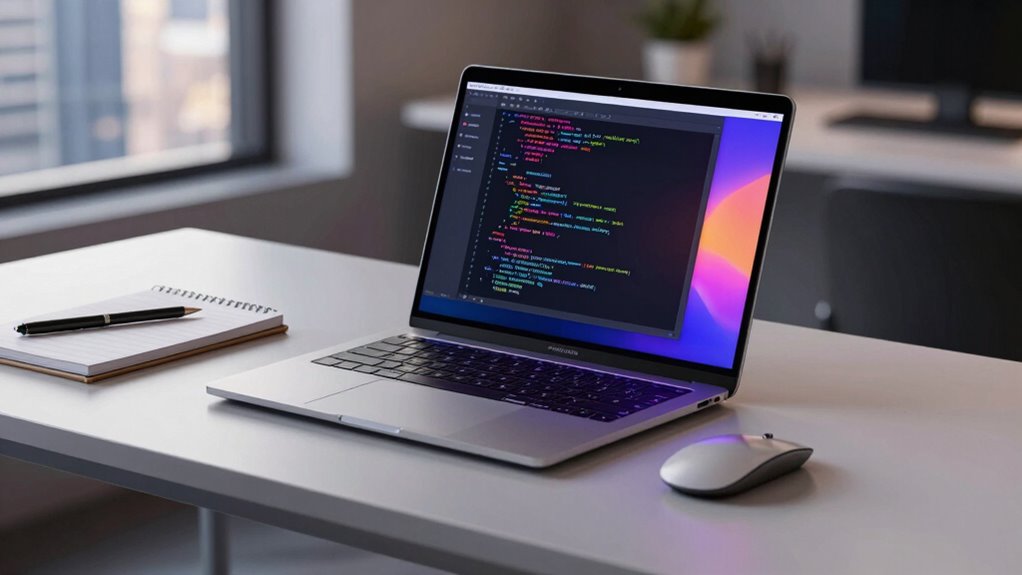

For software development, my best overall pick is the 2026 16-inch MacBook Pro with M5 Pro: its 24GB of memory, 1TB SSD, and larger display suit demanding builds and multitasking. The 2025 14-inch M5 with 24GB RAM is a more portable choice with room for heavier projects, while the renewed 2021 14-inch M1 Pro offers a capable older-chip alternative with 16GB RAM and 1TB storage. The main tradeoffs are performance headroom versus portability, memory capacity versus entry cost, and newer hardware versus the uncertainty of a renewed machine. Continue reading for the full comparison, including which configurations may feel limiting as projects grow.

Get smart everyday buys delivered free with Prime
- Fast, free delivery on millions of items
- Prime Video, Amazon Music and more included
- Member-only deals all year
Key Takeaways
- The M5 Pro 16-inch is the strongest fit for demanding workloads in this lineup, combining a higher-tier chip, 24GB RAM, and a larger workspace; its size is the tradeoff.
- 24GB RAM separates the more growth-ready M5 configurations from the 16GB option, especially for running an IDE, containers, browser tabs, and local services together.
- The two 14-inch M5 models with 24GB RAM and 1TB SSD have the most balanced portable specs; choose between them based on their listed configuration and finish rather than assuming the chip name tells the whole story.
- Renewed M1 Pro models offer a different value proposition: their 16GB RAM and 1TB storage can suit established development workflows, but buyers give up newer-generation hardware and should check condition and return terms.
- The Neo and 8GB/256GB renewed Pro are the most constrained choices for growth; they are better suited to lighter coding or tight budgets than large projects, multiple containers, or long-term heavy multitasking.
| Apple 2026 MacBook Neo 13-inch Laptop with A18 Pro Chip, Liquid Retina Display, 8GB RAM, 512GB SSD, FaceTime HD Camera, Touch ID – Indigo |  | Best for Lightweight, Entry-Level Development | Processor: Apple A18 Pro chip | Display: 13-inch Liquid Retina | Memory: 8GB unified memory | VIEW ON AMAZON | See Our Full Breakdown |
| Apple MacBook Pro 13-inch (Renewed, 8GB RAM, 256GB Storage) – Space Gray |  | Best for Legacy Intel and macOS Compatibility | Processor: 8th-generation quad-core Intel Core i5 | Display: 13-inch Retina with True Tone | Memory: 8GB | VIEW ON AMAZON | See Our Full Breakdown |
| Apple 2026 MacBook Pro Laptop with M5 Pro Chip, 16.2-inch Liquid Retina XDR Display, 24GB RAM, 1TB SSD, Space Black |  | Best for Demanding Professional Work | Processor: Apple M5 Pro chip, 18-core CPU and 20-core GPU | Display: 16.2-inch Liquid Retina XDR | Memory: 24GB unified memory | VIEW ON AMAZON | See Our Full Breakdown |
| Apple 2025 MacBook Pro Laptop with M5 Chip (14.2-inch, 24GB RAM, 1TB SSD, Silver) |  | Best Balanced Development Workstation | Processor: Apple M5 chip, 10-core CPU and 10-core GPU | Display: 14.2-inch Liquid Retina XDR, up to 1600 nits peak brightness | Memory: 24GB unified memory | VIEW ON AMAZON | See Our Full Breakdown |
| Apple 16-Inch MacBook Pro (Late 2019) with 2.3GHz Intel Core i9, 32GB RAM, 1TB SSD – Space Gray (Renewed) |  | Best for Intel Multitasking on a Larger Budget | Model year: Late 2019 | Processor: 2.3GHz Intel Core i9 | Memory: 32GB | VIEW ON AMAZON | See Our Full Breakdown |
| Apple MacBook Pro 14-inch (Late 2021, M1 Pro, 16GB RAM, 1TB SSD, Space Gray, Renewed) |  | Best Renewed M1 Pro for Larger Projects | Processor: Apple M1 Pro chip | Display: 14-inch | Memory: 16GB | VIEW ON AMAZON | See Our Full Breakdown |
| Apple 2025 MacBook Pro 14-inch with M5 Chip (10-Core CPU/GPU, 16GB RAM, 1TB SSD, Space Black) |  | Best Newer-Generation 14-Inch Pick | Model: MacBook Pro 14-inch (2025) | Processor: Apple M5 chip, 10-core CPU and 10-core GPU | Memory: 16GB unified memory | VIEW ON AMAZON | See Our Full Breakdown |
| Apple 2025 MacBook Pro Laptop with M5 Chip, 14.2-inch Liquid Retina XDR Display, 24GB RAM, 1TB SSD, Space Black | | Best for Multitasking Developers | Processor: Apple M5 chip, 10-core CPU and 10-core GPU | Display: 14.2-inch Liquid Retina XDR | Memory: 24GB unified memory | VIEW ON AMAZON | See Our Full Breakdown |
| Apple 2021 MacBook Pro with M1 Pro Chip (14-inch, 16GB RAM, 1TB SSD, Space Gray) – Renewed |  | Best Renewed Pro for Port Variety | Processor: Apple M1 Pro chip, 8-core CPU and 14-core GPU | Display: 14-inch Liquid Retina XDR | Memory: 16GB unified memory | VIEW ON AMAZON | See Our Full Breakdown |
| macbook pro for software development | Processor | Display | Memory | Storage |
|---|---|---|---|---|
| Apple 2026 MacBook Neo 13-inch | Apple A18 Pro chip | 13-inch Liquid Retina | 8GB unified memory | 512GB SSD |
| Apple MacBook Pro 13-inch | 8th-generation quad-core Intel Core i5 | 13-inch Retina with True Tone | 8GB | 256GB SSD |
| Apple 2026 MacBook Pro Laptop | Apple M5 Pro chip, 18-core CPU and 20-core GPU | 16.2-inch Liquid Retina XDR | 24GB unified memory | 1TB SSD |
| Apple 2025 MacBook Pro Laptop | Apple M5 chip, 10-core CPU and 10-core GPU | 14.2-inch Liquid Retina XDR, up to 1600 nits peak brightness | 24GB unified memory | 1TB SSD |
| Apple 16-Inch MacBook Pro | 2.3GHz Intel Core i9 | 16 inches; supplied resolution details conflict between 1920 x 1080 and 1280 x 720 | 32GB | 1TB SSD |
| Apple MacBook Pro 14-inch | Apple M1 Pro chip | 14-inch | 16GB | 1TB SSD |
| Apple 2025 MacBook Pro 14-inch | Apple M5 chip, 10-core CPU and 10-core GPU | 14.2-inch Liquid Retina XDR, up to 1600 nits peak brightness | 16GB unified memory | 1TB SSD |
| Apple 2025 MacBook Pro Laptop | Apple M5 chip, 10-core CPU and 10-core GPU | 14.2-inch Liquid Retina XDR | 24GB unified memory | 1TB SSD |
| Apple 2021 MacBook Pro with M1 | Apple M1 Pro chip, 8-core CPU and 14-core GPU | 14-inch Liquid Retina XDR | 16GB unified memory | 1TB SSD |
More Details on Our Top Picks
Apple 2026 MacBook Neo 13-inch Laptop with A18 Pro Chip, Liquid Retina Display, 8GB RAM, 512GB SSD, FaceTime HD Camera, Touch ID – Indigo
The 13-inch MacBook Neo is the most portable choice here for coding on the move, with a lightweight aluminum build, a compact Liquid Retina display, and up to 16 hours of stated battery life. Its A18 Pro chip suits learning programming, editing small projects, and everyday development tasks, while 512GB of storage leaves more room for tools and local files than the renewed Intel 13-inch MacBook Pro’s 256GB SSD. The main constraint is 8GB of unified memory: running several development tools, browsers, containers, or virtual machines together may feel limiting. Unlike the 14-inch M5 MacBook Pro, this model’s listed details do not specify a dedicated GPU or a professional port selection. I’d choose it for portability and lighter workloads, not as my main machine for large builds or sustained multitasking.
Pros:- Lightweight aluminum design suits commuting and campus use.
- A18 Pro chip is suited to everyday productivity and lighter coding work.
- 512GB SSD provides more working space than the renewed Intel 13-inch MacBook Pro’s 256GB drive.
- Up to 16 hours of stated battery life supports extended use away from an outlet.
Cons:- 8GB unified memory is a limitation for multitasking and demanding development tools.
- The listed specifications do not identify a dedicated GPU or professional port selection.
- The 13-inch display offers less workspace than the 14.2-inch and 16.2-inch MacBook Pro models.
Best for: Students and beginner developers who prioritize a light laptop for coursework, web development, and modest projects.
Not ideal for: Developers who regularly run virtual machines, containers, large codebases, or several memory-heavy apps at once; 8GB RAM may constrain those workflows.
- Processor:Apple A18 Pro chip
- Display:13-inch Liquid Retina
- Memory:8GB unified memory
- Storage:512GB SSD
- Camera:1080p FaceTime HD
- Battery life:Up to 16 hours
- Material:Recycled aluminum
- Color:Indigo
Our verdict“Choose the MacBook Neo for portable learning and lighter coding, but pick a 24GB MacBook Pro for heavier development workloads.”
Apple MacBook Pro 13-inch (Renewed, 8GB RAM, 256GB Storage) – Space Gray
This renewed 13-inch MacBook Pro is a niche pick for developers who need an Intel-based Mac for older tools or compatibility checks, rather than a general recommendation for a new development machine. Its quad-core 8th-generation Core i5, Retina display with True Tone, and Touch ID cover basic coding and everyday work. Compared with the MacBook Neo, it gives access to an Intel processor, but the Neo has a newer listed chip, twice the SSD capacity, and stated long battery life. Against the 14-inch M5 MacBook Pro, this model also falls well behind in listed memory and modern connectivity details. The 8GB RAM and 256GB SSD are tight for current multi-tool workflows, and renewed condition can mean cosmetic wear. I’d consider it only when Intel compatibility matters more than headroom or longevity.
Pros:- Quad-core 8th-generation Intel Core i5 supports legacy Intel-specific workflows.
- Retina display with True Tone is suited to reading code and general work.
- Touch ID adds convenient device authentication.
- Compact 13-inch size is easier to carry than the 16-inch renewed Intel model.
Cons:- 8GB RAM can limit simultaneous use of an IDE, browser, and development services.
- 256GB SSD leaves little room for tools, source repositories, and local environments.
- Renewed condition may include cosmetic imperfections, and the listed graphics are integrated Intel Iris Plus.
Best for: Developers maintaining older Intel Mac software or testing applications that need an Intel-based Mac in a compact form.
Not ideal for: Developers seeking a primary laptop for current container-heavy work, large projects, or long-term performance headroom; its 8GB RAM and 256GB SSD are restrictive.
- Processor:8th-generation quad-core Intel Core i5
- Display:13-inch Retina with True Tone
- Memory:8GB
- Storage:256GB SSD
- Graphics:Intel Iris Plus Graphics 645
- Input and security:Touch Bar and Touch ID
- Condition:Renewed
- Color:Space Gray
Our verdict“Buy this renewed model only when Intel Mac compatibility is a specific requirement and its limited memory and storage fit your workload.”
Apple 2026 MacBook Pro Laptop with M5 Pro Chip, 16.2-inch Liquid Retina XDR Display, 24GB RAM, 1TB SSD, Space Black
For software development that involves large builds, several concurrent tools, or graphics-heavy work, the 16-inch MacBook Pro with M5 Pro has the strongest listed configuration in this group. Its 18-core CPU, 20-core GPU, 24GB unified memory, and 1TB SSD offer substantially more room for demanding projects than the 8GB MacBook Neo or renewed Intel 13-inch model. The 16.2-inch Liquid Retina XDR display also gives code, terminals, and documentation more screen space without relying as heavily on an external monitor. Compared with the 14-inch M5 MacBook Pro, this model pairs a larger display with an M5 Pro chip and Thunderbolt 5. The tradeoff is a larger, less portable machine; the source describes all-day battery life but gives no duration. I’d reserve it for developers who can use its performance and screen area regularly.
Pros:- M5 Pro chip with an 18-core CPU and 20-core GPU is the most powerful listed processor configuration in this batch.
- 24GB unified memory and 1TB SSD provide more headroom for large projects and multiple development tools.
- 16.2-inch Liquid Retina XDR display offers ample workspace for code and documentation.
- Thunderbolt 5, HDMI, and SDXC add flexibility for displays and peripherals.
Cons:- The 16.2-inch size and stated heavier design make it less convenient to carry than the 14-inch MacBook Pro.
- All-day battery life is listed without a specific duration, making direct endurance comparison difficult.
- Its higher-end configuration may be excessive for routine coding and lighter development tasks.
Best for: Professional developers building large projects, multitasking across resource-intensive tools, or working with GPU-heavy code who want a large built-in display.
Not ideal for: Travel-focused developers who value a compact bag setup, or those whose everyday coding needs do not justify a larger, more powerful machine.
- Processor:Apple M5 Pro chip, 18-core CPU and 20-core GPU
- Display:16.2-inch Liquid Retina XDR
- Memory:24GB unified memory
- Storage:1TB SSD
- Battery life:All-day, duration not specified
- Connectivity:Wi-Fi 7, Bluetooth 6, Thunderbolt 5, HDMI, SDXC, MagSafe 3
- Camera:12MP Center Stage
- Color:Space Black
Our verdict“Choose this M5 Pro model when demanding builds, multitasking, and a large display matter more than portability.”
Apple 2025 MacBook Pro Laptop with M5 Chip (14.2-inch, 24GB RAM, 1TB SSD, Silver)
This 14-inch MacBook Pro is the strongest balance in this batch for developers who want substantial memory and storage without carrying the 16-inch M5 Pro model. Its M5 chip, 24GB unified memory, and 1TB SSD make it better suited to multitasking and larger local projects than the MacBook Neo or either 8GB Intel option. The 14.2-inch Liquid Retina XDR display gives useful room for an editor and supporting panels, while three Thunderbolt 4 ports, HDMI, and SDXC reduce reliance on adapters for common desk setups. Compared with the 16-inch M5 Pro MacBook Pro, it gives up the M5 Pro chip, Thunderbolt 5, and a larger display, but should be easier to carry. The listed 10-core CPU and GPU are capable specs, though the product details do not give a battery duration. This is my practical pick for developers who want modern performance without a 16-inch chassis.
Pros:- 24GB unified memory supports heavier multitasking than the 8GB options in this batch.
- 1TB SSD provides space for development environments, repositories, and local project files.
- 14.2-inch Liquid Retina XDR display balances workspace and portability.
- Three Thunderbolt 4 ports, HDMI, and SDXC support a flexible desk setup.
Cons:- The M5 Pro 16-inch model has more listed CPU and GPU cores and newer Thunderbolt 5 connectivity.
- Battery life is described as all-day but no specific duration is supplied.
- The 14.2-inch display offers less workspace than the 16.2-inch M5 Pro model.
Best for: Working developers who need 24GB of memory, 1TB of local storage, and a useful selection of ports in a more portable professional laptop.
Not ideal for: Developers whose workloads benefit from the M5 Pro’s higher listed CPU and GPU core counts, Thunderbolt 5, or a 16.2-inch screen.
- Processor:Apple M5 chip, 10-core CPU and 10-core GPU
- Display:14.2-inch Liquid Retina XDR, up to 1600 nits peak brightness
- Memory:24GB unified memory
- Storage:1TB SSD
- Ports:Three Thunderbolt 4, MagSafe 3, SDXC, HDMI, headphone jack
- Camera:12MP Center Stage
- Audio:Six speakers with Spatial Audio and three studio-quality microphones
- Color:Silver
Our verdict“Pick this 14-inch M5 MacBook Pro for a portable development workstation with generous memory, storage, and ports.”
Apple 16-Inch MacBook Pro (Late 2019) with 2.3GHz Intel Core i9, 32GB RAM, 1TB SSD – Space Gray (Renewed)
This renewed 16-inch MacBook Pro stands apart for developers who need 32GB of RAM and an Intel processor for older software, compatibility work, or established Intel-based workflows. Its 2.3GHz Core i9, 1TB SSD, and large display give it more listed memory and storage than the renewed 13-inch Intel MacBook Pro, whose 8GB RAM and 256GB SSD are a much tighter fit for simultaneous tools. However, the newer 14-inch M5 MacBook Pro has a more recent Apple chip, 24GB memory, a higher-spec Liquid Retina XDR display, and current-generation connectivity details. The supplied resolution information is inconsistent: one field says 1920 x 1080, while another mentions 1280 x 720 on some configurations, so I would verify the exact unit before buying. At four pounds and renewed, it suits a stationary Intel workflow better than frequent travel.
Pros:- 32GB RAM offers the highest listed memory capacity in this batch.
- 2.3GHz Intel Core i9 suits workflows that depend on Intel-based macOS software.
- 1TB SSD provides ample listed capacity for local projects and tools.
- 16-inch screen provides more workspace than the 13-inch renewed Intel model.
Cons:- At four pounds, it is heavier than the 14-inch M5 MacBook Pro and less convenient for frequent travel.
- The supplied display-resolution details conflict, so the exact configuration needs verification.
- Renewed condition and the 2019 model year make it a less current choice than the M5 models.
Best for: Developers who specifically need an Intel Mac and value 32GB RAM for multitasking more than a newer chip or a lighter laptop.
Not ideal for: Buyers seeking a portable daily developer laptop, a clearly specified high-resolution display, or a newer Apple-chip MacBook Pro.
- Model year:Late 2019
- Processor:2.3GHz Intel Core i9
- Memory:32GB
- Storage:1TB SSD
- Display:16 inches; supplied resolution details conflict between 1920 x 1080 and 1280 x 720
- Graphics:Intel UHD Graphics 630
- Weight:4 pounds
- Condition:Renewed
Our verdict“Choose this renewed 16-inch model for Intel-dependent work and 32GB RAM, but verify the display configuration and accept its age and weight.”
Apple MacBook Pro 14-inch (Late 2021, M1 Pro, 16GB RAM, 1TB SSD, Space Gray, Renewed)
The 14-inch M1 Pro pairs capable CPU and GPU performance with a 1TB SSD, giving developers room for multiple projects, tools, and local files without relying as heavily on external storage. Its stated battery life of up to 17 hours also suits work away from an outlet. Against the newer 2025 MacBook Pro 14-inch with M5, this renewed model is the older, more cautious choice: it offers less headroom for newer workloads, but retains a substantial storage capacity for development work. The main constraint is 16GB of memory, which can pinch when running several containers, simulators, and browser sessions together. Renewed condition adds uncertainty about device wear and warranty, so I’d favor it for buyers who value the M1 Pro and storage over a newer machine.
Pros:- M1 Pro chip offers strong CPU and GPU capability for development and graphics-heavy work.
- 1TB SSD leaves room for repositories, tools, and local project assets.
- Up to 17 hours of stated battery life supports mobile work sessions.
- 14-inch size balances a substantial workspace with portability.
Cons:- 16GB RAM can constrain heavy multitasking, virtual machines, and large builds.
- Renewed condition may vary, and the supplied product data does not specify warranty coverage.
- Older M1 Pro generation has less performance headroom than the 2025 M5 options.
Best for: Developers who want a 1TB local workspace and M1 Pro performance for coding, builds, and moderate multitasking, and are comfortable buying renewed.
Not ideal for: Engineers who routinely run several virtual machines or large container stacks, or buyers who want a new device with more memory headroom.
- Processor:Apple M1 Pro chip
- Display:14-inch
- Memory:16GB
- Storage:1TB SSD
- Color:Space Gray
- Condition:Renewed
- Battery life:Up to 17 hours
Our verdict“Choose this renewed M1 Pro if 1TB storage and capable everyday development performance matter more than newer silicon or extra memory.”
Apple 2025 MacBook Pro 14-inch with M5 Chip (10-Core CPU/GPU, 16GB RAM, 1TB SSD, Space Black)
The 2025 14-inch MacBook Pro with M5 is the clearest choice here for developers who want a current-generation chip, a bright XDR display, and built-in ports for a desk or travel setup. Its 10-core CPU and 10-core GPU target demanding work, while HDMI and SDXC join three Thunderbolt 4 ports to reduce dependence on adapters. Compared with the 24GB M5 MacBook Pro, though, this configuration gives up memory headroom; 16GB is less comfortable for concurrent simulators, containers, and memory-heavy IDEs. The 1TB SSD is useful for local projects, but does not solve that RAM limit. I’d pick it over the renewed M1 Pro models for buyers who prioritize newer silicon and a new-device configuration, but skip it if your development workflow regularly pushes memory usage high.
Pros:- M5 chip with a 10-core CPU and GPU is designed for demanding workloads.
- 1TB SSD provides substantial local space for repositories and development tools.
- Liquid Retina XDR display reaches up to 1600 nits peak brightness.
- Three Thunderbolt 4 ports, HDMI, and SDXC offer flexible connections without relying solely on dongles.
Cons:- 16GB unified memory may limit heavy parallel development workflows.
- Compared with the 24GB M5 model, it offers less room for memory-intensive tools and multitasking.
- The product data describes all-day battery life but does not give a specific runtime.
Best for: Developers seeking a current-generation 14-inch MacBook Pro with 1TB storage, a bright display, and built-in HDMI and SDXC.
Not ideal for: Developers who keep multiple virtual machines, simulators, or memory-intensive services running at once; the 24GB M5 configuration is a better fit.
- Model:MacBook Pro 14-inch (2025)
- Processor:Apple M5 chip, 10-core CPU and 10-core GPU
- Memory:16GB unified memory
- Storage:1TB SSD
- Display:14.2-inch Liquid Retina XDR, up to 1600 nits peak brightness
- Ports:Three Thunderbolt 4, HDMI, SDXC, MagSafe 3, headphone jack
- Camera:12MP Center Stage
- Color:Space Black
Our verdict“Pick this M5 model for newer-generation performance and broad connectivity, unless your workload makes 24GB of memory a priority.”
Apple 2025 MacBook Pro Laptop with M5 Chip, 14.2-inch Liquid Retina XDR Display, 24GB RAM, 1TB SSD, Space Black
This M5 configuration earns the multitasking pick because its 24GB unified memory gives development tools more breathing room than the 16GB M5 and M1 Pro models in this group. That matters when an IDE, browser, containers, and a simulator need to stay open together. It keeps the same 1TB SSD and 14.2-inch Liquid Retina XDR display as the 16GB 2025 model, so the meaningful difference for many software developers is memory capacity rather than screen size or storage. The tradeoff is that its supplied specs do not list a specific battery runtime, and the premium configuration may be more than a lighter coding workflow needs. I’d choose it over the 16GB M5 when parallel workloads are routine; developers with modest projects can save memory as their deciding factor and look at the other configurations.
Pros:- 24GB unified memory provides more multitasking headroom than the 16GB M5 and M1 Pro configurations.
- M5 chip with a 10-core CPU and GPU supports demanding professional workloads.
- 1TB SSD accommodates local repositories, toolchains, and project files.
- Thunderbolt 4, HDMI, SDXC, and MagSafe 3 support a flexible development setup.
Cons:- The added memory may be unnecessary for developers with lightweight or mostly remote workflows.
- The product data describes all-day battery life without specifying a runtime.
- The 14.2-inch display offers less workspace than the 16.2-inch MacBook Pro listed elsewhere in the roundup.
Best for: Developers who frequently combine an IDE with containers, browser-heavy testing, and simulators, and want more memory headroom in a portable 14-inch Pro.
Not ideal for: Developers focused on lightweight coding, remote development, or small projects who are unlikely to use the extra memory capacity.
- Processor:Apple M5 chip, 10-core CPU and 10-core GPU
- Display:14.2-inch Liquid Retina XDR
- Memory:24GB unified memory
- Storage:1TB SSD
- Battery life:All-day
- Ports:Three Thunderbolt 4, MagSafe 3, SDXC card slot, HDMI, headphone jack
- Camera:12MP with Center Stage
- Audio:Six speakers with Spatial Audio and Dolby Atmos
- Color:Space Black
Our verdict“Choose this 24GB M5 configuration if you regularly run several development tools and services at once on a 14-inch MacBook Pro.”
Apple 2021 MacBook Pro with M1 Pro Chip (14-inch, 16GB RAM, 1TB SSD, Space Gray) – Renewed
This renewed 2021 MacBook Pro suits developers who want a 14-inch Liquid Retina XDR display and built-in connections for monitors and accessories without making a hub central to their setup. Its listed ports include Thunderbolt 4, HDMI, SDXC, and MagSafe 3, while the M1 Pro with an 8-core CPU and 14-core GPU is positioned for demanding professional work. Against the newer 2025 M5 MacBook Pro, it is an older-generation option with less memory than the 24GB model, but the core package still includes 1TB storage and a substantial display. Its main cautions are shared with other renewed picks: condition and warranty details are not specified, and 16GB can restrict heavier concurrent workloads. The listed dimensions are unusual, so I’d verify the seller’s full listing before buying.
Pros:- M1 Pro configuration lists an 8-core CPU and 14-core GPU for professional workloads.
- 1TB SSD offers ample local storage for development projects and applications.
- Liquid Retina XDR display provides a high-end screen for code and media work.
- HDMI, SDXC, Thunderbolt 4, and MagSafe 3 cover a range of common connections.
Cons:- 16GB unified memory can become restrictive with multiple simulators, containers, or virtual machines.
- Renewed condition and warranty coverage are not detailed in the supplied product data.
- The listed dimensions are 10 inches long, 1 inch wide, and 1 inch thick, and weight is not specified.
Best for: Developers who need HDMI, SDXC, and Thunderbolt connectivity built into a renewed 14-inch MacBook Pro and can work within 16GB of memory.
Not ideal for: Buyers who need a new device, require more than 16GB for virtual machines or container-heavy work, or want fully specified dimensions and weight.
- Processor:Apple M1 Pro chip, 8-core CPU and 14-core GPU
- Display:14-inch Liquid Retina XDR
- Memory:16GB unified memory
- Storage:1TB SSD
- Color:Space Gray
- Operating system:macOS
- Battery life:Up to 17 hours
- Connectivity:Thunderbolt 4, HDMI, SDXC, MagSafe 3, headphone jack
- Condition:Renewed
Our verdict“Choose this renewed M1 Pro if built-in port variety and 1TB storage matter more than newer silicon, extra memory, or clearly documented condition details.”

How We Picked
I ranked these nine listings for software development by looking at the parts that shape a working day: chip class, memory, storage, screen size, and portability. More memory matters when an IDE, browser, simulator, local database, and containers run at once; SSD capacity matters when repositories, build artifacts, and development tools accumulate. I favored configurations that leave more room for demanding workloads while still making sense to carry and use regularly.
The order also reflects the tradeoffs between new and renewed models. The M5 Pro leads for buyers who need sustained headroom and a larger display, while 14-inch M5 systems rank well for a balance of capability and mobility. Renewed M1 Pro options remain viable for many coding tasks, but their age and 16GB memory place them below newer configurations; the 8GB listings rank lower because they leave less room for multitasking. The Neo is included as a lighter-duty alternative, not as an equal substitute for the MacBook Pro models.
| macbook pro for software development | Battery life | Color |
|---|---|---|
| Apple 2026 MacBook Neo 13-inch | Up to 16 hours | Indigo |
| Apple MacBook Pro 13-inch | — | Space Gray |
| Apple 2026 MacBook Pro Laptop | All-day, duration not specified | Space Black |
| Apple 2025 MacBook Pro Laptop | — | Silver |
| Apple 16-Inch MacBook Pro | — | — |
| Apple MacBook Pro 14-inch | Up to 17 hours | Space Gray |
| Apple 2025 MacBook Pro 14-inch | — | Space Black |
| Apple 2025 MacBook Pro Laptop | All-day | Space Black |
| Apple 2021 MacBook Pro with M1 | Up to 17 hours | Space Gray |
Factors to Consider When Choosing Macbook Pro For Software Development
Choosing a development Mac is less about chasing the highest chip label and more about matching the machine to your actual toolchain. I would first map the heaviest work you run locally, then weigh memory, storage, screen size, and the risks attached to older or renewed hardware.
Match Memory to Your Whole Workflow
Estimate memory needs by adding up the tools you use at the same time, not by considering your editor alone. An IDE, several browser windows, a simulator, local services, and containers can all compete for memory during ordinary work. 16GB may suit focused development, while 24GB gives heavier multitasking more breathing room in this lineup. An 8GB system can still handle lightweight coding, but it leaves less capacity for growing projects and concurrent tools. Do not assume a chip upgrade can make up for memory that is fixed at purchase. If you regularly run virtual machines or multiple containers, prioritize memory before paying for a larger display or cosmetic upgrade.
Choose a Chip for Your Builds, Not Its Name
Build times matter most when you compile large codebases often, run several local workloads, or depend on resource-heavy simulators. For editing, scripting, and modest projects, a high-end chip may sit idle for much of the day. Pay more for processing headroom when your daily work can use it, rather than treating every new generation as a necessary upgrade. The M5 Pro is the clearest fit here for demanding work, while standard M5 models make more sense for a broad range of general development tasks. Older M1 Pro hardware can remain practical, though its age makes it a less forward-looking choice. Check compatibility for any required development tools before buying an older Intel-era model.
Plan Storage Around Projects and Tooling
Source code alone often takes little space, but SDKs, simulators, package caches, container images, and build outputs can add up. 1TB offers more working room across most of these listings and reduces the need to move files or manage storage constantly. A 256GB configuration may feel restrictive once development tools and personal files share the drive. External storage can help with archives and large assets, but it is less convenient for files or environments you need every day. Before choosing a smaller SSD, check how much space your current toolchain uses and whether your workflow depends on locally stored environments. Storage needs vary widely by platform, especially for mobile development and container-heavy work.
Balance Screen Space Against Daily Portability
A larger screen can make code, documentation, terminals, and previews easier to keep visible at once. The 16-inch option is appealing when the laptop is your main workstation, while a 14-inch model is easier to carry between home, work, and meetings. Pick the screen for where you work most: a compact laptop paired with an external monitor can be a better setup than carrying a larger machine every day. Think about desk depth, travel habits, and whether you use an external display before paying for extra built-in screen area. The smaller size does not reduce the value of a good memory and storage configuration. Prioritize the components that affect your workload if screen size is secondary.
Treat Renewed Hardware as a Separate Buying Decision
A renewed MacBook can make sense when the configuration fits your work and you can verify the seller’s policies. Condition, battery health, included accessories, return windows, and warranty coverage can vary, so check each listing rather than relying on the model name. Compare the complete purchase terms with the benefits of a newer machine, including its expected support life and your need for current software compatibility. The renewed M1 Pro listings in this roundup have 16GB RAM and 1TB storage, a useful baseline for many projects, but they are not equivalent to the newer M5 systems. The 2019 Intel model also deserves extra scrutiny around tool compatibility and remaining useful life. Keep a clear return path if the laptop arrives with a condition or battery issue that affects your work.
Check Platform Requirements Before Choosing a Development Mac
Most web, mobile, and native Apple development workflows can fit well on a Mac, but the exact requirements depend on your tools and targets. Confirm support for your IDE, language versions, SDKs, virtualization needs, and any required external devices. Compatibility can outweigh raw performance if a project depends on a specific operating system version or a tool that behaves differently on Apple silicon. Developers who need Windows-only software may require a separate system or a remote development setup. Intel-era hardware should prompt an especially careful compatibility check, while newer chips may call for confirmation that legacy tools have suitable support. Make this checklist before buying so an otherwise capable configuration does not disrupt your workflow.
Frequently Asked Questions
Is 16GB of memory enough for software development?
It can be enough for many focused workflows, including coding in one main IDE with a modest number of other apps open. The limitation appears when you add simulators, containers, multiple services, or memory-heavy browser sessions at the same time. In this lineup, the renewed M1 Pro models pair 16GB with 1TB storage, while several M5 options offer 24GB for more headroom. I would choose 24GB if you know your projects are growing or you often multitask heavily. If your work is mostly lightweight and you keep a tighter set of tools open, 16GB may be a reasonable fit.
Should I choose the M5 Pro or a 14-inch M5 with 24GB RAM?
Choose the M5 Pro 16-inch when large builds, sustained workloads, and a roomy built-in display are central to your work. A 14-inch M5 with 24GB RAM and 1TB SSD is a stronger match if you value easier portability and still want substantial memory for multitasking. The standard M5 models can suit general development without the larger size of the Pro configuration. Before paying for the higher-tier chip, ask whether your build and runtime workloads regularly use that added performance. If travel is frequent and your work is less compute-heavy, the 14-inch option may be the more practical daily machine.
Is a renewed M1 Pro MacBook still a sensible development computer?
A renewed M1 Pro with 16GB RAM and 1TB storage can still suit many coding workflows, especially if your tools support its platform and you do not need the latest hardware. Its memory and storage configuration is more flexible than the 8GB/256GB listing in this roundup. The main tradeoffs are the older generation, potential battery wear, and uncertainty tied to the renewed unit’s condition. Check software compatibility, battery details, warranty coverage, and return terms before committing. For work that depends on newer features or a longer upgrade horizon, I would favor a current M5 configuration.
Can the MacBook Neo or an 8GB MacBook Pro handle development?
Either may handle learning programming, lightweight web projects, and basic editing, but both 8GB configurations leave less room for concurrent tools. That can become frustrating when an IDE shares memory with a browser, local server, simulator, or container. The Neo is better viewed as a lighter-duty option than as a direct replacement for a higher-memory MacBook Pro. The renewed 8GB/256GB Pro also has limited storage for toolchains and project files. If you expect to develop regularly or keep several services running locally, I would prioritize a configuration with more memory and storage.
How much storage should I choose for programming projects?
There is no single capacity that fits every developer, because a text-based web project and a collection of mobile simulators have very different storage needs. The 1TB configurations in this roundup provide more space for SDKs, containers, caches, and multiple projects without frequent cleanup. A 256GB drive can work for a lean setup, but it may require external storage or more active file management. Keep frequently used tools and environments on the internal drive when possible, since external drives add another item to carry and connect. Check current disk use on your existing computer, then add room for the tools and projects you expect to adopt.
Conclusion
My best overall pick is the 2026 16-inch MacBook Pro with M5 Pro for developers who need performance headroom and a larger built-in workspace. For a best value direction, I would compare the renewed 2021 M1 Pro models with 16GB RAM and 1TB storage, while checking condition, support, and return terms closely. The best premium choice is the M5 Pro configuration; the best beginner fit is a 14-inch M5 if you want a manageable size and enough memory for learning and broader projects. For a portable setup with more multitasking room, choose a 14-inch M5 with 24GB RAM and 1TB SSD. I would reserve the Neo and 8GB models for lighter coding, and choose the Intel 2019 model only when its compatibility and renewed condition are confirmed.
Halloween Picks
halloween
As an affiliate, we earn on qualifying purchases.