
TL;DR
Thorsten Meyer AI is advising users of loud AI workstations and gaming PCs to prioritize placement, especially moving rigs into a closet or another room, over buying foam first. The guidance says isolation can cut perceived noise more than absorption materials, but warns that enclosed rigs need ventilation to avoid heat buildup, throttling, and louder fans.
Thorsten Meyer AI has issued guidance placing distance and isolation ahead of acoustic foam for reducing noise from high-powered AI workstations and gaming PCs, saying a “rig in the closet” or separate-room setup can cut noise more effectively than treating the room alone.
The guidance says many users treat noise in the wrong order. Its hierarchy ranks distance and isolation first, followed by reducing noise at the source, blocking transmission through doors or barriers, and absorbing reflections with foam. The source states that “a rig you can’t hear because it’s in another room beats any amount of foam.”
The report separates airborne noise, such as fan whoosh and GPU hum, from structure-borne noise, such as vibration through desks, floors, and walls. It says foam may reduce reflections inside a room, while barriers help block airborne sound from leaving. For mechanical hum, the source recommends anti-vibration pads, rubber feet, soft-mounted drives, or SSDs.
The closet setup is presented as effective but conditional. Thorsten Meyer AI says a closed space can contain sound, but it also traps heat. The guidance warns against fully sealing a 24/7 rig, especially one drawing 600 watts or more, because trapped heat can cause the GPU to recirculate exhaust, throttle performance, and make fans run louder.
Why It Matters
The advice matters for people using AI workstations, gaming PCs, render boxes, or home servers in shared living and working spaces. These systems can produce sustained fan noise under GPU-heavy loads, and the source argues that placement may reduce the problem before users spend money on panels or cabinets.
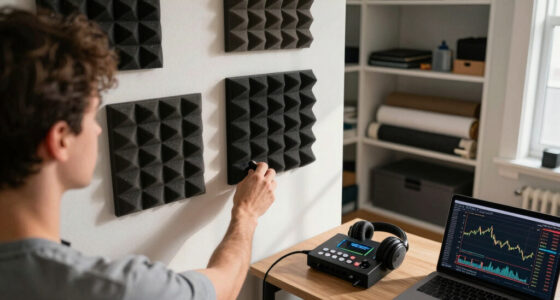
The guidance also affects recording setups. A loud computer near a microphone can raise the noise floor, interfere with voice work, and create reflections in small rooms. By moving the rig away, sealing gaps, and treating reflection points, users may improve both comfort and recording quality.

12 Pack Sound Proof Foam Panels For Walls 3”x12”x12” Self-Adhesive Acoustic Wall Panel High Density,Foam Adhesive Soundproof Wall Panel,Acoustic Panels Sound Absorbing for Studio Gaming Room-Black
- Effective Noise Reduction: Reduces echo and reverberation
- High-Density Construction: Creates better acoustic balance
- Strong Adhesive System: Ensures secure, long-lasting attachment
As an affiliate, we earn on qualifying purchases.
As an affiliate, we earn on qualifying purchases.
Background
The source distinguishes acoustic dampening from soundproofing. Dampening materials such as foam, blankets, and rugs reduce reflections inside a space. Soundproofing aims to stop sound from entering or leaving by sealing cracks, adding mass, or using barriers.
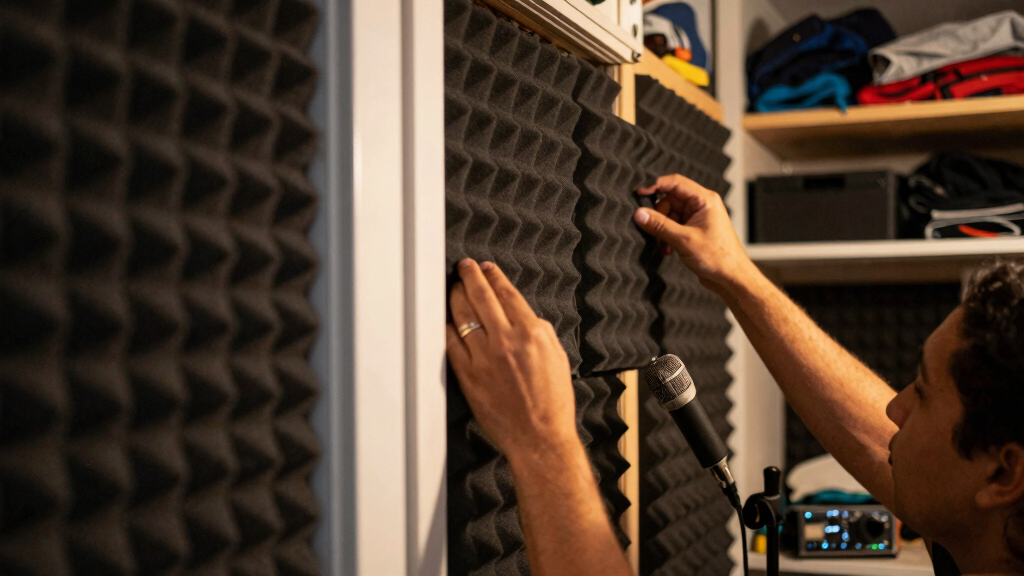
Thorsten Meyer AI says foam should be placed strategically, including behind the microphone, on side-wall reflection points, and on the ceiling where needed. It also says sealing door and wall gaps can reduce leakage, but over-sealing a closet without airflow can create a heat problem.
The guide cites manufacturer figures for soundproof cabinets from companies such as StarTech, SysRacks, and UCoustic, saying some enclosures can reduce perceived noise while still moving heat. It also says figures vary by enclosure and environment.
“The most powerful noise fix isn’t a material — it’s a floor plan.”
— Thorsten Meyer AI guide
“Distance beats foam — by a lot.”
— Thorsten Meyer AI guide
“Contain the noise, not the heat.”
— Thorsten Meyer AI guide
soundproof computer enclosure for high wattage rigs
As an affiliate, we earn on qualifying purchases.
As an affiliate, we earn on qualifying purchases.
What Remains Unclear
The source does not provide independent lab testing for a specific closet layout, and it says cabinet noise-reduction figures vary by enclosure and environment. It is also unclear how much noise reduction a given user will get without details such as room size, door construction, wall materials, rig power draw, cable routing, and ventilation design.

Noctua NA-SAVP1 chromax.Black, Anti-Vibration Pads for 120/140mm Noctua Fans (16-Pack, Black)
- Pack Size: 16 anti-vibration pads
- Color: Black for a sleek look
- Compatibility: Fits 120mm and 140mm fans
As an affiliate, we earn on qualifying purchases.
As an affiliate, we earn on qualifying purchases.
What’s Next
Readers applying the guidance would first move the rig as far from the listening or recording position as practical, then address vibration, seal obvious gaps, and add targeted absorption. Any closet or cabinet setup should include a passive airflow path or a quiet exhaust fan before the system is used for long workloads.

HP OMEN 45L Gaming Desktop, Intel Core Ultra 7 265K, 16 GB RAM, 1 TB SSD, NVIDIA GeForce RTX 5070, Windows 11 Pro, Microsoft Copilot, Tempered Glass, GT22-3050 (2025)
- Standard Form Factor: Easy tool-less upgrades and access
- Powerful AI Performance: Intel Core Ultra 7 265K processor
- High-Performance GPU: NVIDIA GeForce RTX 5070
As an affiliate, we earn on qualifying purchases.
As an affiliate, we earn on qualifying purchases.
Key Questions
Is acoustic foam enough to silence a loud workstation?
No. According to the source, foam can reduce reflections inside a room, but it does not stop all sound transmission and does not address mechanical vibration.
Why does the guide favor putting the rig in a closet or another room?
The guide says distance and isolation reduce what reaches the user more effectively than treating reflections near the desk. A wall or door between the user and the machine can lower perceived noise before other treatments are added.
What is the main risk of a closet setup?
Heat buildup. The source warns that a sealed closet can make the computer reuse its own hot exhaust, leading to throttling and louder fan speeds.
What products does the source say are worth considering?
The guide lists anti-vibration pads, soundproof server cabinets, acoustic foam panels, and quiet exhaust fans as useful in different roles. It frames pads as useful for mechanical hum, cabinets as the engineered quiet-and-cool option, foam as room-reflection treatment, and fans as needed for heat removal.
Source: Thorsten Meyer AI