
Sage 50 Premium Accounting 2026 is my best overall pick for freelancers who want a fuller accounting toolkit, while Express Accounts offers a simpler route for routine bookkeeping and GnuCash suits people who value open source control. The main tradeoff is between hands-on simplicity and deeper accounting features that take more time to learn. Sage appears in several versions here, so edition year, subscription terms, and included capabilities matter as much as the product name. My ranking weighs freelancer fit, usability, reporting, and the practical differences among these editions. Read on for the full breakdown and a guide to choosing around your workflow.

Get smart everyday buys delivered free with Prime
- Fast, free delivery on millions of items
- Prime Video, Amazon Music and more included
- Member-only deals all year
Key Takeaways
- Sage 50 Premium 2026 ranks first for freelancers who need more accounting depth, while its added complexity may be unnecessary for a solo business with straightforward records.
- Express Accounts appears in two listings, making it a practical candidate for basic bookkeeping; compare the specific edition details before choosing between them.
- GnuCash stands apart as an open source option for users comfortable managing their own setup and accounting workflow.
- The Sage 50 Pro listings span different years and terms, so buyers should check the included edition and subscription period rather than assuming the names describe identical software.
- Bookkeeper: Business Finance Management Software offers an alternative to the desktop accounting emphasis of Sage and GnuCash, but freelancers should confirm that its tools match their reporting and recordkeeping needs.


| bookkeeping software for freelancer | Platform |
|---|---|
| Sage 50 Pro Accounting 2024 U. | PC |
| GnuCash Accounting Software on | — |
| Express Accounts 2024 Accounti | — |
| Sage 50 Premium Accounting 202 | PC (Windows) |
| Bookkeeper: Business Finance M | — |
| Express Accounts Accounting So | PC |
| Sage 50 Pro Accounting 2026 Es | PC, Windows |
More Details on Our Top Picks
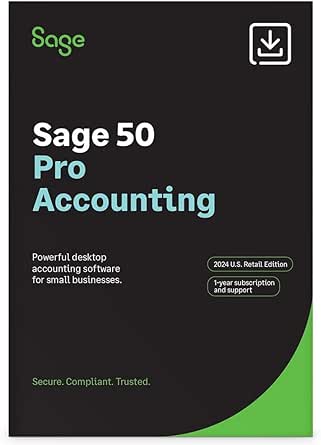
Sage 50 Pro Accounting 2024 U.S. Retail Edition (PC Download)
Sage 50 Pro Accounting 2024 suits freelancers whose work involves tracking costs by project alongside invoices, expenses, and cash flow. Its job costing and inventory tools reach beyond the lighter bookkeeping focus of GnuCash, which offers double-entry records and local data storage but no comparable job costing is listed here. That extra structure can help a freelancer see how project costs affect the business, though it may be more software than a simple service business needs.
The single-user desktop setup keeps this edition focused on one person working from a PC. Compared with cloud-connected Sage 50 Premium Accounting 2026, it lacks the newer edition’s listed bank feeds, audit trails, and remote-access features. It does include a one-year Sage Business Care plan with online support, a useful resource for buyers who want help getting started. The tradeoff is a subscription and less flexibility away from the desktop.
Pros:- Job costing can help track costs against individual projects.
- Includes invoicing, expense, cash flow, and inventory tools.
- One-year Sage Business Care plan includes online support access.
Cons:- One-user license limits shared bookkeeping workflows.
- Desktop-only setup offers less flexibility than cloud-connected Sage 50 Premium Accounting 2026.
- Subscription model requires an ongoing commitment.
Best for: PC-based freelancers who manage project costs or inventory and want online support during their first year.
Not ideal for: Freelancers who need to collaborate across users or access bookkeeping remotely, since this is a one-user desktop edition.
- Software:Sage 50 Pro Accounting 2024
- Edition:U.S. Retail Edition
- Platform:PC
- Delivery:Download
- License:1 user
- Support:1-year Sage Business Care
- Former name:Peachtree Accounting
Our verdict“Choose Sage 50 Pro 2024 if project costing and inventory matter more than multi-user or remote access.”
GnuCash Accounting Software on 16GB USB Flash Drive for Windows, Mac, and Linux
GnuCash is a strong fit for freelancers who want double-entry bookkeeping and prefer to keep financial data on their own computer. It runs on Windows, Mac, and Linux, giving it broader platform coverage than PC-only Sage 50 Pro Accounting 2024. It also supports transaction imports, invoices, bills, reports, and charts, so the basics can cover both business records and personal finances.
The open-source license and local data storage will appeal to people who want to avoid a cloud account. That choice puts more responsibility on the user for installation and data backups; the 16GB USB drive contains installers, rather than being an accounting device or a place where the software automatically stores records. Compared with Express Accounts 2024, which highlights multi-user logins, GnuCash is a more self-managed option. It makes less sense for freelancers who want guided setup or built-in collaboration.
Pros:- Installers are provided for Windows, Mac, and Linux.
- Supports double-entry bookkeeping, invoices, bills, and account registers.
- Imports QIF, OFX, and CSV transactions.
- Stores financial data locally without a cloud account.
Cons:- Requires the user to run an installer from the USB drive.
- Local data storage puts backup responsibility on the user.
- The drive contains installers; it is not a dedicated accounting device.
Best for: Freelancers comfortable installing and maintaining software who want local, double-entry bookkeeping across Windows, Mac, or Linux.
Not ideal for: Freelancers seeking cloud collaboration, guided onboarding, or bookkeeping managed directly from the USB drive.
- Storage capacity:16 GB
- Hardware interface:USB
- Connector:USB Type-A
- Compatible systems:Windows, Mac, and Linux
- Software license:GNU General Public License (open source)
- Data storage:Locally on the computer
- Transaction imports:QIF, OFX, and CSV
Our verdict“Pick GnuCash if you want cross-platform, locally stored bookkeeping and are comfortable handling setup and backups.”
Express Accounts 2024 Accounting Software for Bookkeeping, Cashflow and Reporting [Download]
” image=”https://m.media-amazon.com/images/I/A1ZbAt0idwL._AC_SY445_SX342_QL70_ML2_.jpg” link=”0″]Best for Simple Reporting
View Latest PriceExpress Accounts 2024 is aimed at freelancers who want to track everyday money movement and send reports to an accountant without taking on a more elaborate desktop accounting suite. It covers payments, deposits, quotes, invoices, and expenses, while its home screen shows balances at a glance. Direct email or fax reporting can make handing records to an accountant simpler than assembling figures manually.
Compared with Sage 50 Pro Accounting 2024, Express Accounts emphasizes straightforward tracking and accountant handoff rather than listed inventory and job costing. It also has secure multi-user logins, which gives it an edge over one-user Sage Pro for a small team sharing access. The download format may suit buyers who want software installed directly, but the product details don’t specify system requirements, and it isn’t presented as a cloud-based service. Freelancers who need project cost analysis may want Sage’s more specialized tools instead.
Pros:- Tracks payments, deposits, quotes, invoices, and expenses.
- Home screen provides a quick view of balances.
- Reports can be emailed or faxed to an accountant.
- Supports multiple users with secure logins.
Cons:- Provided product details do not specify system requirements.
- Download format may not suit buyers who prefer physical media.
- Cloud-based access is not listed.
Best for: Independent freelancers or small practices that need clear cash flow tracking and an easy way to share reports with an accountant.
Not ideal for: Freelancers who need detailed job costing, inventory tools, or a cloud-first bookkeeping workflow.
- Version:2024
- Format:Download
- Primary functions:Bookkeeping, cash flow, and reporting
- User access:Multi-user support with secure logins
- Tracked activity:Payments, deposits, quotes, invoices, and expenses
- Balance view:Home screen balance view
- Report sharing:Email or fax to accountant
Our verdict“Choose Express Accounts 2024 if simple cash flow tracking and accountant-ready reports matter more than advanced job costing.”
Sage 50 Premium Accounting 2026 – U.S. Retail Enhanced Edition (1 User, 1-Year Subscription)
Sage 50 Premium Accounting 2026 is the most feature-rich choice here for a freelancer whose bookkeeping has started to resemble a small operation: it combines automated bank feeds, AR automation, budgeting, audit trails, inventory, and job costing. Those tools can reduce repetitive entry and give project-based businesses a clearer record of how money moves. Compared with Sage 50 Pro Accounting 2024, this Premium edition adds listed automation and audit controls, making it better suited to more involved workflows.
That breadth comes with a more demanding setup. It is a Windows desktop product with cloud-connected features, so remote access and bank feeds require a high-speed internet connection; the listed minimum is 8 GB of RAM. The one-user, one-year subscription also limits collaboration and entails renewal. For a freelancer who mainly needs straightforward invoices and expense tracking, Express Accounts 2024 is a simpler fit with multi-user support. Premium makes more sense when its extra controls will be used.
Pros:- Automated bank feeds and AR automation can reduce repetitive bookkeeping work.
- Budgeting tools and audit trails support closer financial oversight.
- Includes inventory management and enhanced job costing.
- Cloud-connected features enable remote data access and customer portals.
Cons:- One-user subscription is a limited fit for shared bookkeeping.
- Cloud features and remote access require a high-speed internet connection.
- Requires Windows 10 or 11 and at least 8 GB of RAM.
Best for: Established freelancers with project costs, inventory, and recurring receivables who want automation and audit trails on a Windows PC.
Not ideal for: Solo freelancers with basic invoicing needs, older computers, or a preference for multi-user access and cloud-first software.
- Software version:2026
- Edition:Premium Enhanced
- License:1 user, 1-year subscription
- Platform:PC (Windows)
- Operating system:Windows 10 (21H1+) or Windows 11 (23H2+)
- Processor:2.0 GHz minimum; 2.4 GHz recommended
- Memory:8 GB minimum; 16 GB recommended for multi-user
- Disk space:1 GB for installation
- Internet:High-speed connection required for cloud features
Our verdict“Choose Sage 50 Premium 2026 when you will use its automation, audit trails, and project tools enough to justify its setup and subscription.”
Bookkeeper: Business Finance Management Software
Bookkeeper stands apart in this lineup by pairing business bookkeeping with payroll and support for printing checks on blank stock. For freelancers who pay employees or contractors and want those tasks close to their financial records, that combination may be more useful than GnuCash, whose supplied details focus on accounts, transactions, invoices, and bills. Bookkeeper also supports electronic filing for W-2, 1099-NEC, and 1099-MISC forms through a third-party service.
The filing service carries a fee, and check layouts cannot be customized, so buyers should weigh those constraints against the convenience of payroll features. Its listed tax forms are for 2022 and tax tables for 2023; that dated information makes this a less reassuring choice for anyone needing current payroll and filing support. Compared with Express Accounts 2024, which emphasizes cash flow and accountant-ready reports, Bookkeeper’s distinction is payroll. It is a narrow fit for freelancers without payroll needs.
Pros:- Combines bookkeeping and payroll features.
- Prints checks on blank check stock.
- Supports electronic filing of W-2, 1099-NEC, and 1099-MISC forms through a third-party service.
Cons:- Check layout customization is unavailable.
- Electronic form filing requires a fee through a third-party service.
- Listed tax forms and tables are dated 2022 and 2023.
Best for: Freelancers with employees or contractor payments who want bookkeeping, payroll, and blank-stock check printing in one product.
Not ideal for: Solo freelancers who do not run payroll or buyers who need current tax forms and customizable check layouts.
- Software type:Bookkeeping and payroll
- Check printing:Supports blank check stock
- Check layout customization:Unavailable
- Electronic form filing:W-2, 1099-NEC, and 1099-MISC through a third-party service for a fee
- Tax forms:2022
- Tax tables:2023
- 1099 support:1099-NEC
Our verdict“Consider Bookkeeper if payroll and check printing are central to your freelance business, but verify that its tax support meets your current needs.”
Express Accounts Accounting Software (PC Download)
Express Accounts fits freelancers who want a Windows bookkeeping tool that can handle both service work and product sales. Its 20-plus financial reports help make cash flow, purchases, and outstanding invoices easier to track, while quotes and accounts payable and receivable tools keep routine records together. Compared with Bookkeeper: Business Finance Management Software, this pick puts more emphasis on formal accounting reports and remote reporting access. Automatic backups add a useful layer of protection for business records. The tradeoff is a more hands-on workflow for accountant collaboration: communication is by email or fax, rather than a built-in connection. It also runs on Windows only, so freelancers who work across Mac or Linux devices should look at GnuCash instead.
Pros:- More than 20 financial reports for monitoring business finances
- Supports service-based and product-based business activity
- Automatic integrated backups
- Secure web access and remote reporting capabilities
Cons:- Limited to Windows
- Accountant communication requires manual email or fax
- The description does not specify dedicated freelancer features such as time tracking
Best for: Windows-based freelancers who sell services or products and want a broad set of financial reports plus invoice and cash-flow tools.
Not ideal for: Freelancers who need native Mac or Linux support, or who want their accounting software to connect directly with their accountant.
- Platform:PC
- Operating system:Windows (all)
- Software type:Accounting
- Backup:Automatic integrated backup
- Financial reports:Over 20
- Business models:Product-based and service-based
- Remote access:Secure web access and remote reporting
Our verdict“Choose Express Accounts if you use Windows and value report depth and remote access over built-in accountant collaboration.”
Sage 50 Pro Accounting 2026 Essential Edition, 1-User, 1-Year Subscription for PC
Sage 50 Pro Accounting 2026 suits freelancers whose books need to cover more than invoices and expenses. Inventory management, purchase orders, bill payment, and job costing can help a product seller or project-based contractor see costs alongside revenue. That makes it a more operations-focused choice than Express Accounts, which offers broad reporting and cash-flow tools but does not list inventory or job costing in its supplied details. Sage’s desktop setup and one-user license are a narrower fit for an independent freelancer who mainly needs straightforward bookkeeping. It also requires a recent Windows version, and online features need an internet connection; some connected services depend on Microsoft Edge. Compared with Sage 50 Premium Accounting 2026, this Pro Essential edition is the more contained option for a single user.
Pros:- Combines invoicing, bill payment, inventory, and purchase orders
- Job costing helps track project expenses against revenue
- Includes cash-flow tracking and financial reporting
- One-user license fits a solo operator
Cons:- Designed for Windows desktop use
- Online features require internet access, and some connected services require Microsoft Edge
- Inventory and job-costing tools may add complexity for freelancers with simple finances
Best for: Solo freelancers who sell physical goods or take on projects where tracking inventory, purchase orders, and job profitability matters.
Not ideal for: Mac users, collaborative teams, and service-only freelancers who want a lightweight bookkeeping setup without desktop and online-service requirements.
- Edition:Pro Essential
- Year:2026
- Platform:PC, Windows
- License:1 user, 1-year subscription
- Operating system:Windows 10 version 21H1 or higher, or Windows 11 version 23H2 or higher
- Memory:8 GB minimum; 16 GB recommended for multiple users
- Storage:1 GB disk space for installation
- Display:Minimum 1280 × 800 resolution
- Internet:Required for online features; 25 Mbps download and 10 Mbps upload recommended
Our verdict“Choose Sage 50 Pro if inventory or job profitability is central to your freelance work and a Windows desktop workflow suits you.”
How We Picked
I ranked these options around the needs that shape freelance bookkeeping: keeping income and expenses organized, understanding cash flow, producing useful reports, and choosing software that fits the user’s comfort with accounting. I also considered whether a listing points to a distinct workflow, such as GnuCash’s open source model, Express Accounts’ bookkeeping focus, or Sage 50’s broader accounting suite. The best fit is not automatically the option with the most features; extra complexity only helps when a freelancer will use it.
Sage 50 Premium 2026 leads for buyers seeking a fuller feature set, while Express Accounts ranks as a more approachable option for routine tasks and GnuCash earns a place for users who prioritize open source flexibility. The Sage Pro editions follow, with edition year and term differences affecting the buying decision. Bookkeeper rounds out the list as a distinct alternative, though buyers should verify its specific capabilities against their own recordkeeping requirements. Product listings alone do not establish current feature availability, so confirm edition details before purchase.
| bookkeeping software for freelancer | Platform |
|---|---|
| Sage 50 Pro Accounting 2024 U. | PC |
| GnuCash Accounting Software on | — |
| Express Accounts 2024 Accounti | — |
| Sage 50 Premium Accounting 202 | PC (Windows) |
| Bookkeeper: Business Finance M | — |
| Express Accounts Accounting So | PC |
| Sage 50 Pro Accounting 2026 Es | PC, Windows |
Factors to Consider When Choosing Bookkeeping Software For Freelancers
Freelance bookkeeping needs change with client volume, tax obligations, and how much of the financial workflow you want software to handle. Before choosing a product, map your regular tasks and decide where you need automation, flexibility, or deeper reporting.
Match the Software to Your Bookkeeping Routine
Write down the tasks you repeat each week, such as categorizing expenses, reconciling accounts, and reviewing unpaid invoices. A tool that supports the tasks you actually perform can be more useful than a larger accounting suite with functions you will leave untouched. If you work with an accountant, ask which records and reports make their work easier. Keep time for setup in the decision: a detailed chart of accounts can pay off for a complex business, but it can slow down a freelancer who needs a simple routine. Avoid choosing based on a long feature list alone. The right workflow should make it easier to keep records current throughout the year.
Check Compatibility Before Committing
Confirm the software works with your computer, operating system, and the way you prefer to access your records. Desktop software can suit someone who wants a local working environment, while other products may offer a different approach to access and data handling. Check whether the specific edition requires a subscription, has an end date, or depends on an installer or physical media. Do not assume different year editions share the same features or support terms. If you move between computers or collaborate with a bookkeeper, verify how records can be transferred or shared. These details affect daily convenience and long-term access more than a product label does.
Plan for Tax Records and Accountant Handoffs
Freelancers need records that explain where business income came from and why expenses were claimed. Ask whether the reports you need can be produced in a format your tax preparer accepts, and whether transactions can be exported if you change tools. A software package may track finances without covering every tax filing or compliance task, so identify those boundaries early. Keep invoices, receipts, and notes linked to transactions where the workflow permits. A common mistake is waiting until tax season to discover that records are difficult to export or interpret. A short conversation with your accountant can clarify which reports and categories matter for your situation.
Decide How Much Accounting Complexity You Need
More accounting controls can help when you manage multiple income streams, inventory, contractors, or detailed reporting needs. For a freelancer with a small number of clients and routine expenses, that same depth may mean more setup and more chances to misclassify transactions. Think about whether you need double-entry accounting and whether you are comfortable maintaining it. If you are not, consider how much guidance the software provides and whether a bookkeeper will help with configuration. Paying for added capability makes sense when it replaces manual work or supports decisions you need to make. Otherwise, a simpler workflow can make it more likely that your books stay up to date.
Check Data Ownership, Backup, and Exit Options
Your bookkeeping records are business records, so understand where they are stored and how you can keep a separate backup. Find out whether you can export transactions, reports, and customer details in usable formats. This matters if you change computers, stop a subscription, or move to another accounting tool. Test the export process early with a small sample rather than waiting until you have years of transactions. Also check how backups work and whether restoring data requires a particular software version. A clear exit path gives you flexibility as your freelance business grows or changes direction.
Frequently Asked Questions
Should I choose Sage 50 Premium or one of the Sage 50 Pro editions?
Start with the jobs you need the software to handle, then compare the exact edition descriptions and terms. Premium is the higher-tier option in this lineup, while the Pro listings are separate products with different years and subscription details. Do not infer a particular feature from the edition name alone; confirm it in the current product information. If your bookkeeping is simple, Pro may be enough, while a business with broader reporting needs may benefit from Premium’s added scope. Check compatibility and support details before committing to an edition.
Is GnuCash a good fit if I am new to bookkeeping?
It can work for a beginner who is willing to learn accounting concepts and manage a more hands-on setup. Open source flexibility may appeal to users who value control over their tools, but it does not by itself mean the workflow will be easier. Before committing, review how the software handles the records and reports your business needs. If you want guided onboarding or minimal configuration, compare it with a more straightforward bookkeeping option. You can also ask an accountant to review your account structure before entering a full year of transactions.
What should I check when two listings use the same software name?
Compare the edition year, exact package name, subscription length, supported operating systems, and what the seller says is included. The two Express Accounts listings and multiple Sage entries show why a short product name may not identify a single identical package. Check whether updates or ongoing access depend on a subscription, and confirm that the download or media format suits your computer. Read the current product details rather than relying on a headline or older description. Save the edition information so you can match support and setup instructions to what you purchased.
Can bookkeeping software replace an accountant for my freelance business?
Software can organize transactions and produce reports, but it does not decide how a tax rule applies to your situation. A freelancer with straightforward finances may handle routine recordkeeping independently and consult an accountant for tax planning or year-end review. More complex work, such as multiple business activities or contractor payments, can benefit from professional guidance. Ask what records your accountant wants before selecting a tool, since export and reporting options differ. Treat the software as part of your recordkeeping process rather than a substitute for advice when you need it.
How can I tell whether a bookkeeping tool will still fit as my freelance work grows?
Consider likely changes over the next few years, such as adding clients, handling recurring invoices, hiring contractors, or tracking more than one line of work. Check whether the software can support those tasks and whether records can move to another tool if your needs outgrow it. Avoid setting up a system that depends on categories or manual steps you cannot maintain. A modest amount of extra capability can help with growth, but excessive complexity can make current bookkeeping harder. Choose a workflow you can keep current, then revisit the fit when your business changes.
Conclusion
Best overall: I recommend Sage 50 Premium Accounting 2026 for freelancers who want a broader accounting toolkit and are willing to manage a more involved setup. Best value for straightforward books: Express Accounts is the clearest fit for routine bookkeeping needs, though buyers should compare the two listings carefully. Best for beginners: choose the simplest workflow that matches your records; Express Accounts is a reasonable starting point, while GnuCash suits beginners prepared to learn its more hands-on approach. Best premium: Sage 50 Premium is the pick for buyers who will use its added accounting depth. Best for specific needs: GnuCash makes sense for people drawn to open source flexibility, while the Sage 50 Pro editions suit buyers seeking a Pro package after checking the year and subscription terms. Match the software to your actual bookkeeping routine, then confirm the edition details before you decide.